Top 15 SQL Server DBA Interview Questions

Categories:
 Written by:
Sara Nobrega
SQL Server DBA interviews: writing window functions, retention queries, explaining indexing internals and isolation levels.
SQL Server DBA interviews rarely test just one skill at a time. You might write a window function, then be asked to explain why you chose it over a subquery, then field a conceptual question about how temp tables differ from table variables.
We've structured this guide to mirror that range. The first half covers hands-on SQL challenges across window functions, joins, aggregation, and CTEs. The second half moves into performance optimization and SQL Server-specific topics that separate candidates who have used the platform in production from those who have only read about it.
For every coding question, we include the solution, the key trade-offs, and the traps interviewers commonly use to probe deeper. For the conceptual questions, we focus on the distinctions that actually matter in a DBA role, not just definitions.
Core SQL Server DBA Interview Questions
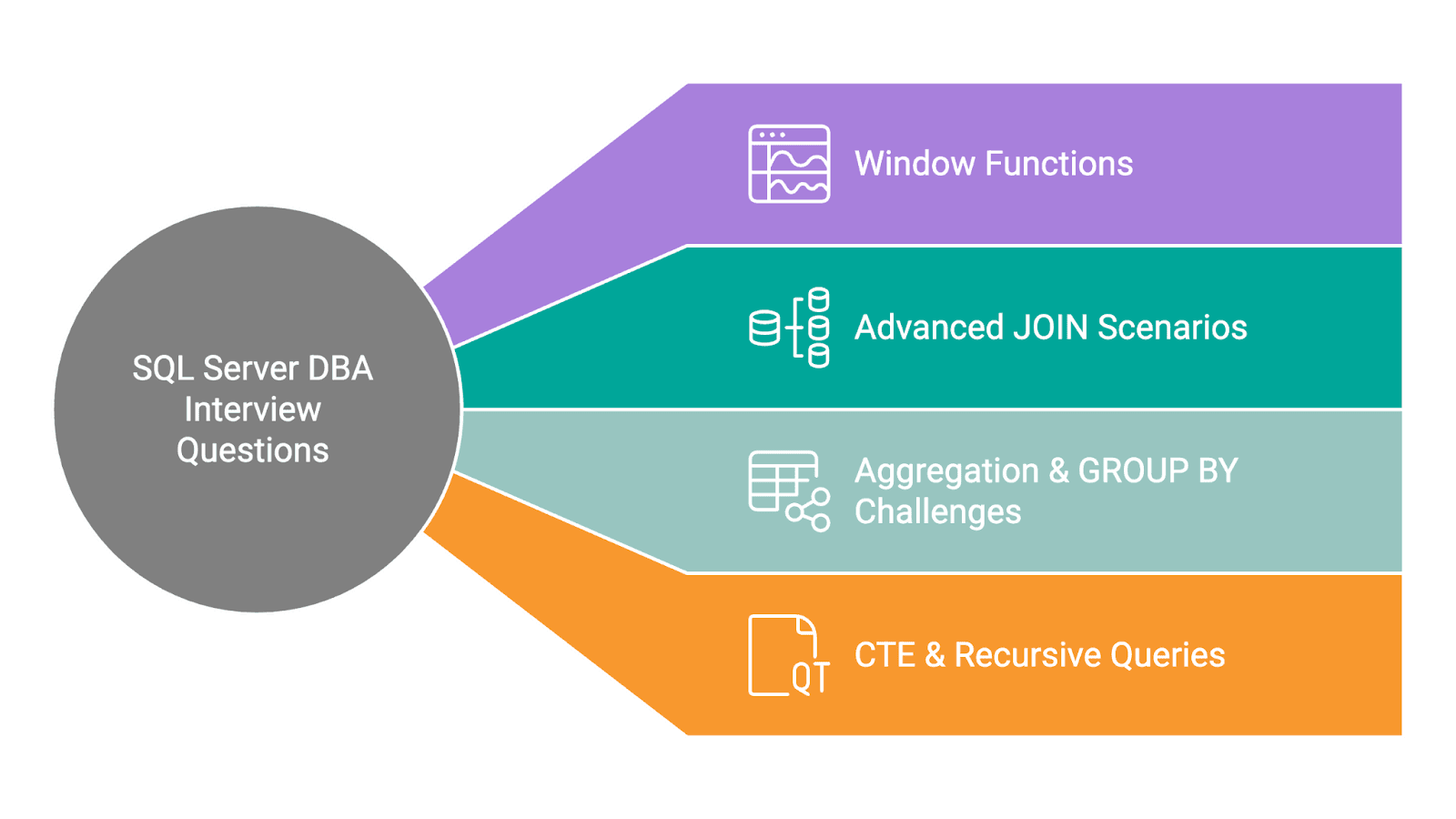
The core questions in this section test the SQL skills that come up most frequently in DBA interviews: window functions, joins, aggregation, and CTEs.
These are the areas where interviewers expect fluency, not just familiarity. Each question below is paired with a solution, the key trade-offs, and the follow-up angles interviewers commonly use to go deeper.
Interview Question #1: Window Functions: Recent Refinance Submissions
Recent Refinance Submissions
Last Updated: February 2021
Write a query to return the total loan balance for each user based on their most recent "Refinance" submission. The submissions table joins to the loans table using loan_id from submissions and id from loans.
Data View
The loans table has one row per loan submission, including user_id, created_at, and type. The submissions table holds the loan balance and links back to loans via loan_id.
Grain (what one output row means): one row per user, showing the balance of their most recent Refinance submission.
How This Is Asked in Interviews
This question is a classic "most recent record per group" problem. Interviewers are watching for two things: whether you choose MAX() OVER (PARTITION BY user_id) over a correlated subquery, and whether you know where to place the final filter.
MAX(created_at) OVER (PARTITION BY user_id) computes the per-user maximum in a single pass. A correlated subquery re-executes for every row, resulting in worse performance at scale and harder to read. Candidates who reach for the window function signal familiarity with real analytical workloads.
Common Mistakes
The most frequent mistake is filtering created_at = most_recent inside the CTE, before the join to submissions. This collapses rows and breaks the JOIN on loan_id. The filter belongs in the outer WHERE clause, after the JOIN is established.
Solution
1) Tag each Refinance row with the most recent submission date per user
We filter by TYPE = 'Refinance' inside the CTE so the partition only considers Refinance records. The window function adds most_recent without collapsing rows.
WITH RecentLoans AS
  (SELECT id AS loan_id,
          user_id,
          created_at,
          MAX(created_at) OVER (PARTITION BY user_id) AS most_recent
   FROM loans
   WHERE TYPE = 'Refinance')
2) Join to submissions and keep only the most recent row per user (final solution)
Interview Question #2: Advanced JOIN Scenarios: Rules To Determine Grades
Rules To Determine Grades
Last Updated: April 2018
Find the rules used to determine each grade. Show the rule in a separate column in the format of 'Score > X AND Score <= Y => Grade = A' where X and Y are the lower and upper bounds for a grade. Output the corresponding grade and its highest and lowest scores along with the rule. Order the result based on the grade in ascending order.
Data View
The los_angeles_restaurant_health_inspections table has one row per inspection, including a numeric score and a letter grade.
Grain (what one output row means): one row per grade, with the min score, max score, and a formatted rule string.
Common Mistakes
The rule format specifies Score > X AND Score <= Y, which means the lower bound is exclusive. Candidates who use MIN(score) directly instead of MIN(score) - 1 produce an off-by-one error in the rule string. Reading the required output format carefully and mapping each component to the right aggregate is the core skill being tested here.
Solution
1) Aggregate by grade and build the rule string (final solution)
We group by grade to find min and max scores. CONCAT() wraps the literal strings with MIN(score) - 1 for the exclusive lower bound and MAX(score) for the inclusive upper bound.
Interview Question #3: Aggregation & GROUP BY Challenges: Total AdWords Earnings
Total AdWords Earnings
Last Updated: July 2020
Find the total AdWords earnings for each business type. Output the business types along with the total earnings.
Data View
The google_adwords_earnings table has one row per business, with business_type and adwords_earnings as the key columns.
Grain (what one output row means): one row per business type, with total earnings summed across all businesses of that type.
Interview Framing
This is a focused GROUP BY question. In an interview, it rarely stands alone; expect a follow-up like "how would you add the percentage of total earnings per type?" or "how would you filter to business types with over $1M in earnings?" Solving the base case quickly and cleanly signals readiness for the follow-up.
A common mistake is omitting an alias on the SUM column. Without AS earnings, the output column name is implementation-defined, fine in a query editor, but fragile in any downstream code or report that references columns by name.
Solution
1) Sum earnings grouped by business type (final solution)
CTE & Recursive Queries: Common Table Expression
Interview Question #4: What is a Common Table Expression?
Common Table Expression
Last Updated: February 2022
In SQL, what is a Common Table Expression? Give an example of a situation when you would use it.
A Common Table Expression (CTE) is a named, temporary result set defined using the WITH keyword at the start of a query. It exists only for the duration of that query and can be referenced like a regular table within the SELECT, INSERT, UPDATE, or DELETE that follows.
Interview Question #5: When would you use a CTE?
We reach for a CTE when an intermediate result needs to be referenced more than once, or when nesting multiple subqueries would make the logic hard to follow. CTEs let you name each step of a computation separately, which makes complex queries easier to read and debug.
A practical example: finding each user's most recent order before filtering:
WITH latest_orders AS (
    SELECT
        user_id,
        order_id,
        order_date,
        ROW_NUMBER() OVER (PARTITION BY user_id ORDER BY order_date DESC) AS rn
    FROM orders
)
SELECT user_id, order_id, order_date
FROM latest_orders
WHERE rn = 1;
Without the CTE, this becomes a nested subquery: technically equivalent, but harder to modify and harder to debug.
Trade-off: CTEs improve readability but are not always materialized by the optimizer. SQL Server may inline the CTE rather than caching the intermediate result, which means a CTE referenced multiple times may be evaluated multiple times. For large, expensive intermediate results that are referenced more than once, a #temp table forces materialization and gives more predictable performance.
Recursive CTEs follow the same WITH syntax but reference themselves, a base case combined with a recursive step via UNION ALL. They are the standard approach for traversing hierarchical data: org charts, category trees, and bill-of-materials structures.
SQL Performance & Optimization Interview Questions
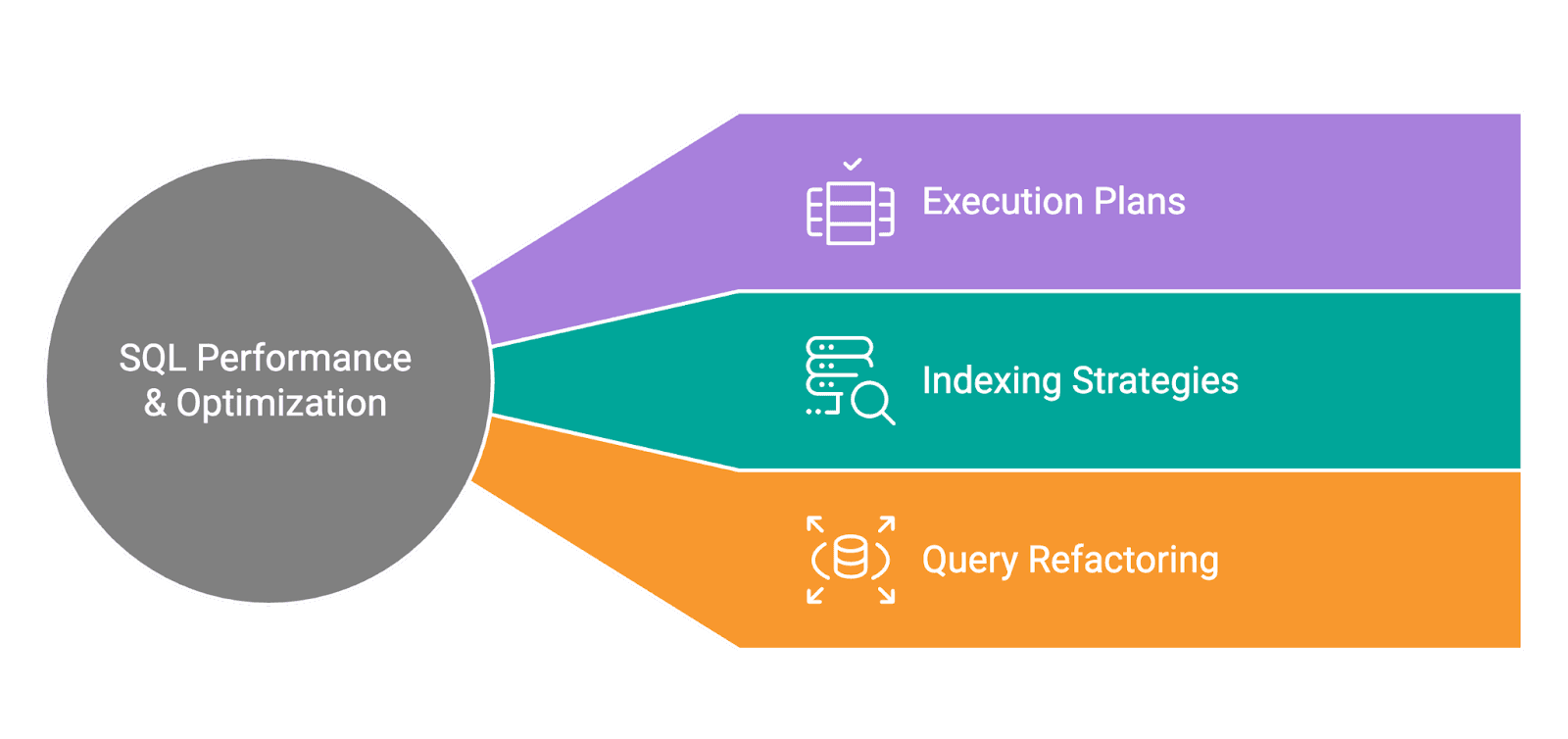
SQL Server performance and optimization questions are where interviews separate candidates with real production experience from those who have only worked in development environments.
These questions test whether you can diagnose a slow query, read an execution plan, understand how indexes affect both reads and writes, and know which SQL Server-specific tools to reach for when something goes wrong.
Interviewers in this section are not just looking for correct answers! They are looking for a structured, repeatable approach to problem-solving under pressure.
Interview Question #6: Execution Plans: What Steps Would You Take if You Notice a Sudden Drop in Database Performance?
This is a non-coding question that tests structured problem-solving, one of the core competencies for a DBA role. Interviewers use it to see whether you have a repeatable diagnostic process or improvise from incident to incident.
You could answer this question by explaining the following steps you would take in the SQL Server environment.
- Initial Assessment
- Identifying the Scope
- Analyzing Specific Areas
- System-Level Checks
- Addressing Identified Issues
- Preventive Measures
- Documentation and Review
Here's each step explained.
1. Initial Assessment
Start by verifying the problem is real and recent. Query sys.dm_exec_requests to see what is actively running and sys.dm_os_wait_stats to understand what the server is waiting on. A sudden change in dominant wait types, a spike in PAGEIOLATCH_SH or LCK_M_X, often points directly to the category of problem.
2. Identifying the Scope
Determine whether the slowdown is isolated to one query, one database, or the entire instance. A single slow query suggests a plan regression or missing index. Server-wide degradation typically points to resource pressure: CPU saturation, memory contention, or disk I/O throughput.
3. Analyzing Specific Areas
Pull actual execution plans for the slow queries and compare them to estimated plans. Look for operators with warnings, index scans where seeks are expected, large key lookups, and spills to tempdb. In SQL Server, the Query Store captures plan history, this makes it possible to pinpoint exactly when a plan changed and compare it to a previously stable version.
4. System-Level Checks
Check for blocking chains using sys.dm_os_waiting_tasks and sys.dm_exec_requests. A single long-running transaction holding a lock can cascade into widespread blocking. Also check Page Life Expectancy (PLE), if SQL Server is evicting buffer pool pages faster than usual, it is reading more data from disk, compounding any I/O pressure.
5. Addressing Identified Issues
For a plan regression, force the last known stable plan using Query Store. For a missing index, add it after validating it does not disproportionately slow writes. For blocking, identify the head blocker and evaluate whether the long-running transaction can be broken into smaller units.
6. Preventive Measures
Set up SQL Server Agent alerts on key thresholds: queries exceeding a runtime limit, blocking chains above a given duration, and low PLE. Enable Query Store with a retention period long enough to provide meaningful baselines. Schedule regular index maintenance to prevent fragmentation from accumulating silently.
7. Documentation and Review
Record the root cause, the fix, and the before/after performance impact. This gives the team a reference if the same pattern recurs, which it often does, and builds the runbook that makes future incidents faster to resolve.
Interview Question #7: Indexing Strategies: What's the Difference Between Clustered and Non-Clustered Indexes in SQL?
There are two main types of indexes in SQL: clustered and non-clustered. Understanding the structural difference, and the performance implications of each, is foundational knowledge for any SQL Server DBA role.
What Is a Clustered Index?
A clustered index determines the physical storage order of rows in a table. There can only be one clustered index per table because data can only be physically arranged in one order. By default in SQL Server, defining a PRIMARY KEY also creates a clustered index on that column.
Definition and Functionality
Clustered Indexes
As you now know, a clustered index determines the physical storage order of data rows. In simpler terms, the table's data is the index. Rows are organized and stored on disk based on the key values of the clustered index.
The clustered index's functionalities come down to four things.
- Physical Ordering: These indexes dictate the physical order of data in a table. The data on disk is arranged in the order specified by the clustered index key.
- Range Queries: If you have a clustered index on
order_date, fetching all orders between January and May is efficient because the rows are physically contiguous on disk. SQL Server locates the starting row and reads consecutively. - Data Retrieval: There is no separate lookup step. The leaf level of the clustered index holds the actual data row, so retrieval is direct with no additional I/O.
- Uniqueness: The clustered index key should ideally be unique. If it is not, SQL Server appends an internal 4-byte uniquifier to each duplicate row, adding storage and maintenance overhead.
Non-Clustered Indexes
A non-clustered index is a separate structure from the table data. It holds a sorted list of key values, with each entry containing a pointer (row locator) back to the corresponding data row. A table can have multiple non-clustered indexes, each optimized for a different query pattern.
From this definition arise non-clustered index functionalities.
- Separate Structure: The index is not the data, it is a sorted copy of selected columns with row pointers. Multiple non-clustered indexes can coexist independently on the same table.
- Data Pointers: When SQL Server uses a non-clustered index, it finds the matching key in the index and follows the pointer to the actual row. If the table has a clustered index, the pointer is the clustered key value. If not, it is a physical row identifier (RID).
- Covering Index: A non-clustered index that includes all columns needed by a specific query is a covering index. SQL Server satisfies the query entirely from the index, with no lookup to the base table. Columns are added via the
INCLUDEclause and can dramatically reduce I/O for read-heavy queries. - Flexibility: Non-clustered indexes can be added independently on
last_name,email,status, or any other column frequently used in filters or joins, without affecting the physical row order defined by the clustered index.
Trade-off: Every non-clustered index improves reads but increases the cost of INSERT, UPDATE, and DELETE because SQL Server must maintain each index on every write. In interviews, saying "I would validate the index against the workload's read/write ratio before adding it to production" signals that you think like a DBA, not just a query writer.
Interview Question #8: Query Refactoring: Premium vs Freemium
Premium vs Freemium
Last Updated: November 2020
Find the total number of downloads for paying and non-paying users by date. Include only records where non-paying customers have more downloads than paying customers. The output should be sorted by earliest date first and contain 3 columns date, non-paying downloads, paying downloads. Hint: In Oracle you should use "date" when referring to date column (reserved keyword).
Data View
ms_user_dimension maps user_id to acc_id. ms_acc_dimension maps acc_id to paying_customer (yes/no). ms_download_facts records daily downloads per user_id.
Grain (what one output row means): one row per date where non-paying downloads exceeded paying downloads.
Trade-offs
We use SUM(CASE WHEN ...) instead of two separate filtered subqueries. The CASE WHEN approach joins and scans the data once, computing both totals in a single pass. Two subqueries would scan the same joined data twice, double the I/O for the same result.
Edge Cases
If a date has paying downloads but no non-paying activity (or vice versa), the unmatched CASE WHEN returns NULL. NULL in the subtraction (non_paying - paying) propagates as NULL, and the row is silently excluded by the WHERE clause. If the business logic requires treating missing activity as 0, each SUM(CASE WHEN ...) should be wrapped in COALESCE(..., 0).
Solution
1) Join the three tables and compute paying and non-paying download totals per date
We join ms_user_dimension to ms_acc_dimension on acc_id to get payment status, then to ms_download_facts on user_id to get download counts. Conditional SUM splits the totals into two columns.
WITH download_totals AS (
    SELECT c.date AS download_date,
           SUM(CASE WHEN paying_customer = 'yes' THEN downloads END) AS paying,
           SUM(CASE WHEN paying_customer = 'no' THEN downloads END) AS non_paying
    FROM ms_user_dimension a
    INNER JOIN ms_acc_dimension b ON a.acc_id = b.acc_id
    INNER JOIN ms_download_facts c ON a.user_id = c.user_id
    GROUP BY c.date
)
2) Filter for dates where non-paying downloads exceed paying, ordered by date (final solution)
Real Business SQL Case Studies
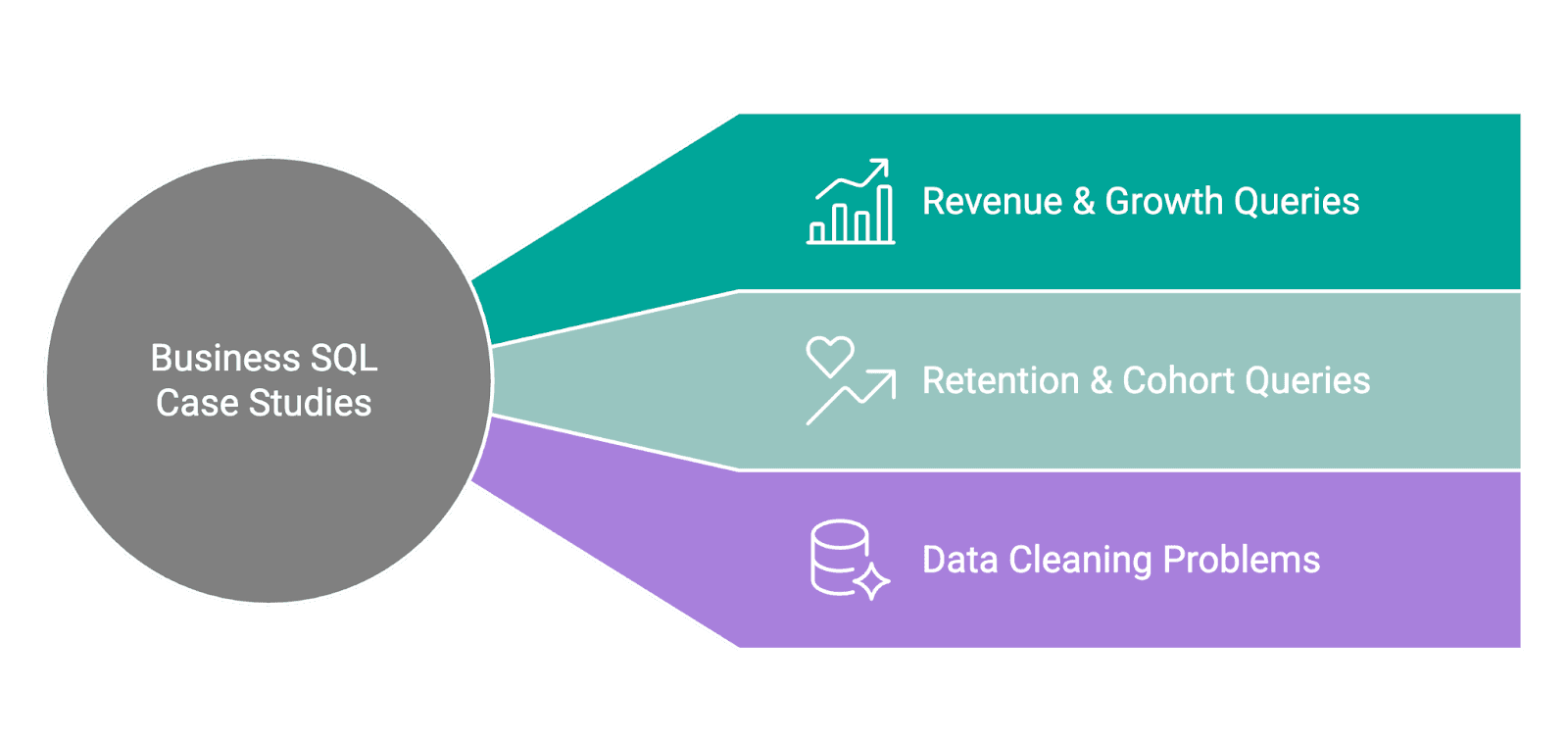
Real business SQL case studies reflect the kind of problems DBAs and data engineers actually encounter on the job: revenue tracking, user retention, and data quality issues.
These questions go beyond syntax. Interviewers want to see how you translate a business requirement into a query, handle edge cases like NULLs and missing data, and justify your approach when there are multiple valid solutions.
Getting to the right answer matters, but so does explaining why you structured the query the way you did.
Interview Question #9: Revenue & Growth Queries: Monthly Percentage Difference
Monthly Percentage Difference
Last Updated: December 2020
Given a table of purchases by date, calculate the month-over-month percentage change in revenue. The output should include the year-month date (YYYY-MM) and percentage change, rounded to the 2nd decimal point, and sorted from the beginning of the year to the end of the year. The percentage change column will be populated from the 2nd month forward and can be calculated as ((this month's revenue - last month's revenue) / last month's revenue)*100.
Data View
The sf_transactions table has one row per transaction, with created_at as the timestamp and value as the transaction amount.
Grain (what one output row means): one row per calendar month, with the month-over-month percentage change in total revenue.
Interview Framing
This question tests whether a candidate can layer window functions over aggregates correctly. A common wrong attempt is writing LAG(SUM(value)) OVER (ORDER BY month) directly in a non-grouped context, this errors because you cannot apply a window function over an unevaluated aggregate in the same SELECT clause. The solution is a CTE that groups first, then applies LAG() over the already-grouped result.
Edge Cases
The first month in the result will always show NULL for revenue_diff_pct because LAG() has no prior row to reference. This is expected, but worth stating in an interview. A follow-up might ask you to replace NULL with 0 or a string label, both require wrapping the expression in COALESCE or CASE.
Solution
1) Group by month, compute totals, and calculate month-over-month percentage change (final solution)
We use FORMAT(CAST(created_at AS date), 'yyyy-MM') for a sortable month string. A CTE groups by month and computes both the monthly total and LAG(SUM(value)) in a single pass to retrieve the prior month's total. The percentage change is (total - prevRevenue) / prevRevenue * 100, cast to float before division to avoid integer truncation, and rounded to 2 decimal places.
Interview Question #10: Retention & Cohort Queries: Retention Rate
Retention Rate
Last Updated: July 2021
A subscription platform wants to measure how well it retains users on each account from one month to the next. Each row in the dataset represents a user's activity on a specific date for a particular account.
Calculate the monthly retention rate for users for each account for December 2020 and January 2021. The retention rate is defined as the percentage of users active in a given month who have activity in any future month. A user is considered retained for December 2020 if they have activity in December 2020 and any subsequent month (e.g., January 2021 or later). Similarly, a user is retained for January 2021 if they have activity in January 2021 and any later month (e.g., February 2021 or later).
Output each account and the ratio of the retention rate in January 2021 to the retention rate in December 2020. If there are no users retained in December 2020, set the ratio to 0 for that account.
Data View
The sf_events table has one row per user activity event, with record_date, account_id, and user_id.
Grain (what one output row means): one row per account, with the ratio of January 2021 retention rate to December 2020 retention rate.
What Interviewers Are Actually Testing
The retention definition here is precise: a user is "retained" if they are active in the given month AND have activity in any subsequent month, not necessarily the immediately following one. Getting this distinction right before writing a single line of SQL is what separates a strong answer from a weak one.
Common Mistakes
The most frequent mistake is treating "retained" as "appeared in the next month." The max_dates CTE avoids this trap by finding each user's latest activity date across all time, then checking whether that date falls after the period boundary. This correctly captures users who returned in February, March, or any later month, not only January.
Solution
1) Find each user's most recent activity date across all time
WITH max_dates AS
  (SELECT user_id,
          account_id,
          MAX(record_date) AS max_date
   FROM sf_events
   GROUP BY user_id,
            account_id),
2) Identify distinct active users in December 2020 and January 2021
We use FORMAT(record_date, 'yyyy-MM-01') to truncate dates to the first of the month, which is the SQL Server equivalent of date_trunc.
   dec_2020 AS
  (SELECT DISTINCT account_id,
                   user_id
   FROM sf_events
   WHERE FORMAT(record_date, 'yyyy-MM-01') = '2020-12-01'),
     jan_2021 AS
  (SELECT DISTINCT account_id,
                   user_id
   FROM sf_events
   WHERE FORMAT(record_date, 'yyyy-MM-01') = '2021-01-01'),
3) Compute retention rates per account for each period
For December 2020, we count users whose max_date falls after 2020-12-31, divided by all distinct December users. Same logic applies for January 2021 with the 2021-01-31 boundary.
   retention_dec AS
  (SELECT d.account_id,
          COUNT(DISTINCT CASE
                             WHEN m.max_date > '2020-12-31' THEN d.user_id
                         END) * 1.0 / COUNT(DISTINCT d.user_id) AS retention_dec
   FROM dec_2020 d
   JOIN max_dates m ON d.user_id = m.user_id
   AND d.account_id = m.account_id
   GROUP BY d.account_id),
     retention_jan AS
  (SELECT j.account_id,
          COUNT(DISTINCT CASE
                             WHEN m.max_date > '2021-01-31' THEN j.user_id
                         END) * 1.0 / COUNT(DISTINCT j.user_id) AS retention_jan
   FROM jan_2021 j
   JOIN max_dates m ON j.user_id = m.user_id
   AND j.account_id = m.account_id
   GROUP BY j.account_id)
4) Compute the January-to-December retention ratio per account (final solution)
ISNULL(rj.retention_jan, 0) handles accounts with no retained January users, setting the ratio to 0 as specified. LEFT JOIN ensures accounts with December data but no January data still appear.
Interview Question #11: Data Cleaning Problems: Primary Key Violation
Primary Key Violation
Last Updated: May 2022
Write a query to return all Customers (cust_id) who are violating primary key constraints in the Customer Dimension (dim_customer) i.e. those Customers who are present more than once in the Customer Dimension. For example if cust_id 'C123' is present thrice then the query should return two columns, value in first should be 'C123', while value in second should be 3
Data View
The dim_customer table is a customer dimension that should have one row per cust_id. The data in the sample shows multiple rows sharing the same cust_id, indicating primary key violations.
Grain (what one output row means): one row per duplicate cust_id, with the count of how many times it appears.
Interview Framing
This simulates a real DBA audit scenario. The GROUP BY + HAVING count(*) > 1 pattern is the standard answer for surfacing duplicate keys. A natural follow-up in interviews is: "How would you identify which specific rows to keep and which to delete?", the answer is ROW_NUMBER() OVER (PARTITION BY cust_id ORDER BY ...) to rank duplicates, then delete rows where the rank is greater than 1.
Validation
After running this query, every returned row should have n_occurences >= 2. A quick sanity check: compare COUNT(DISTINCT cust_id) in the output against the total row count, they should match, confirming the HAVING clause is working correctly.
Solution
1) Group by cust_id and return only those with more than one occurrence (final solution)
SQL Server-Specific Interview Topics
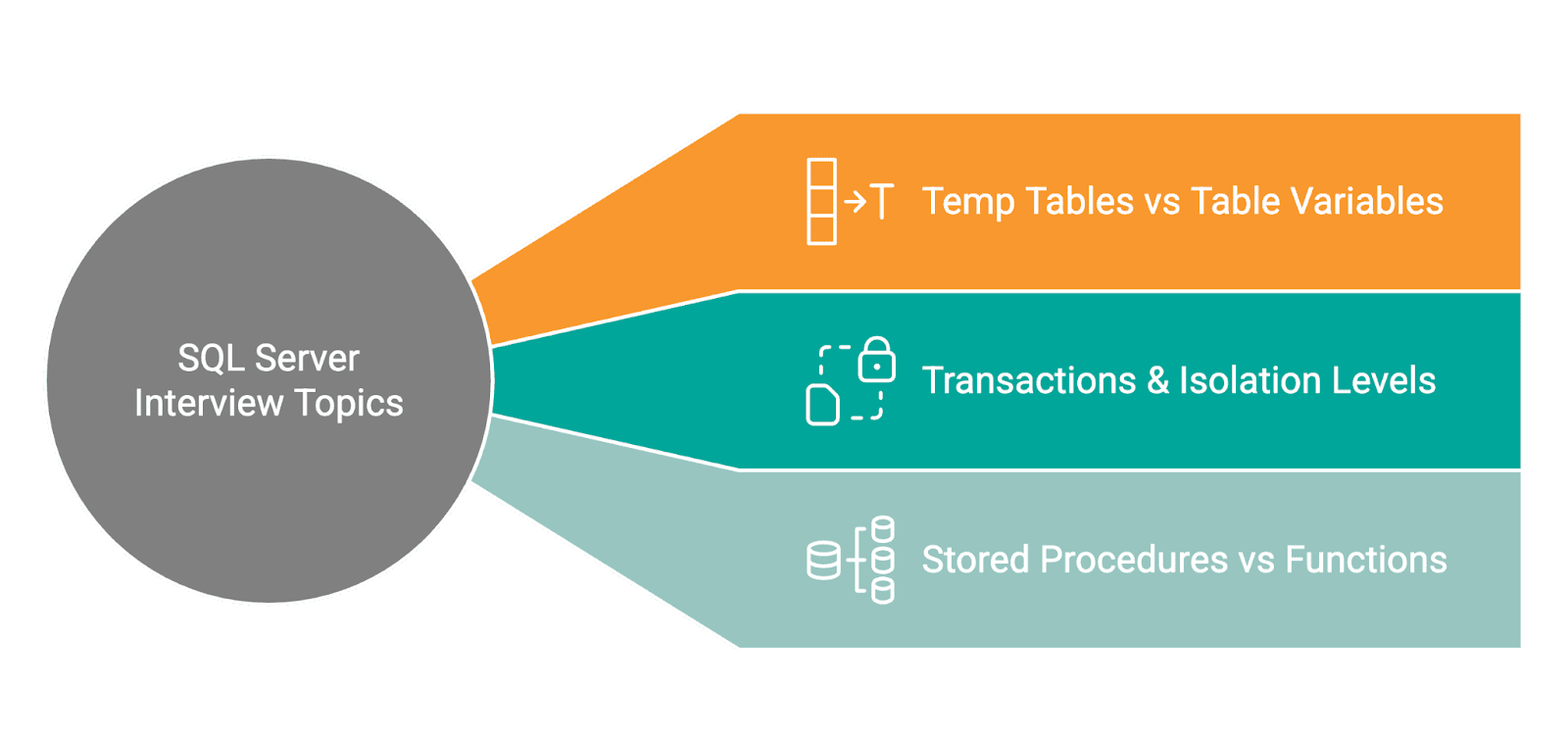
These questions are conceptual and practical, the kind of SQL Server internals that DBAs are expected to know cold. The goal is not just to define terms, but to show you understand the operational consequences.
Temp Tables vs Table Variables
Interview Question #12: What Is the Difference Between Temp Tables and Table Variables in SQL Server?
This question appears in most SQL Server DBA interviews because the answer reveals whether a candidate has actually tuned queries against the platform, or just read the documentation.
Temp Tables (#table)
Temp tables are created in tempdb and behave like regular tables for the duration of a session or stored procedure.
- Statistics are collected and used by the query optimizer to build accurate execution plans
- Explicit clustered and non-clustered indexes can be defined
- Persist across multiple batches within the same session
- Visible to nested stored procedure calls
- Dropped automatically at session end, or explicitly via
DROP TABLE #tablename
Table Variables (@table)
Table variables are also stored in tempdb, not in memory, despite a common misconception.
- Statistics are not maintained. The optimizer always assumes 1 row, regardless of actual row count
- Cannot have explicit indexes added (only inline constraints)
- Scoped to the declaring batch and go out of scope when the batch ends
- Changes to a table variable survive a transaction
ROLLBACK, unlike changes to a temp table
Which one to use?
For small datasets (a few hundred rows), table variables are fine, the 1-row cardinality estimate does not hurt the optimizer at low volumes. For larger datasets, use a temp table. The optimizer can build an accurate plan based on real statistics, which matters significantly when the table is joined, filtered, or aggregated.
We often see candidates default to table variables "because they're faster." This is only true at very small scale. At larger scale, the missing statistics can push the optimizer into bad join strategies, nested loops over large tables being the most painful example.
Transactions & Isolation Levels
Interview Question #13: What Are SQL Server's Isolation Levels, and When Would You Use Each?
Isolation levels control how a transaction handles data being read or modified by concurrent transactions. SQL Server supports five, and knowing when to use each, not just what they do, is what interviewers are probing.
READ UNCOMMITTED, Permits dirty reads: a transaction can read uncommitted changes that may later be rolled back. Use only when approximate data is acceptable and maximum read throughput is the priority.READ COMMITTED(SQL Server default), Reads only committed data, but does not hold shared locks for the full duration of the query. Data can change between reads within the same transaction.REPEATABLE READ, Holds shared locks on all data read until the transaction completes. Prevents non-repeatable reads, but phantom rows - new rows inserted by other transactions matching your filter - can still appear.SERIALIZABLE, The most restrictive level. Prevents dirty reads, non-repeatable reads, and phantom reads using range locks. Use it when absolute correctness is required. The cost is significant lock contention and reduced concurrency.SNAPSHOT, Uses row versioning intempdbinstead of locks. Readers do not block writers; writers do not block readers. Provides statement-level or transaction-level consistency without locking overhead. Enabled at the database level viaREAD_COMMITTED_SNAPSHOTor explicitly per transaction.
Trade-off: Read Committed Snapshot Isolation (RCSI) is the pragmatic choice for most high-concurrency SQL Server OLTP environments. It eliminates most blocking with no application-level changes, at the cost of additional tempdb usage for row versioning. Stating this trade-off, rather than just listing the five levels, is what demonstrates real production experience.
Stored Procedures vs Functions
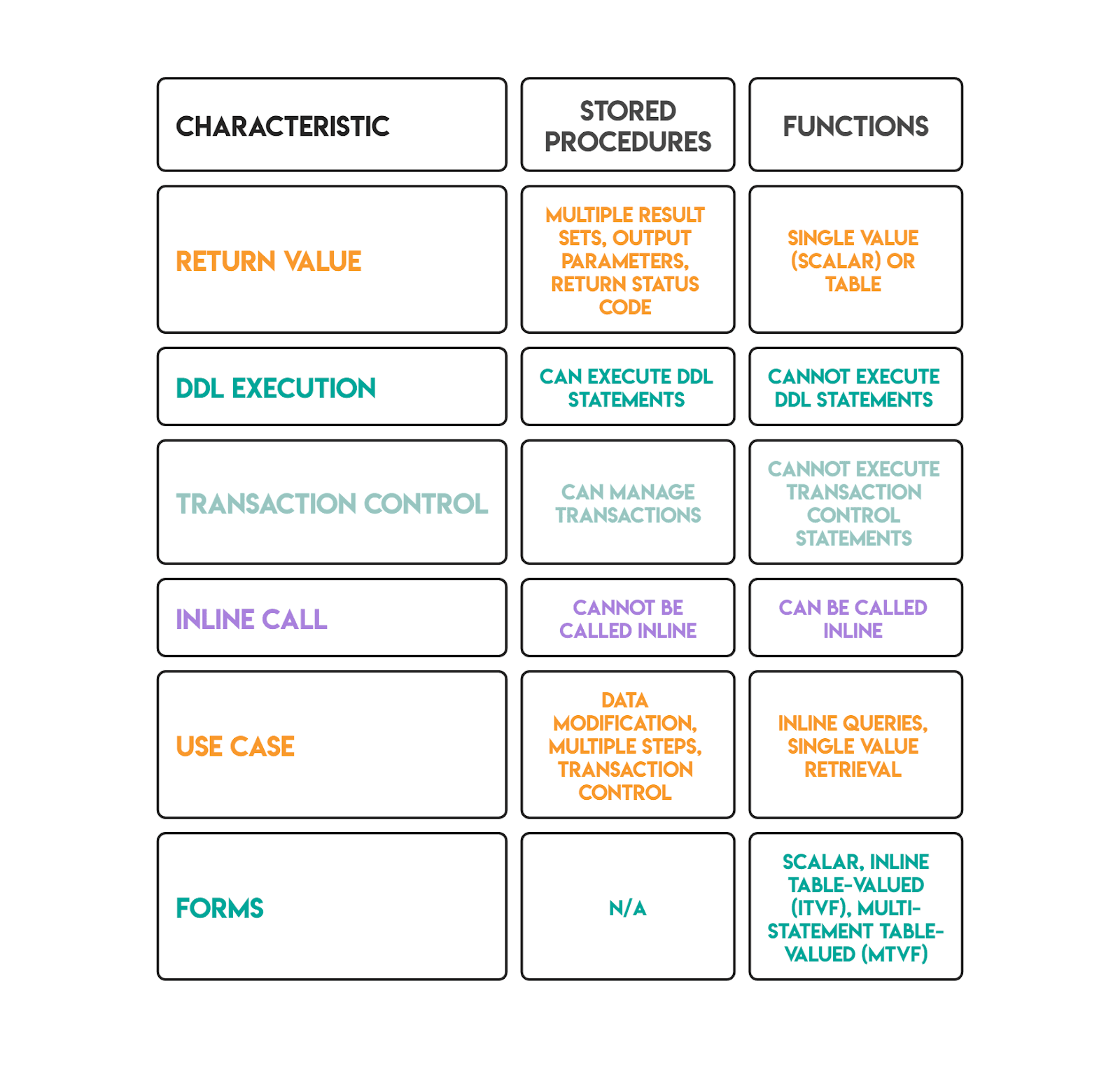
Interview Question #14: What Is the Difference Between a Stored Procedure and a Function in SQL Server?
Both are named, reusable blocks of SQL code. The differences determine where and how each can be used.
Trade-off: Scalar user-defined functions are a known performance hazard in SQL Server. They execute once per row and prevent query parallelism, which can make queries dramatically slower on large tables. Inline table-valued functions avoid this because the optimizer can inline them and apply pushdown predicates. Starting in SQL Server 2019, scalar UDF inlining can automatically convert some scalar functions into table expressions, but validating via the actual execution plan that inlining fired is the right approach before relying on it in production.
Rapid-Fire SQL Server DBA Interview Questions
These shorter questions test SQL Server knowledge that DBAs need to answer quickly and accurately. A strong candidate gives the core answer plus one meaningful trade-off or distinction.
Interview Question #15: UNION and UNION ALL
Pending Claims
Last Updated: January 2022
Count how many claims submitted in December 2021 are still pending. A claim is pending when it has neither an acceptance nor rejection date.
Both UNION and UNION ALL combine the results of two or more SELECT statements. The SELECT lists must match in column count and compatible data types. The difference is how duplicates are handled.
- UNION removes duplicate rows from the combined result. SQL Server must sort or hash the full output to identify and eliminate duplicates, an added cost proportional to result set size.
- UNION ALL includes every row, including exact duplicates. No deduplication step runs, so it is always faster.
When to use each:
Use UNION when the source datasets can genuinely overlap and you need a distinct result, for example, merging two customer lists where the same customer_id may appear in both.
Use UNION ALL when the datasets are already mutually exclusive (different date ranges, different regions, different event types), or when downstream aggregation will handle any deduplication. In CTEs and analytical queries, UNION ALL is almost always the correct default; it avoids an unnecessary sort and preserves all rows for the next processing step.
The correct instinct is to start with UNION ALL and only switch to UNION when deduplication is explicitly required by the problem.
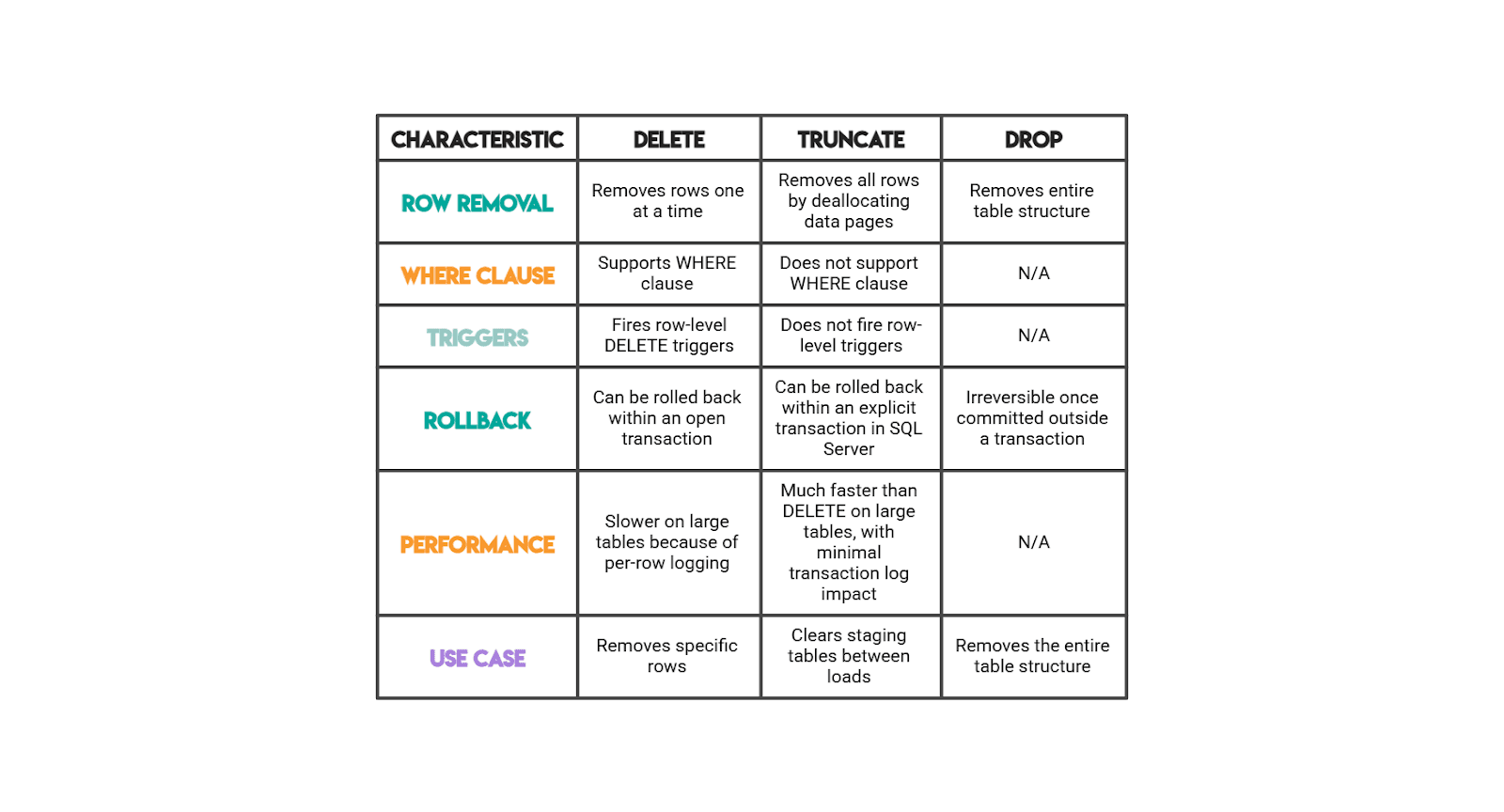
DELETE, TRUNCATE, and DROP
This rapid-fire question tests operational SQL Server knowledge. Knowing the transactional and logging implications matters as much as the syntax.
Conclusion
SQL Server DBA interviews test more than whether you can write a query that produces the right output. They test whether you understand how SQL Server executes that query, stores the underlying data, manages concurrency, and behaves under production conditions.
The 15 questions in this article cover the full range: hands-on SQL from window functions to retention cohorts, performance diagnostics using execution plans and wait statistics, and SQL Server internals like isolation levels, temp table behavior, and function performance trade-offs.
For the coding questions, practice explaining your reasoning as you go, not just arriving at the correct result.
Interviewers consistently reward candidates who articulate trade-offs, surface edge cases before being prompted, and validate their output.
For the conceptual questions, aim for operational depth: knowing that TRUNCATE is faster than DELETE is the baseline. Knowing that it works by deallocating pages rather than logging individual row deletions, and that it can still be rolled back inside an explicit transaction on SQL Server, is what demonstrates real DBA experience.
Share