Top 10 Data Science Project Platforms to Build Your Portfolio

 Written by:
Tihomir Babic
An inadequate portfolio is one of the main reasons you don't get an interview. These 10 data science project platforms will help your portfolio stand out.
Are you finishing data science courses like crazy and still not receiving interview callbacks? We might have an answer for why that’s happening.
Most of the time, the missing piece to getting an interview isn’t more theory but visible proof that you can turn raw data into answers. In other words, a project portfolio.
We’ll walk you through ten of the best platforms where you can build, host, and showcase your portfolio. In addition, we’ll show you how to pick the right ones, depending on your goals.
Editorial note: StrataScratch publishes this article and also appears as one of the ten platforms reviewed. Details about every other platform come from official documentation, pricing pages, and public sources checked in October 2026.
Top 10 Data Science Project Platforms at a Glance
It’s easy to get lost in what each platform does best. Here’s a visual for comparing them easily side by side before reading full reviews.
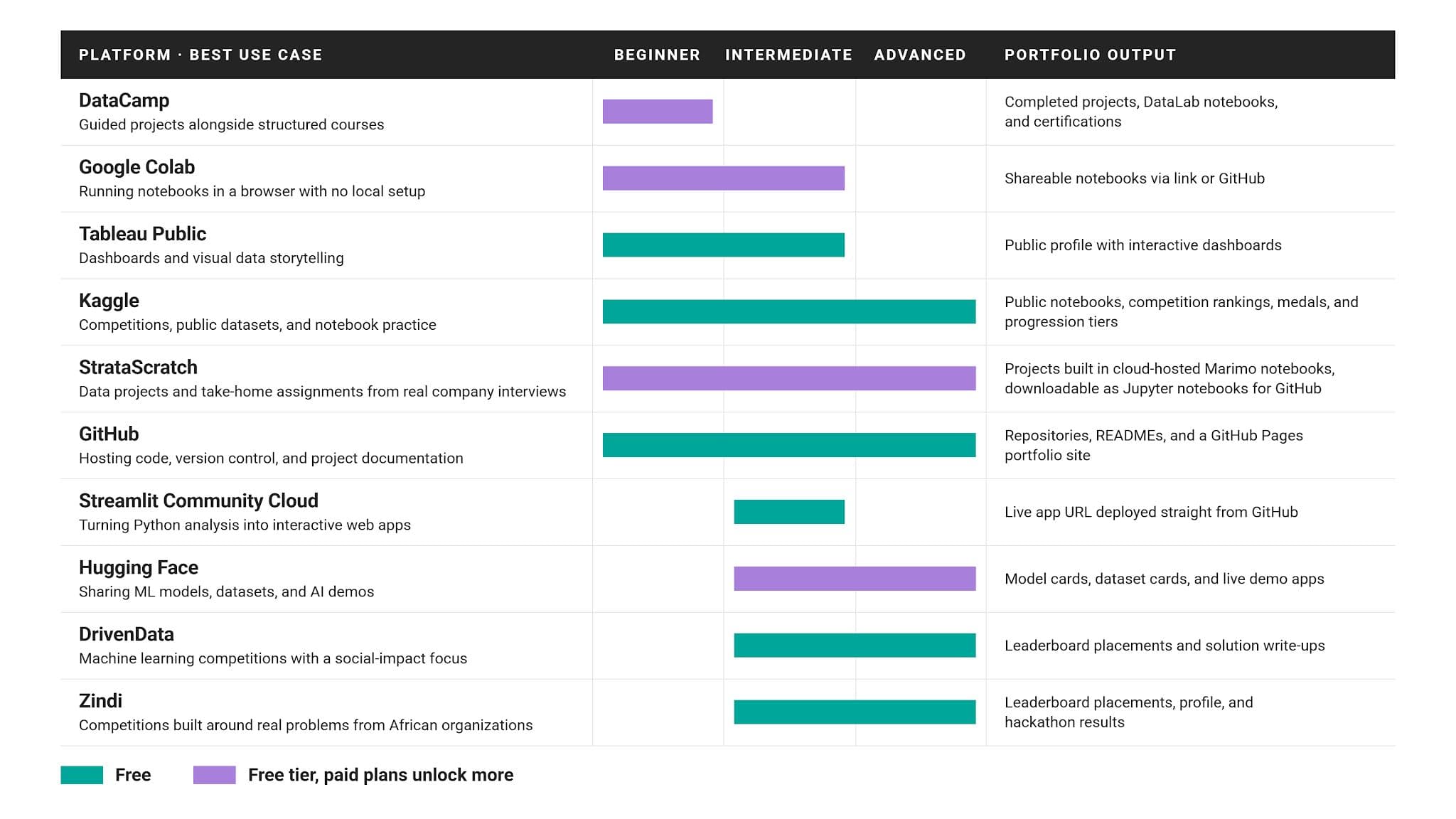
Best For: A Quick Summary
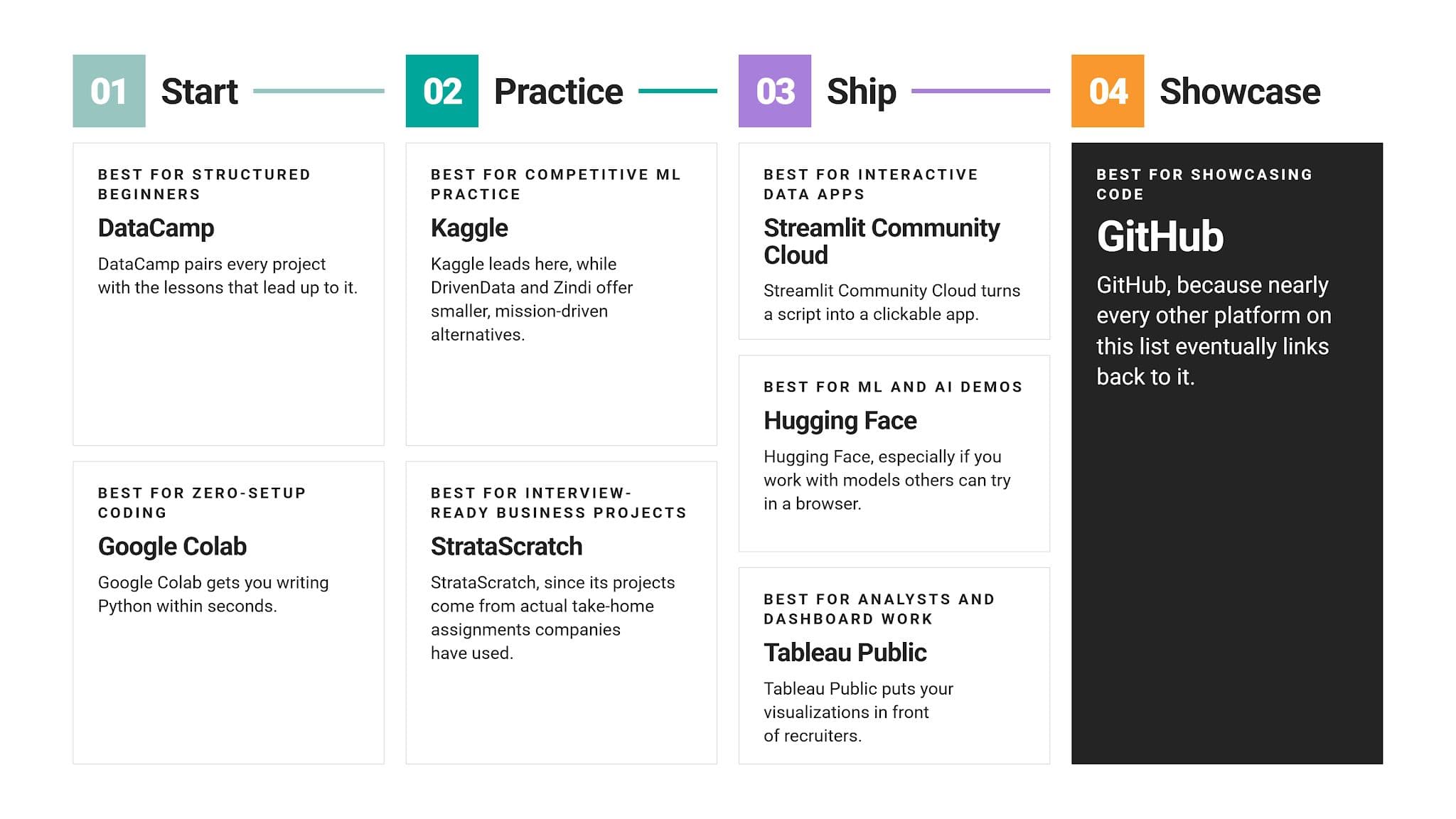
10 Best Data Science Project Platforms to Build Your Portfolio
The ten platforms we picked solve different portfolio problems. Some help you find problems to solve, while others help you host and present what you built.
1. Kaggle
Kaggle is the largest and probably the most popular site for data science work. You can find a plethora of free datasets, browser-based notebooks, competitions, and courses.
What You Can Build There
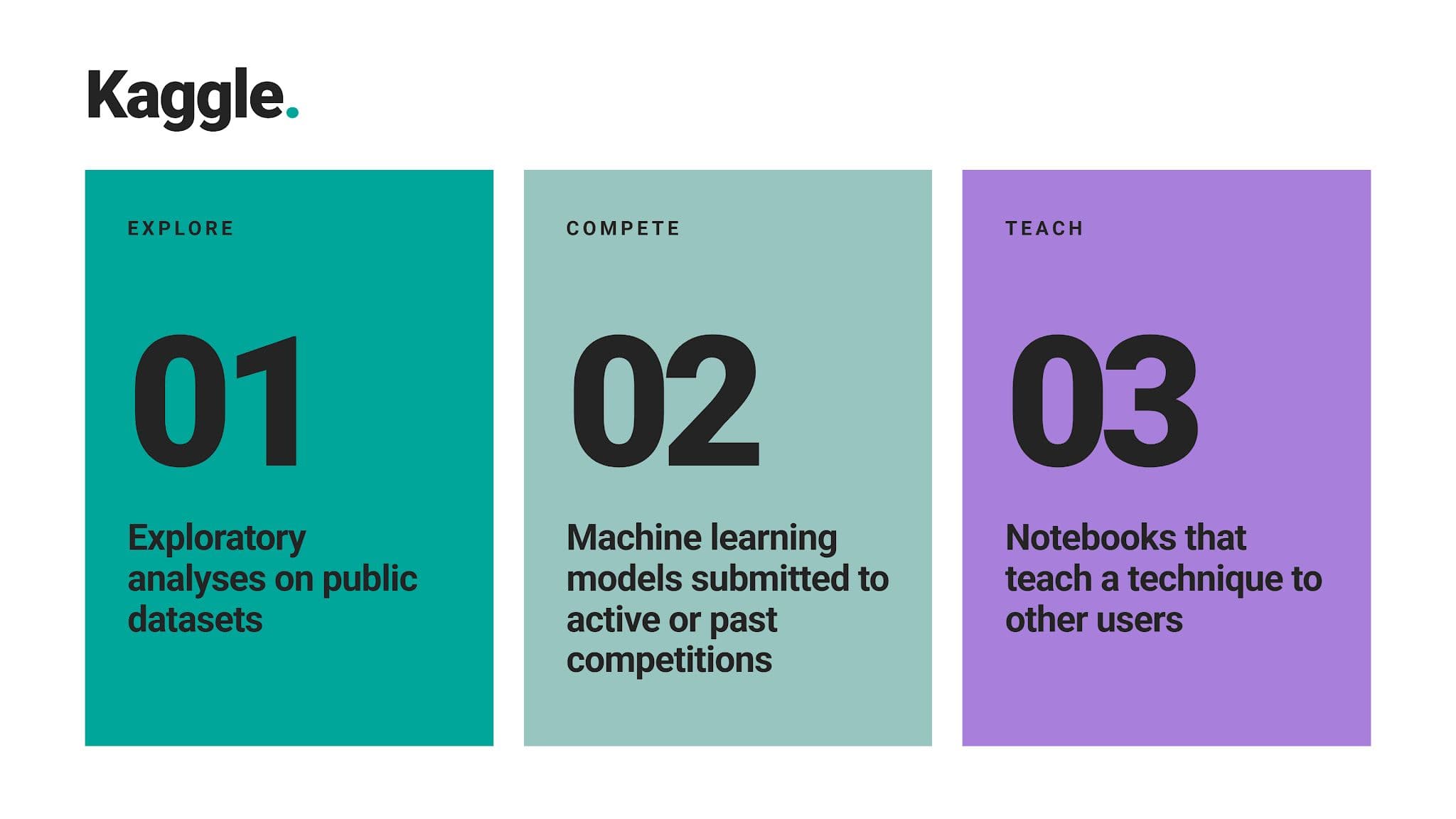
Why It Works for Your Portfolio
All your public notebooks, competition placements, and progression are available in your profile, which anyone can browse. Very handy for interviewers to easily see it. If you have well-documented notebooks with many upvotes, this signals to interviewers that real practitioners found your work useful.
Where It Falls Short
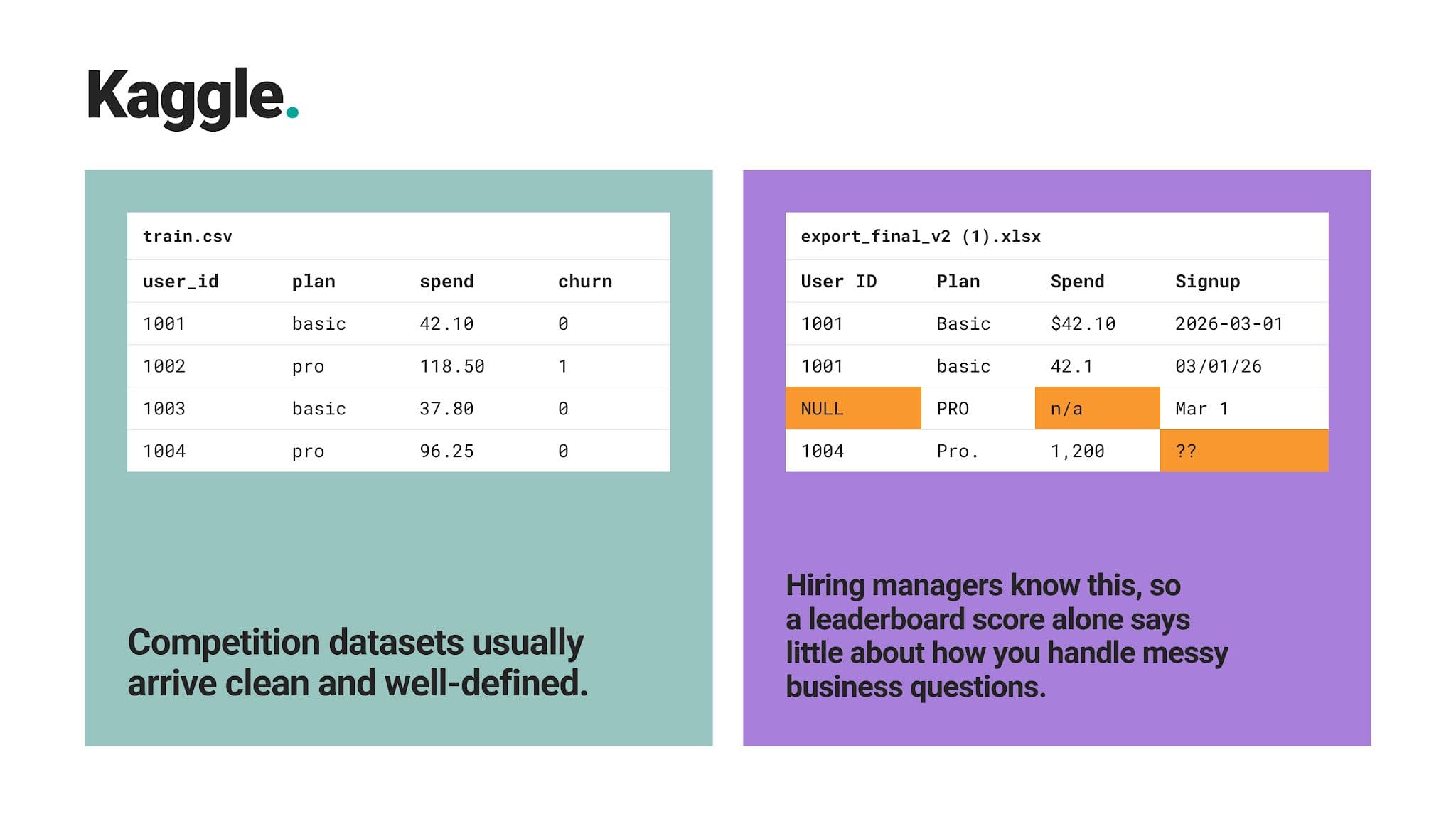
Best For
Kaggle is best for learners who want hands-on machine learning practice and a visible track record within a large community.
2. StrataScratch
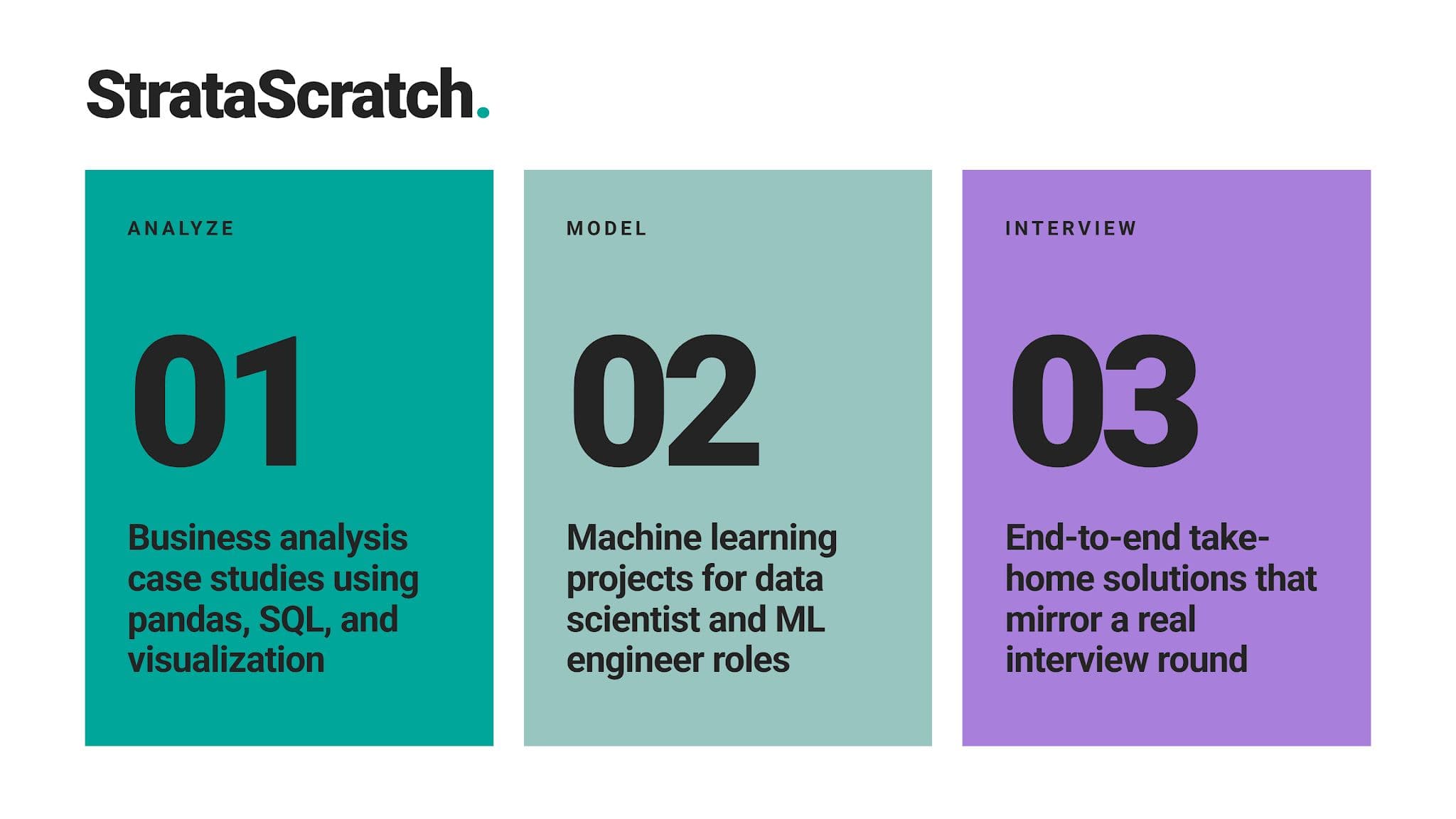
StrataScratch is a platform focusing on the work companies actually test you on. This includes real data projects top companies use as take-home assignments in their interview loop. They all have a built-in cloud-hosted notebook; no local setup is required.
What You Can Build There
Why It Works for Your Portfolio
Hiring managers immediately recognize the take-home format: a business question, a raw dataset, and a written recommendation at the end. You can download any finished project as a Jupyter notebook and add it to your GitHub portfolio.
Where It Falls Short
Bioijijo9est For
Job seekers who want portfolio projects that double as interview preparation.
3. GitHub
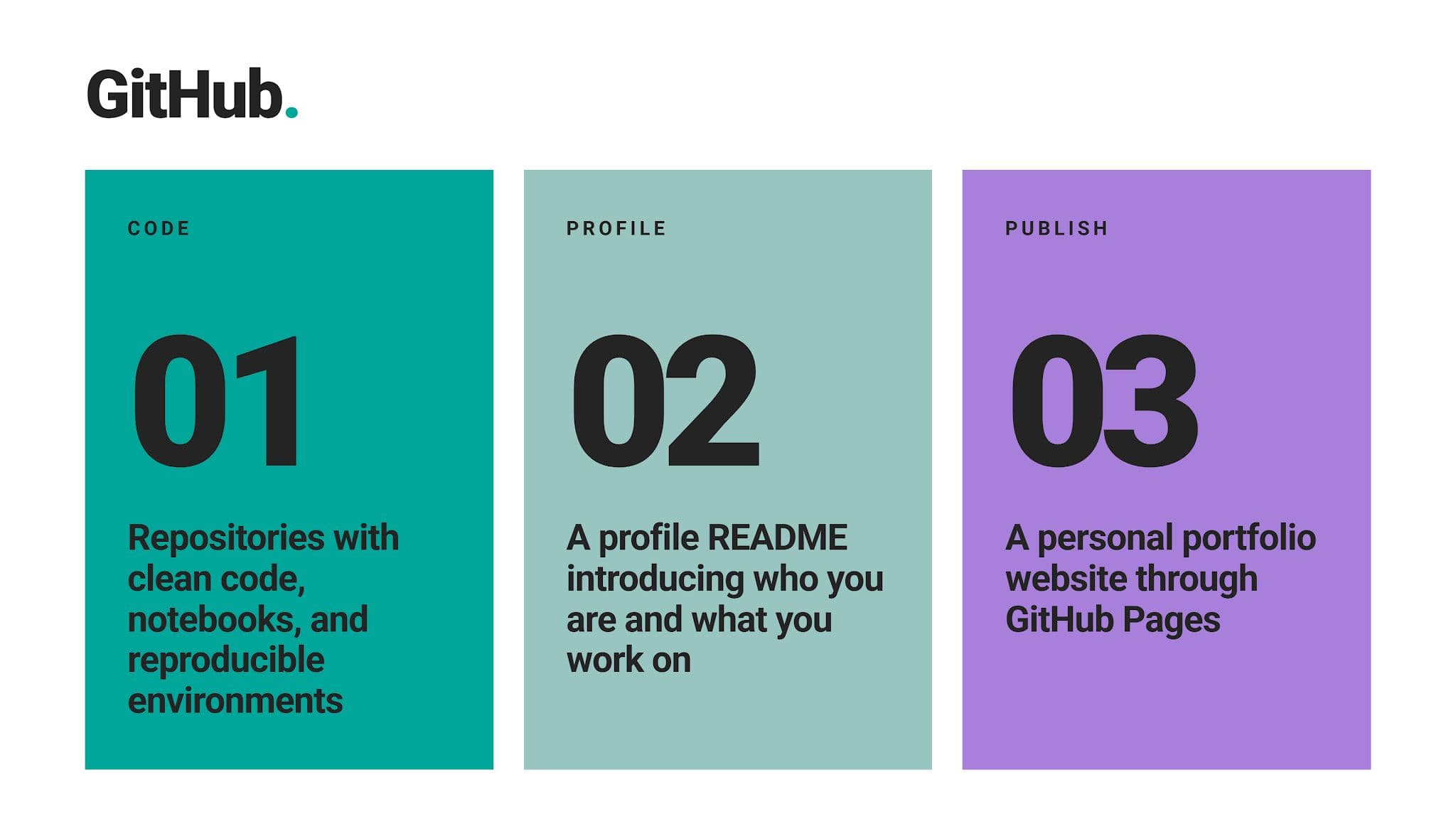
GitHub isn’t a project source at all. Despite that, it finds itself on this list. Why? Because all even remotely serious projects end up living here.
What You Can Build There
Why It Works for Your Portfolio
From seeing your commit history, code structure, and documentation habits, hiring managers can gauge how you’d fare on a real data project at the actual job. All of that is available in a few clicks, with notebooks showing in the browser, so no one needs to download anything.
Where It Falls Short
Best For
It’s a portfolio’s home base, best for everyone, no matter your level.
4. Hugging Face
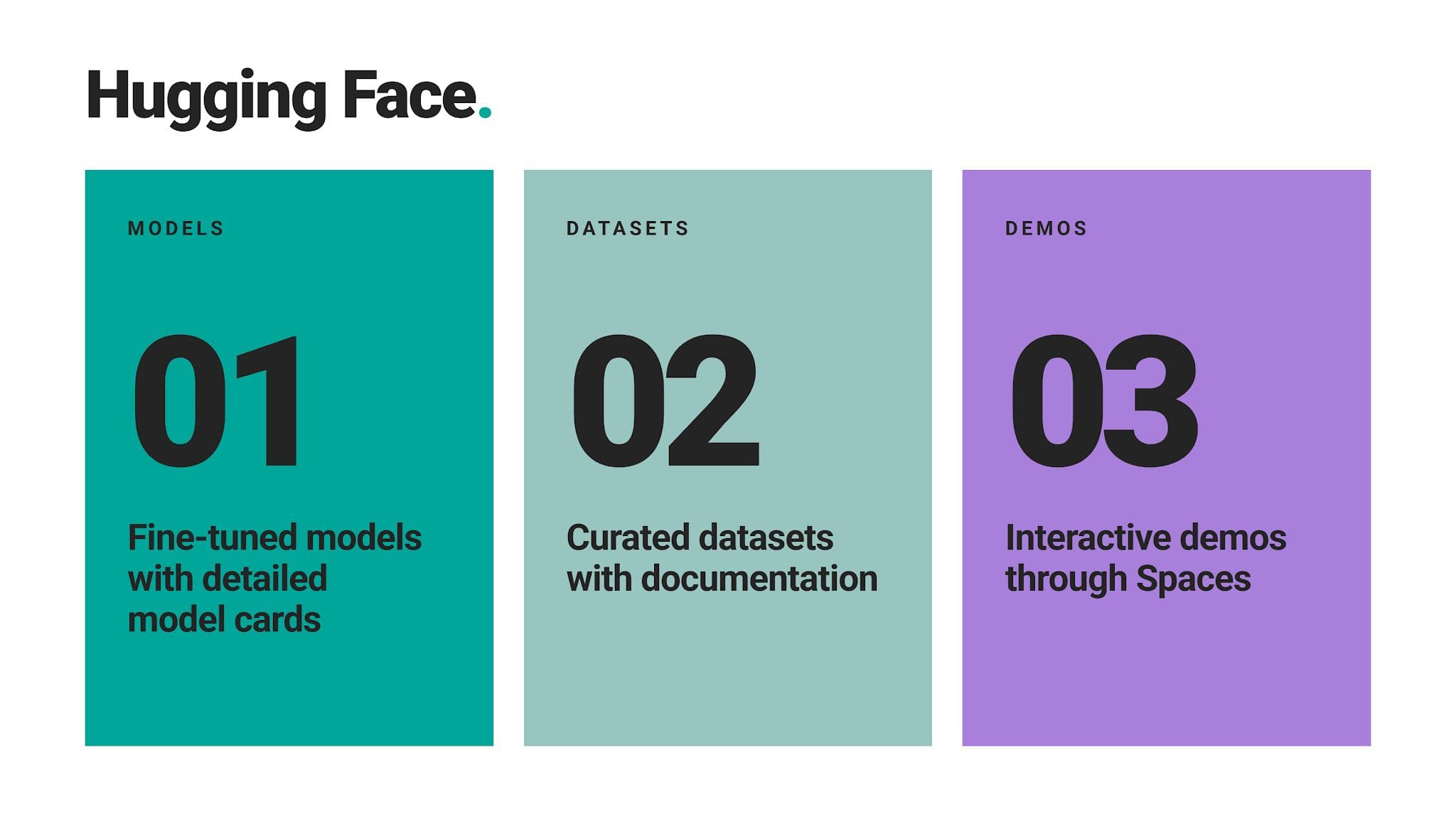
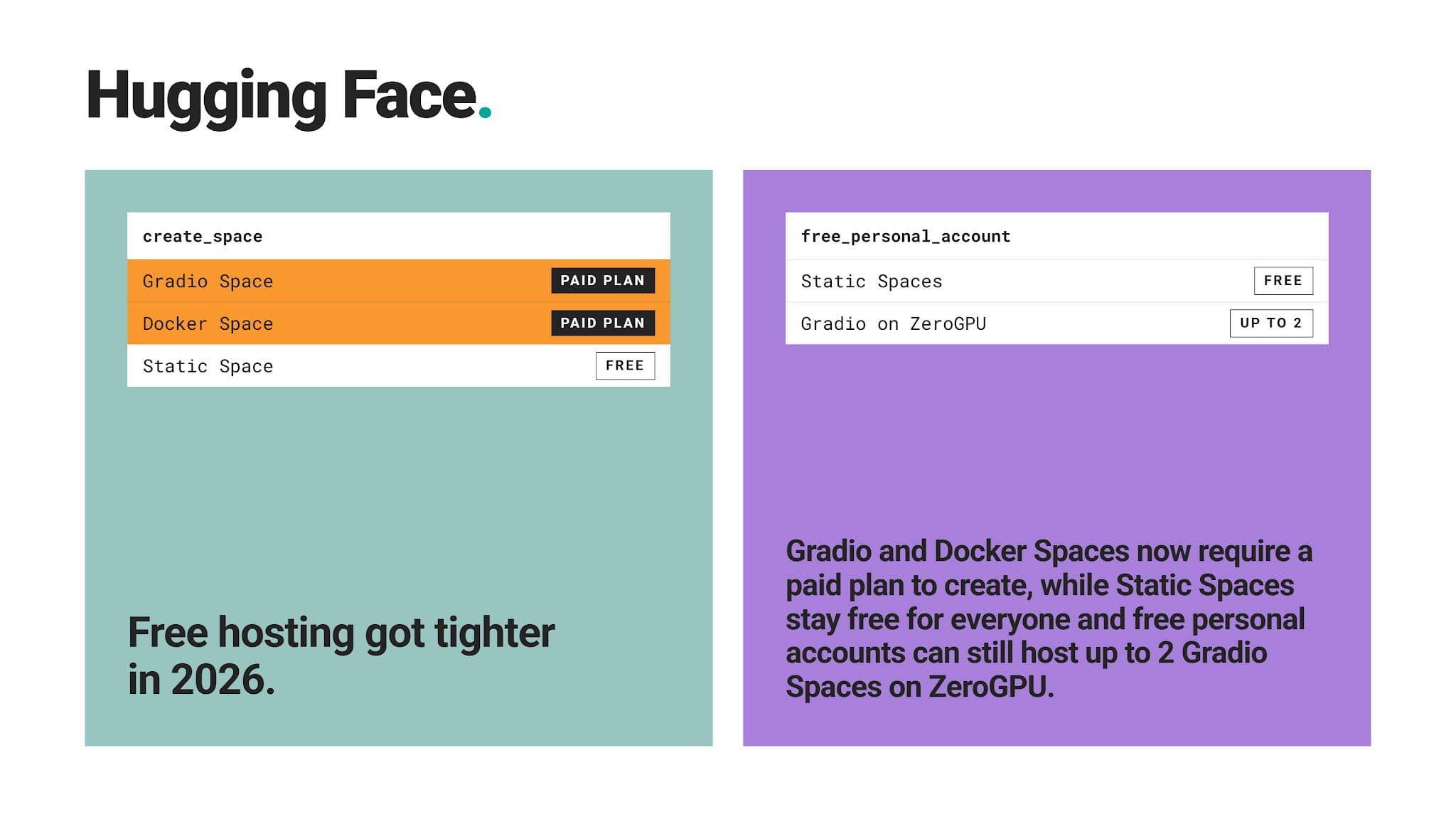
In recent years, Hugging Face has become a data science hub for machine learning models, datasets, and AI demos. If you publish your work there, it demonstrates that you can work with modern ML tools, especially in NLP and generative AI.
What You Can Build There
Why It Works for Your Portfolio
Through model cards, it forces you to have clear documentation: explaining your training data, limitations, and intended use. Hiring managers absolutely love that.
Where It Falls Short
Best For
Intermediate and advanced learners targeting ML engineer or AI-focused roles.
5. Google Colab
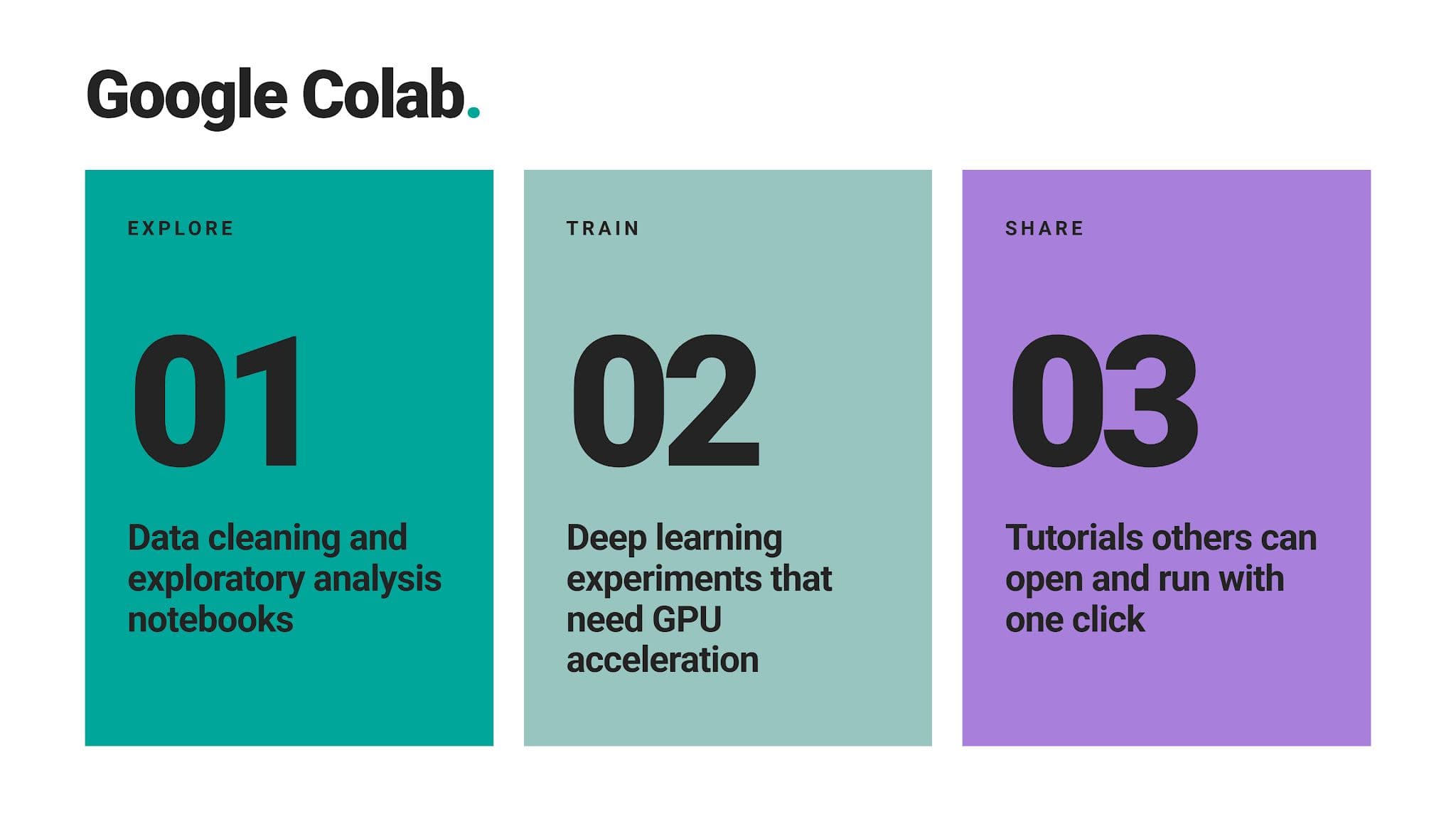
Colab is Google’s hosted notebook. It’s built on Jupyter and available in your Google Drive. As it uses Jupyter’s .ipynb file format, it lets your notebooks move freely between Colab, JupyterLab, and GitHub.
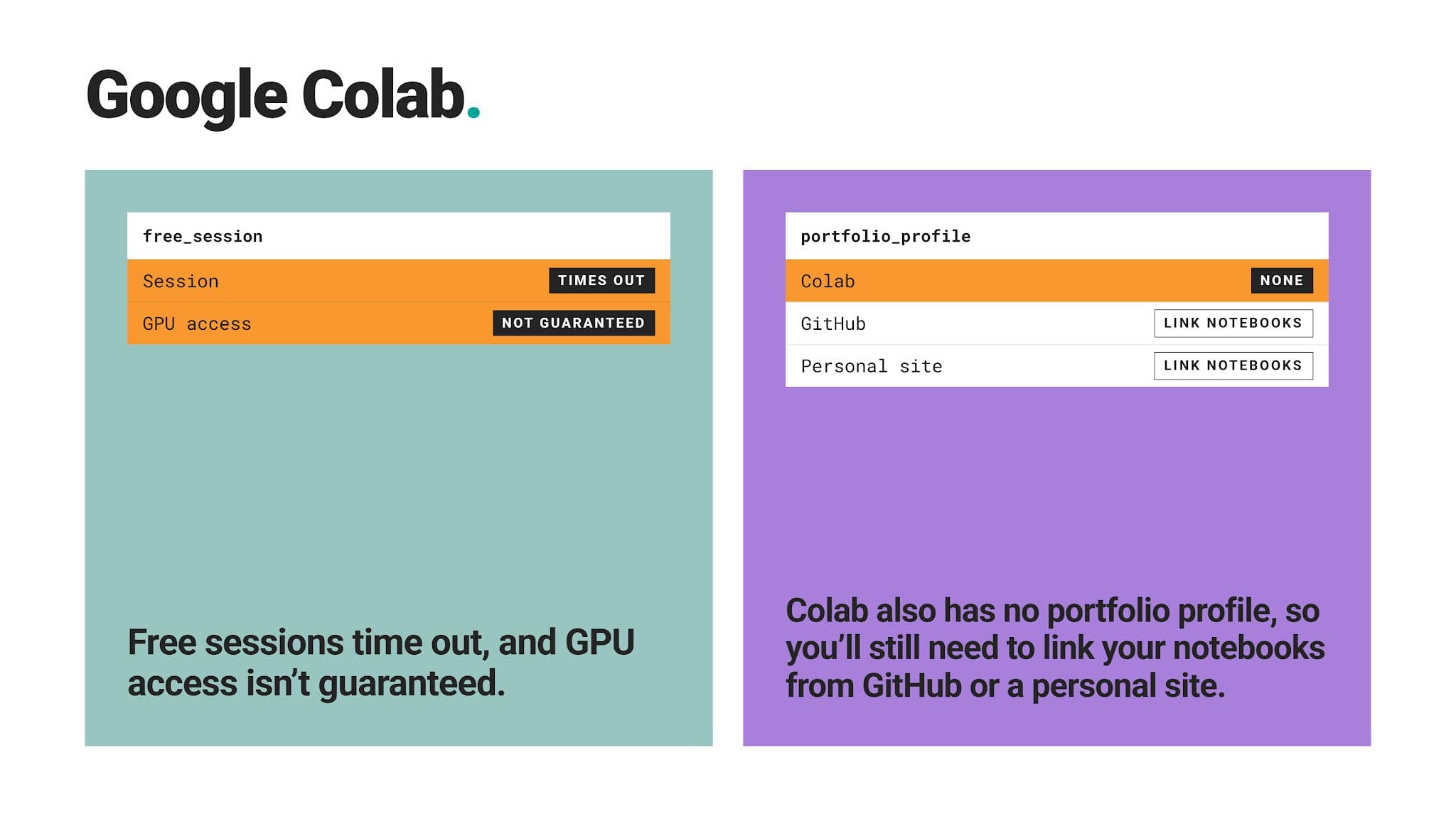
You can start writing Python within seconds, with GPU access available on the free tier when capacity allows.
What You Can Build There
Why It Works for Your Portfolio
Anyone with the link you provided can run your notebook without installing anything. That makes it easy for a reviewer to spend only a few minutes on your work.
Where It Falls Short
Best For
It’s best for beginners who want zero setup, plus anyone needing occasional GPU power.
6. Streamlit Community Cloud
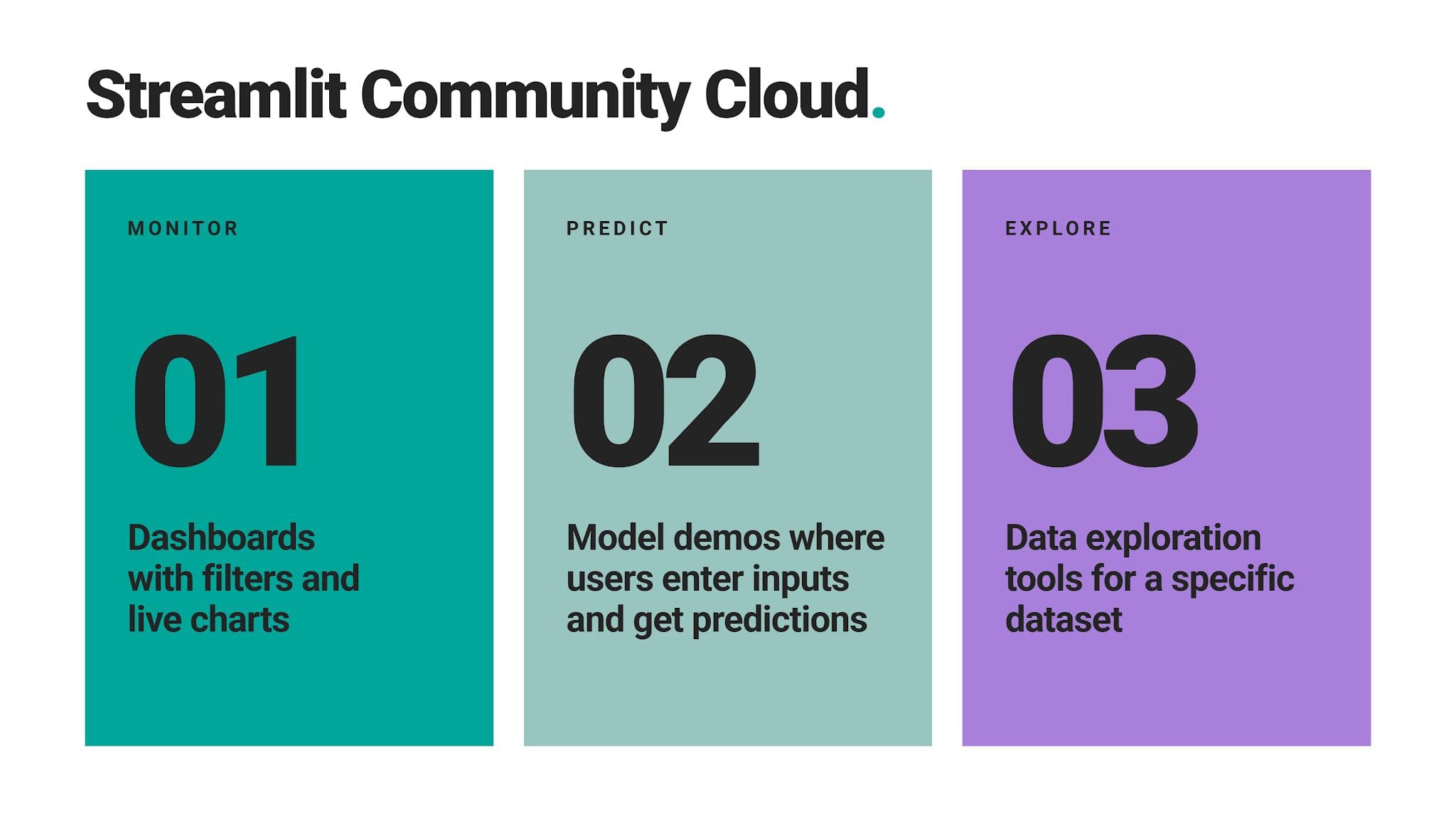
Streamlit turns a Python script into an interactive web app. Community Cloud then hosts the app for free and deploys it directly from a GitHub repository.
What You Can Build There
Why It Works for Your Portfolio
It makes your portfolio output interactive, something a non-technical stakeholder can play with and actually use. The app you host on Streamlit Community Cloud is a concrete product; exactly what you’ll be doing at your job. That sets you apart, as most candidates stop at the notebook.
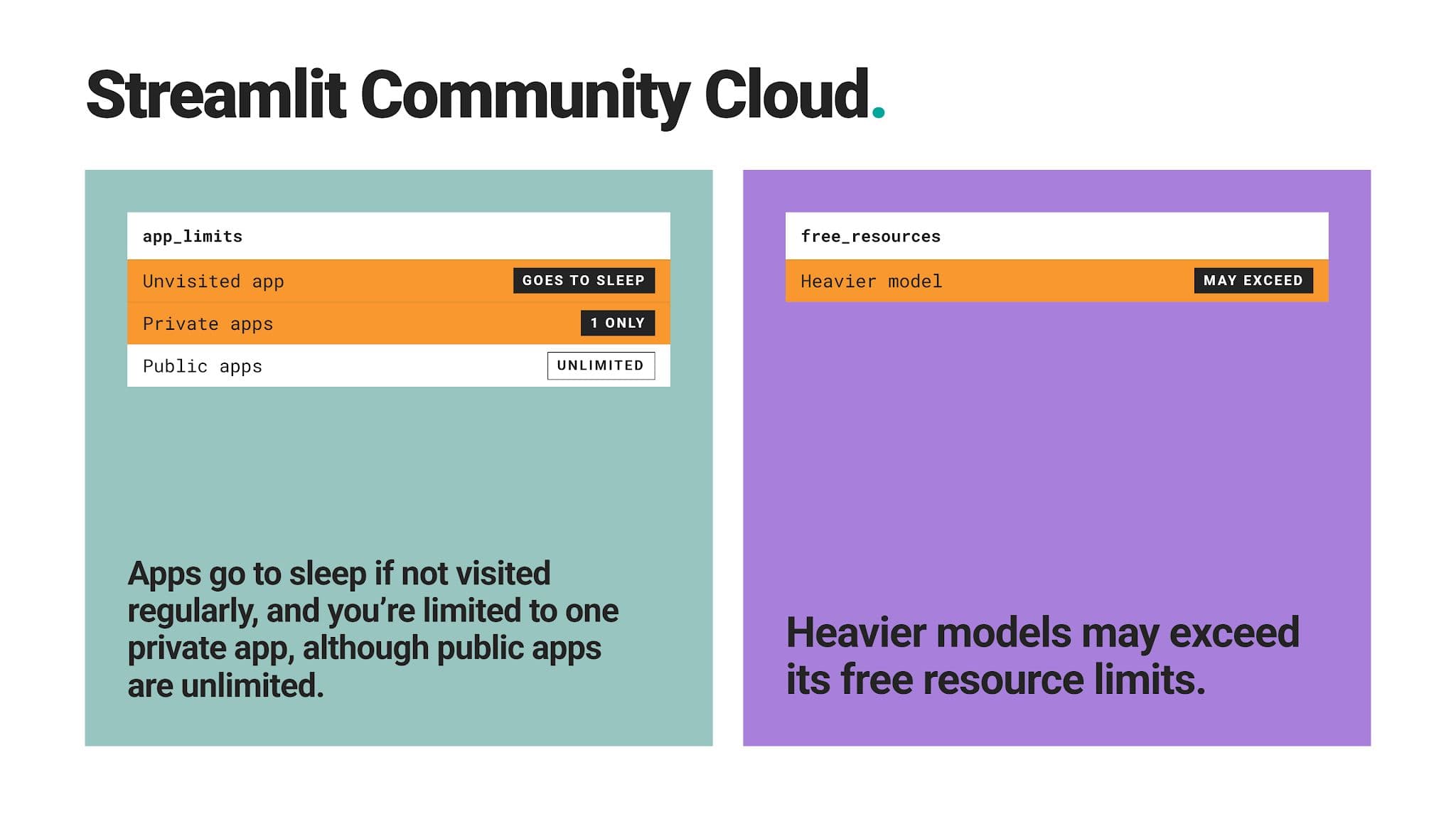
Where It Falls Short
Best For
The platform is best suited for intermediate learners, especially for those looking to move from analysis into product thinking.
7. Tableau Public
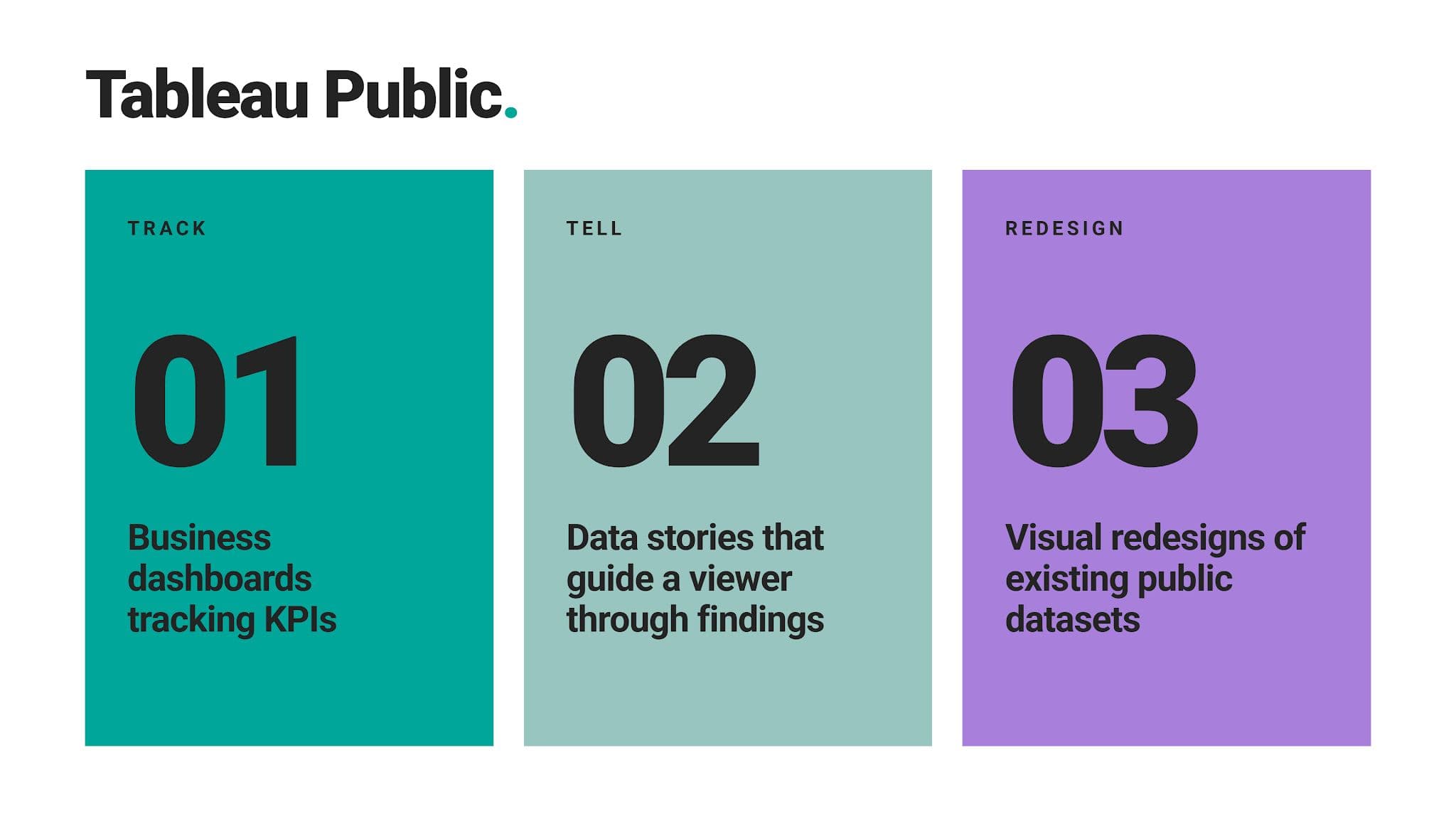
Tableau Public's role in building your portfolio is publishing interactive dashboards and doing that for free. Your profile becomes a visual gallery of your work, again, as an end product hiring managers can actually work with.
What You Can Build There
Why It Works for Your Portfolio
An analyst role’s most sought-after skill is communication, not complex modeling. Polished and functional dashboards prove you can turn your data into insights everyone can understand.
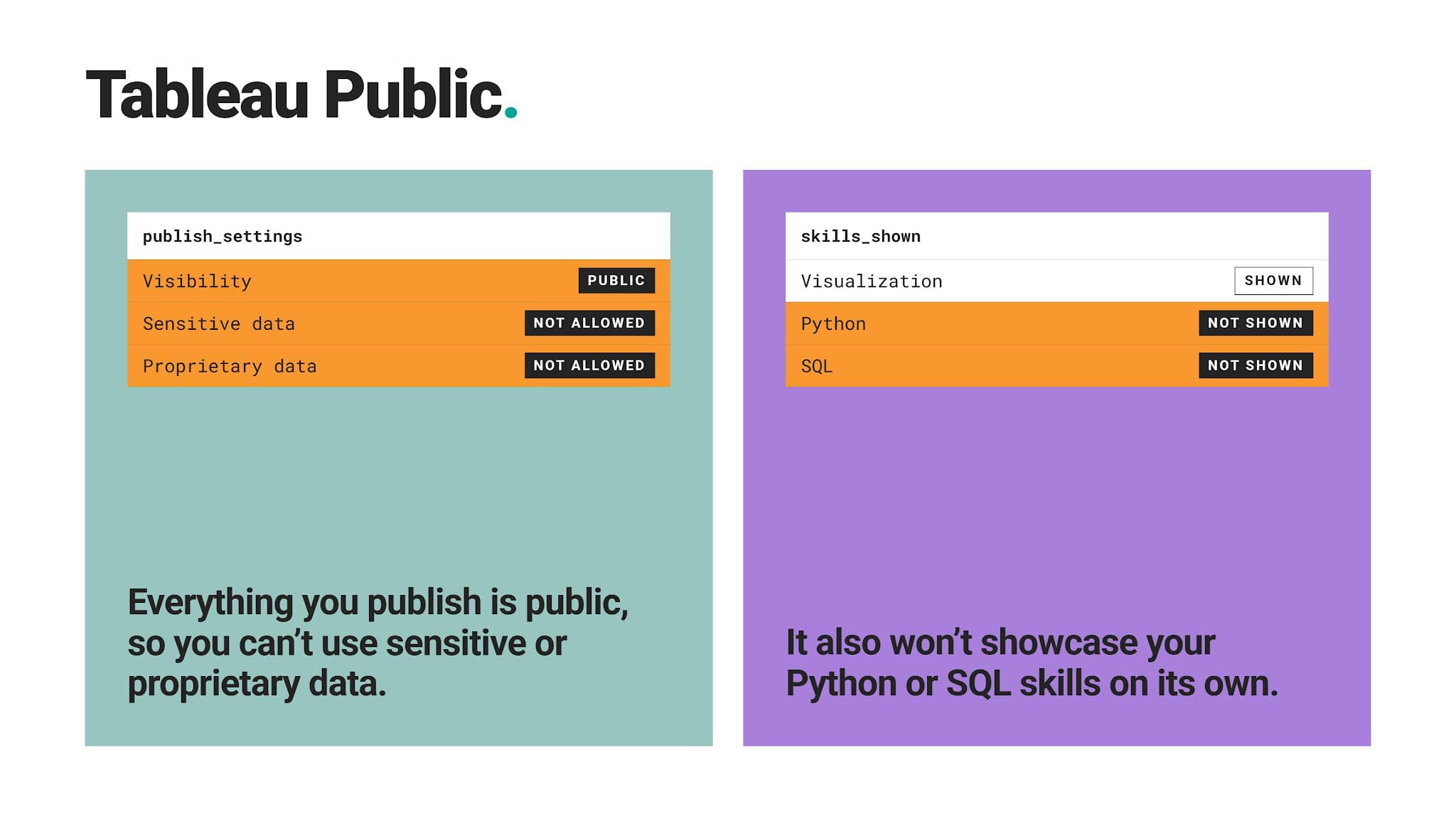
Where It Falls Short
Best For
As data analysts and BI professionals work with dashboards most of all, Tableau Public should be almost mandatory for them.
8. DataCamp
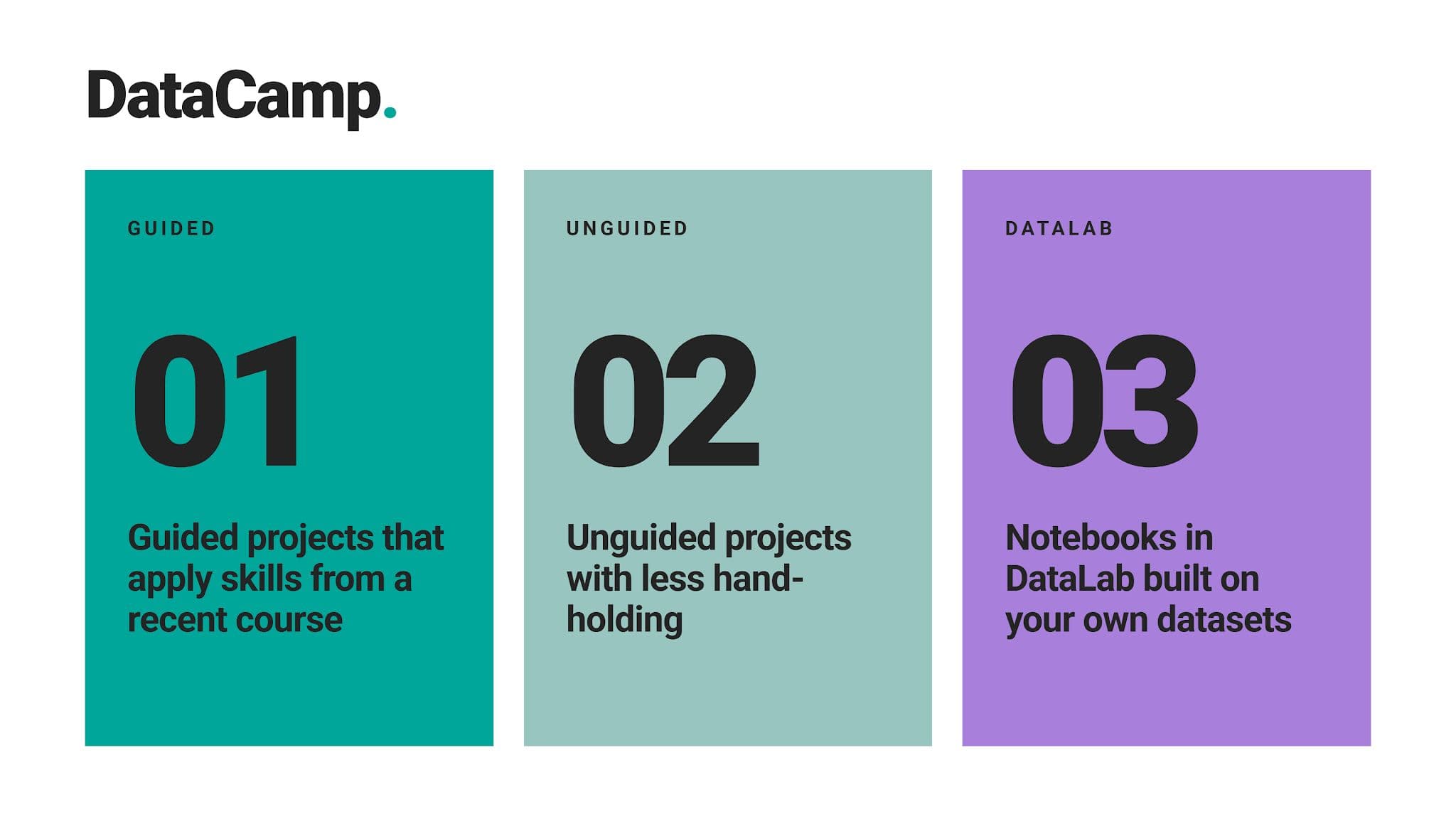
DataCamp pairs structured courses with guided projects. In addition, there’s DataLab, a workspace where you can work in a cloud notebook, making your work independent of the guided projects; you can upload your own data and get AI insights on what’s good and what’s still missing in your project.
What You Can Build There
Why It Works for Your Portfolio
The platform gives you a structured path from learning a concept to applying it.
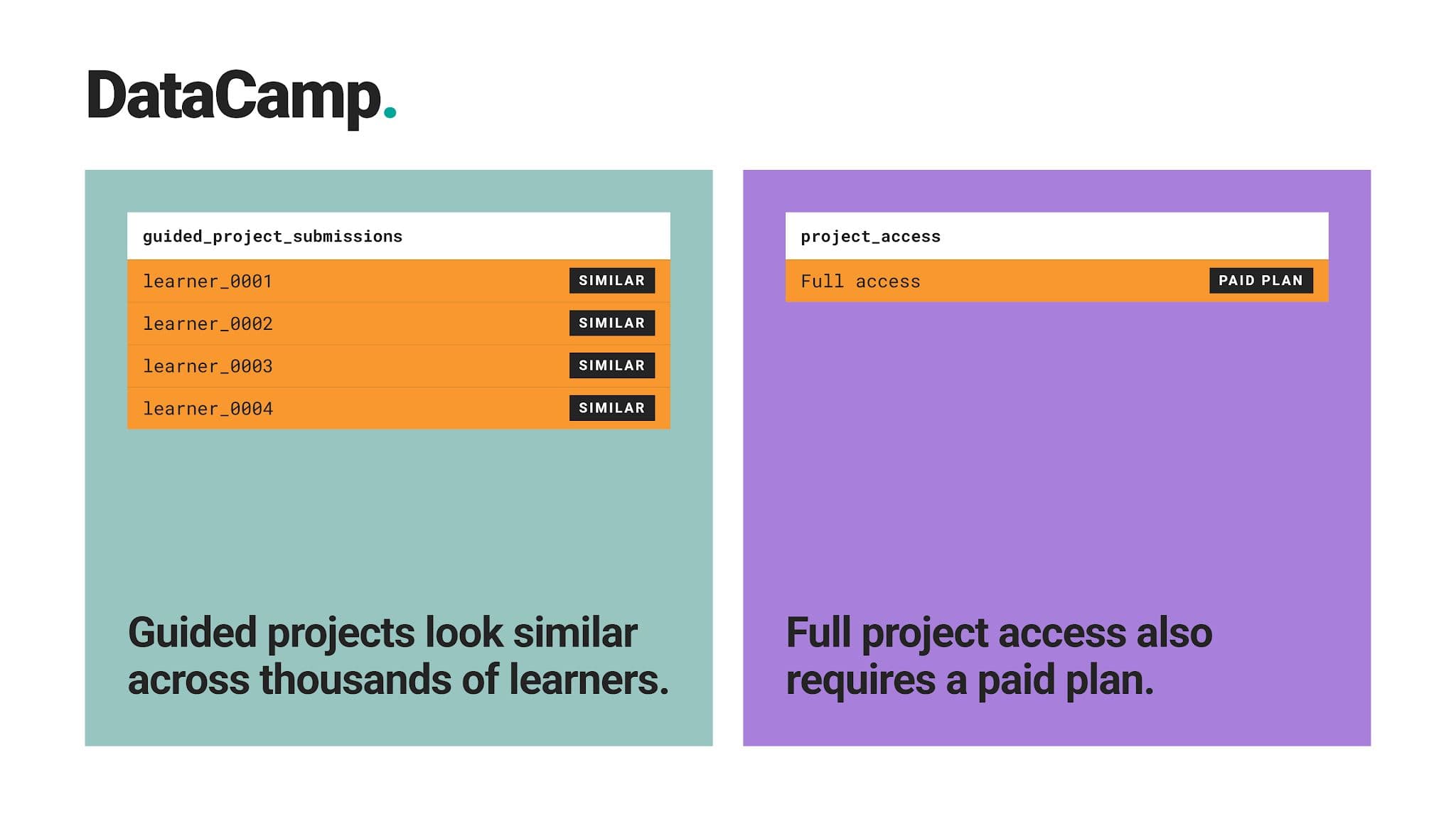
Where It Falls Short
Best For
It works best if you’re a complete beginner. It’s advisable to start with structured learning – something this platform is all about – and then move on to open exploration.
9. DrivenData
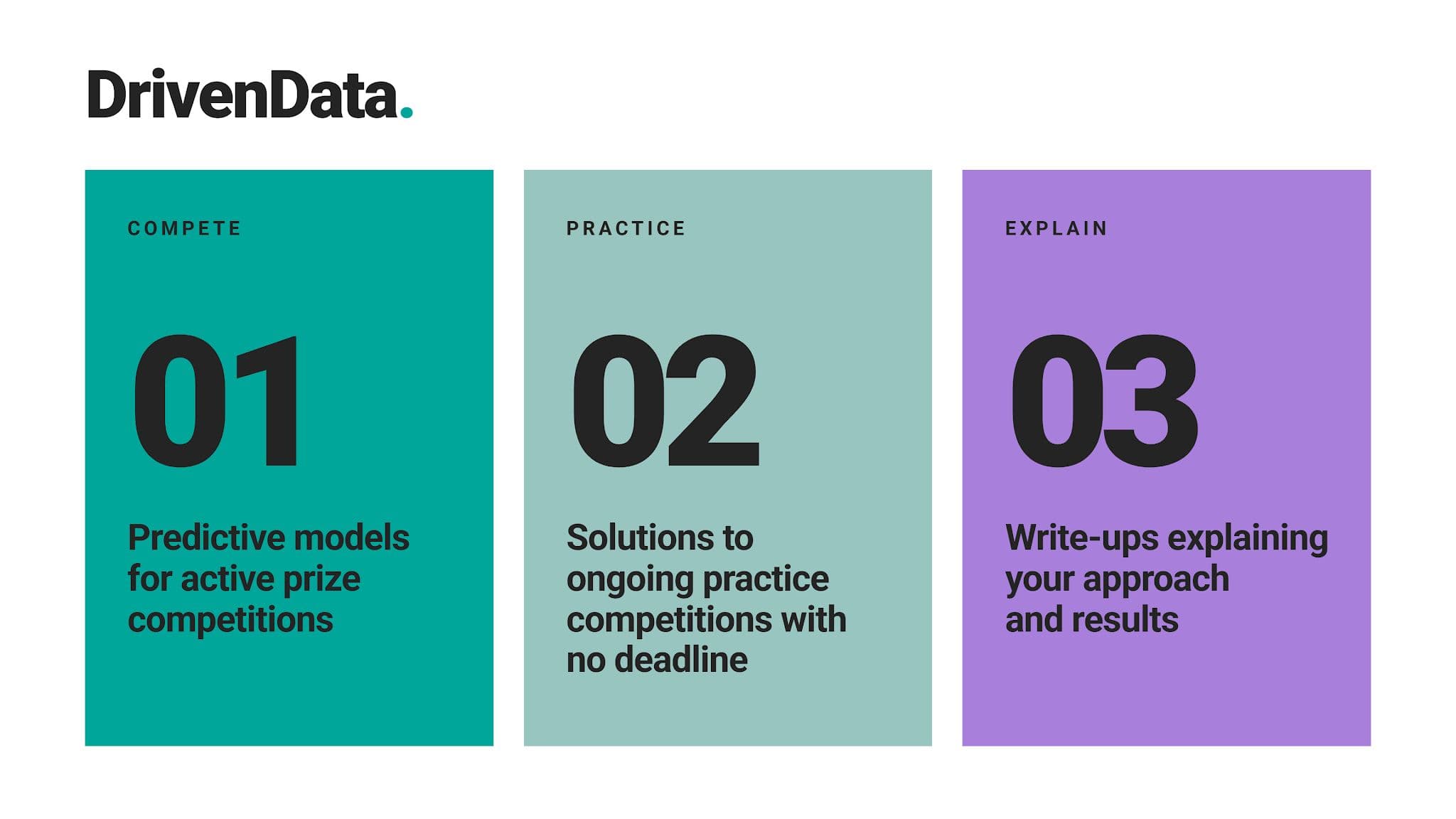
On DrivenData, you can work on machine learning competitions built around making actual social impact. For example, currently active is the Geologic Enhanced Mapping System (GEMS) challenge with $300,000 in prizes.
There are also practice challenges for all skill levels. In addition, you can see completed competitions and learn how it’s done.
Challenges come from NGOs, researchers, and public-sector organizations tackling problems in health, climate, and development.
What You Can Build There
Why It Works for Your Portfolio
It works because it adds something different to your portfolio and helps you avoid projects everyone else is doing. These are actual projects looking for real solutions to real problems. Participating in something like that and making a real difference will set you apart.
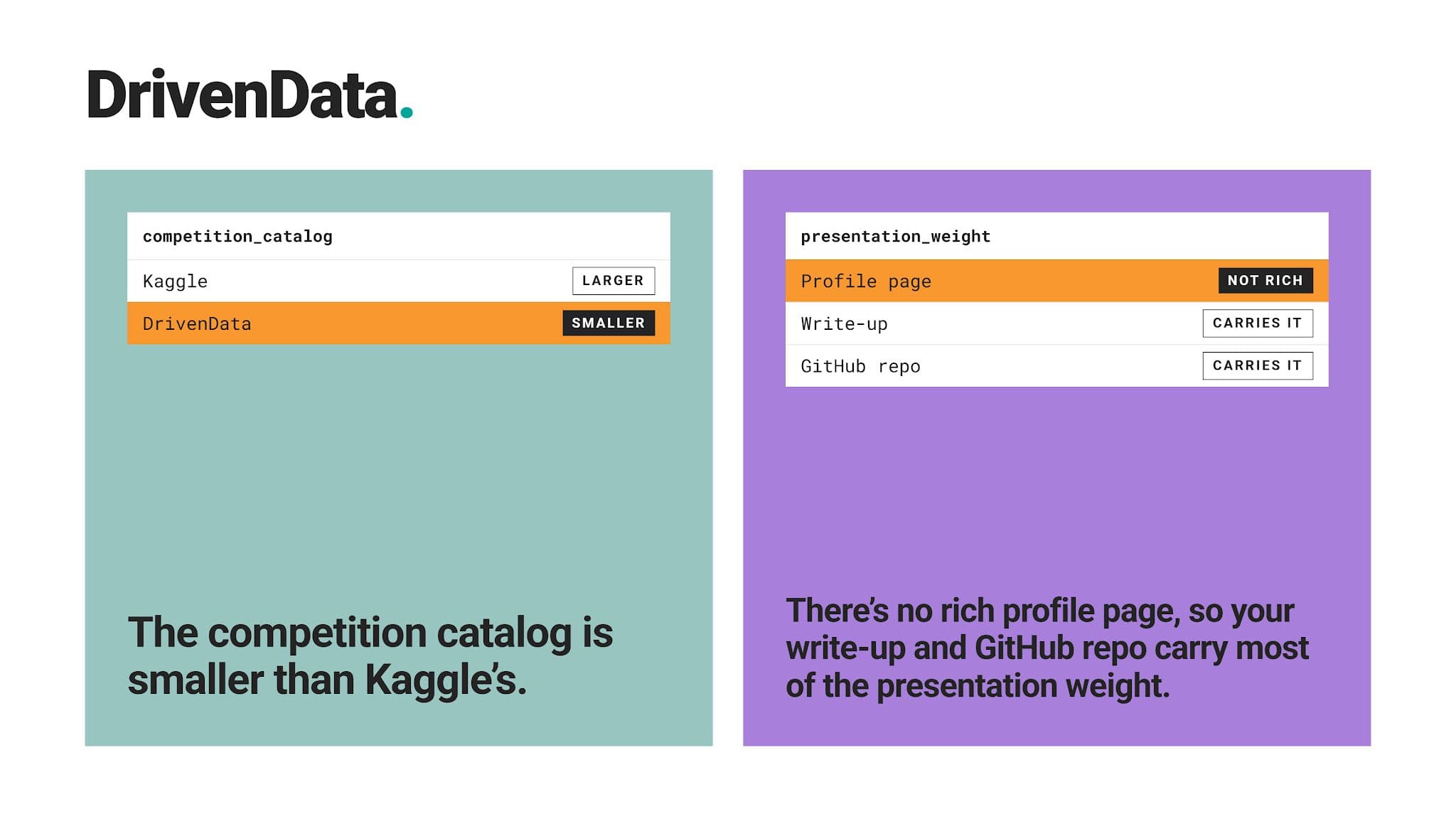
Where It Falls Short
Best For
While there are practice competitions for beginners, actual competitions require intermediate to advanced skills. If that’s who you are and you want your work to matter beyond polishing your portfolio, give it a shot.
10. Zindi
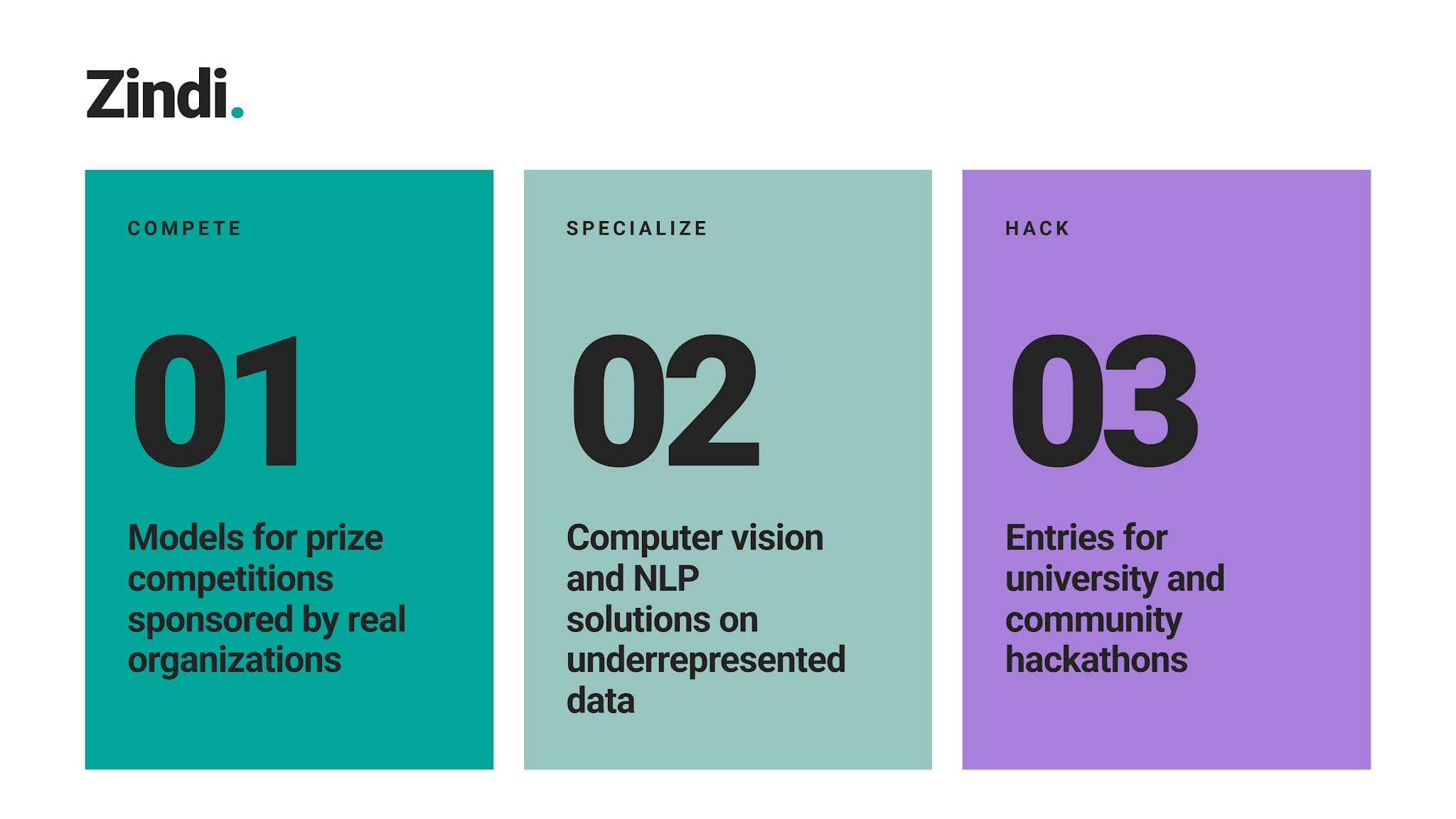
Zindi is Africa’s leading data science competition platform. Companies, NGOs, and government institutions post data-centered challenges for its community to solve, including beginner-friendly projects. Like DrivenData, there are prizes to earn if you need monetary motivation.
What You Can Build There
Why It Works for Your Portfolio
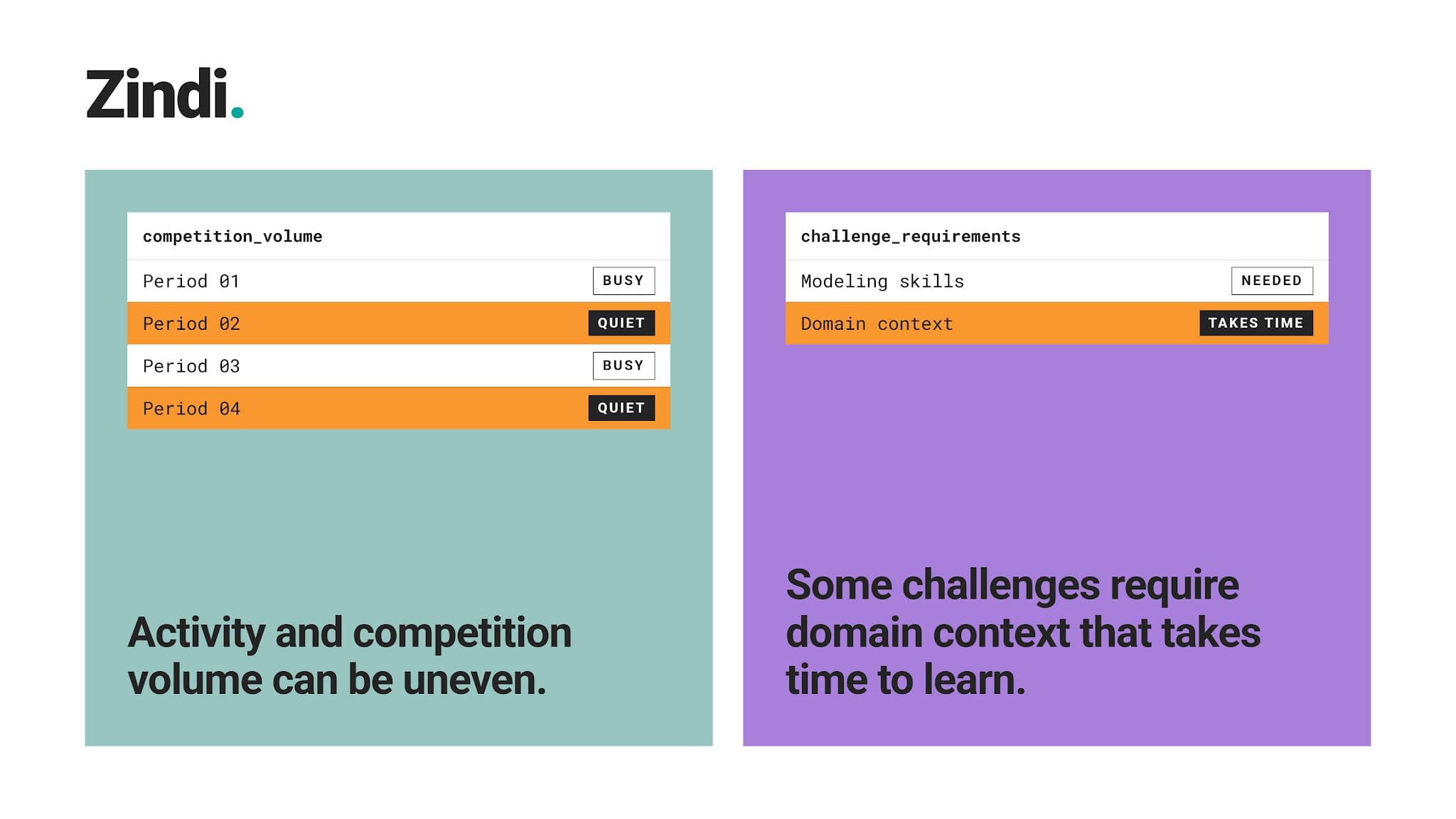
Few candidates work on problems outside Western markets. A Zindi project shows adaptability and exposure to genuinely different data than many are used to working with. Zindi also runs a job portal that connects its community with hiring organizations.
Where It Falls Short
Best For
Learners who want diverse, real-world competition experience. Beginners can use it, but it’s better suited to intermediate and advanced learners.
How to Choose the Right Data Science Project Platform
No platform covers absolutely everything you need to build a strong portfolio. You’ll have to combine several platforms if you want the best result. However, you don’t need all ten platforms, either.
You’ll have to choose what works best for you. And that choice depends on two steps.
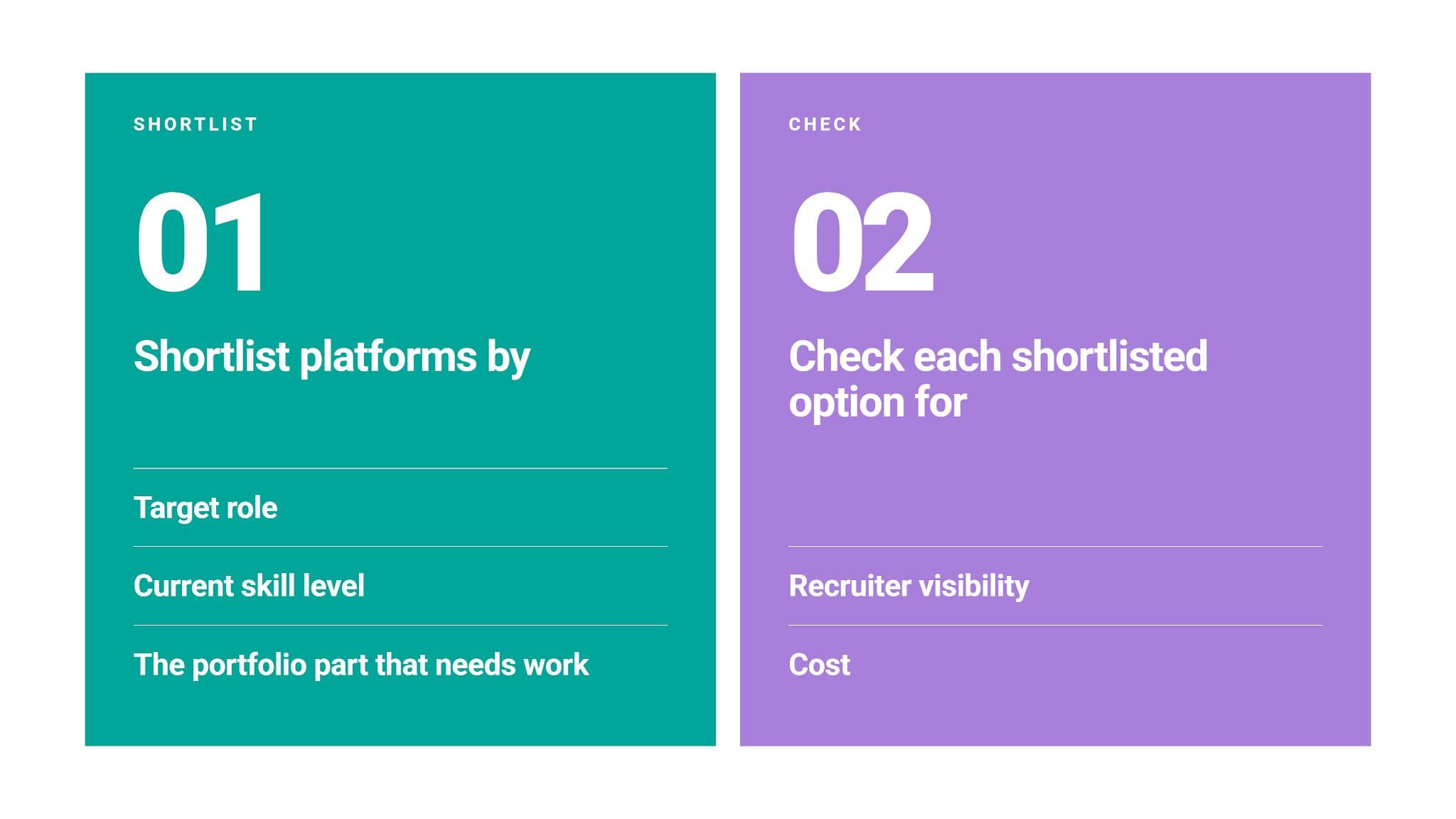
Step #1: Build Your Shortlist
The two tables below compare all the platforms from our list with those three criteria.
Match Platforms to Your Role and Skill Level
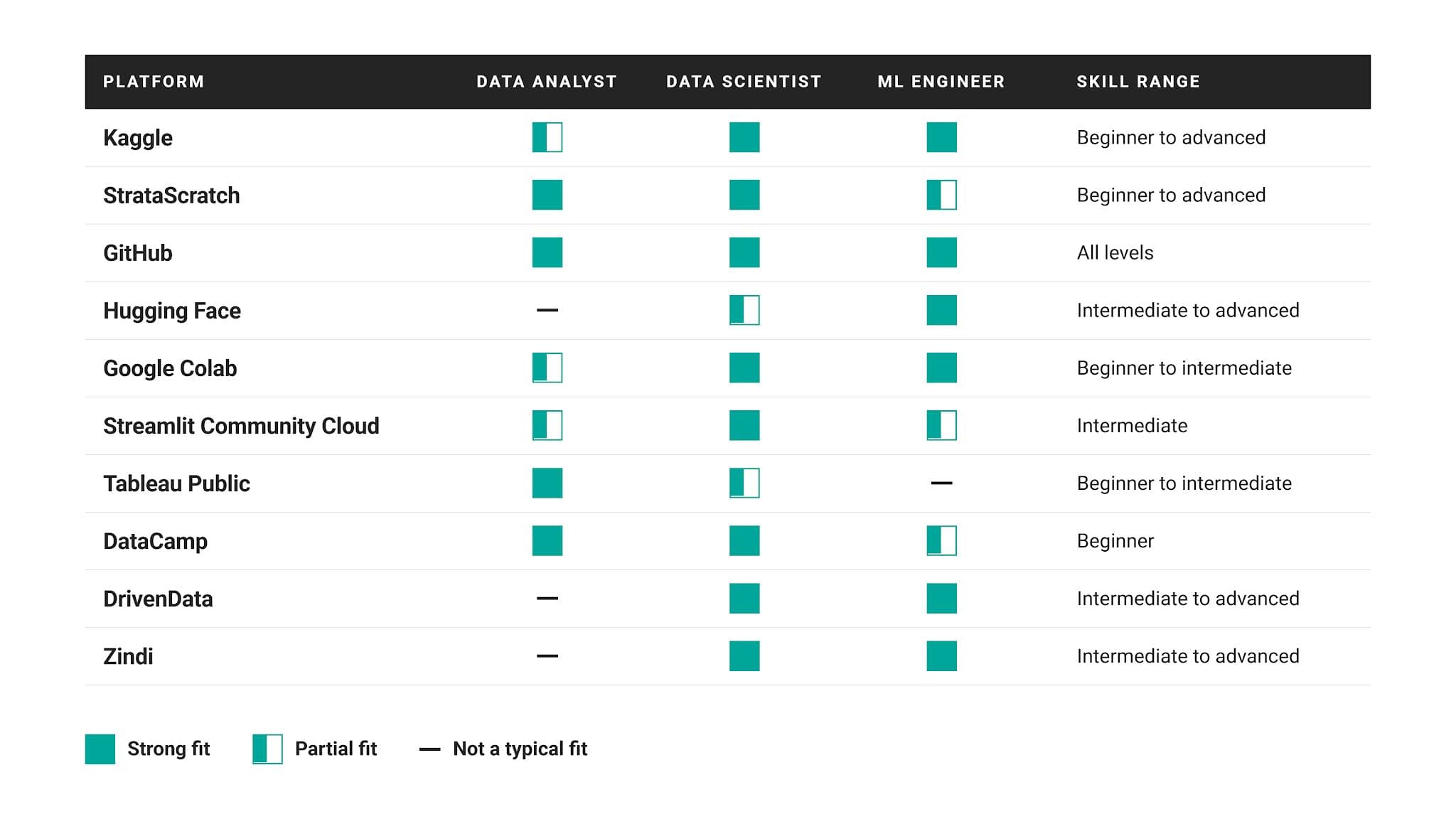
Target role: Different data roles focus on different things. For example, analyst hiring managers want clear business insight, while ML teams want models that work outside a notebook. Make sure that the platforms you choose are a “Strong fit” for your role. Then, think about your skills and how well each platform that fits your role covers them.
Skill range: Pick platforms based on where you’re now, not where you want to be in a year.
Match Platforms to Your Portfolio Layer
Every portfolio has three layers:
- Project sources → give you problems and data
- Build environments → give you somewhere to write and run code
- Showcase platforms → put finished work in front of reviewers
Here’s how well each platform covers them.
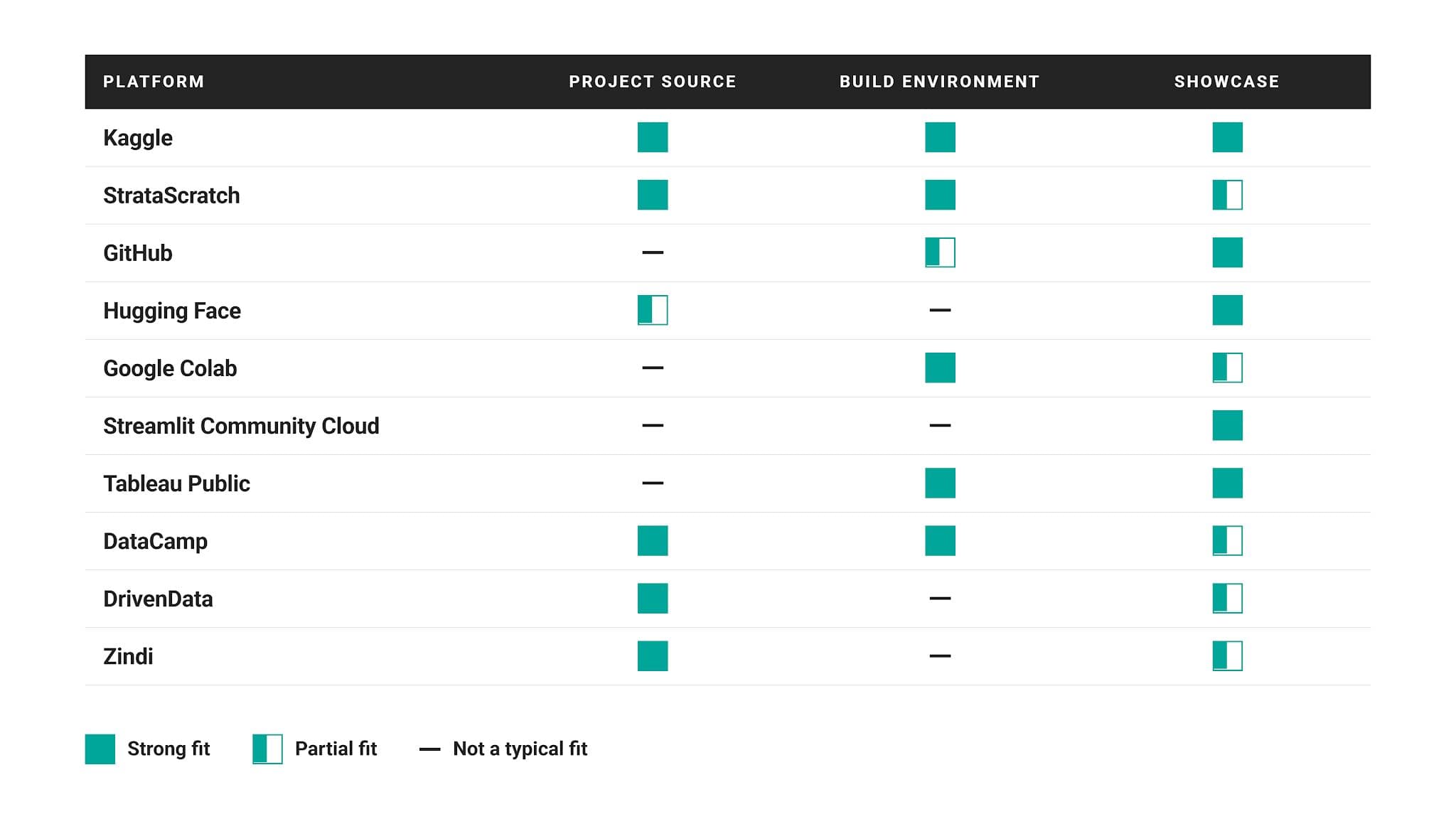
Kaggle is the only platform strong in all three layers. It’s because it lets you work end-to-end in one place. Despite that, we still recommend that you host your portfolio on your GitHub repo; it ties everything together, and it’s industry standard.
If you use specialized platforms, we recommend that you combine one from each layer. For example, solve a StrataScratch take-home assignment in its cloud notebook, download it as a Jupyter notebook for GitHub, and present results as a Streamlit app.
Step #2: Check Your Shortlist Before Committing
Now that you have chosen platforms that fit your role and skill level, you need two additional checks before you commit to the platform.
What a Recruiter Will Actually See
Click your own project link and try to see it with a recruiter’s eyes. What does it look like? Would you interview yourself if you were a hiring manager? Can your portfolio be easily accessed, i.e., without creating an account? Does anything have to be installed or set up? The more friction-free access, the better.
Platforms like Kaggle and Tableau Public offer this. Others, like Colab, need a GitHub repo or personal site around them for context.
Cost and Free-Tier Limits
Nearly every platform here offers a useful free tier. Read the free-tier rules to make sure it offers what you need.
If not, what’s the cost of paid plans? Do they unlock something your portfolio genuinely needs, such as a full project library (StrataScratch) or GPU time for a specific model (Google Colab)?
Bear in mind that both free tier and paid plan conditions change relatively often.
How to Build a Job-Ready Data Science Portfolio Using These Platforms
You’ve picked platforms and now what? You need to combine them to end up with a portfolio that lets the recruiter know you can do the work.
Here are the steps to achieve that.
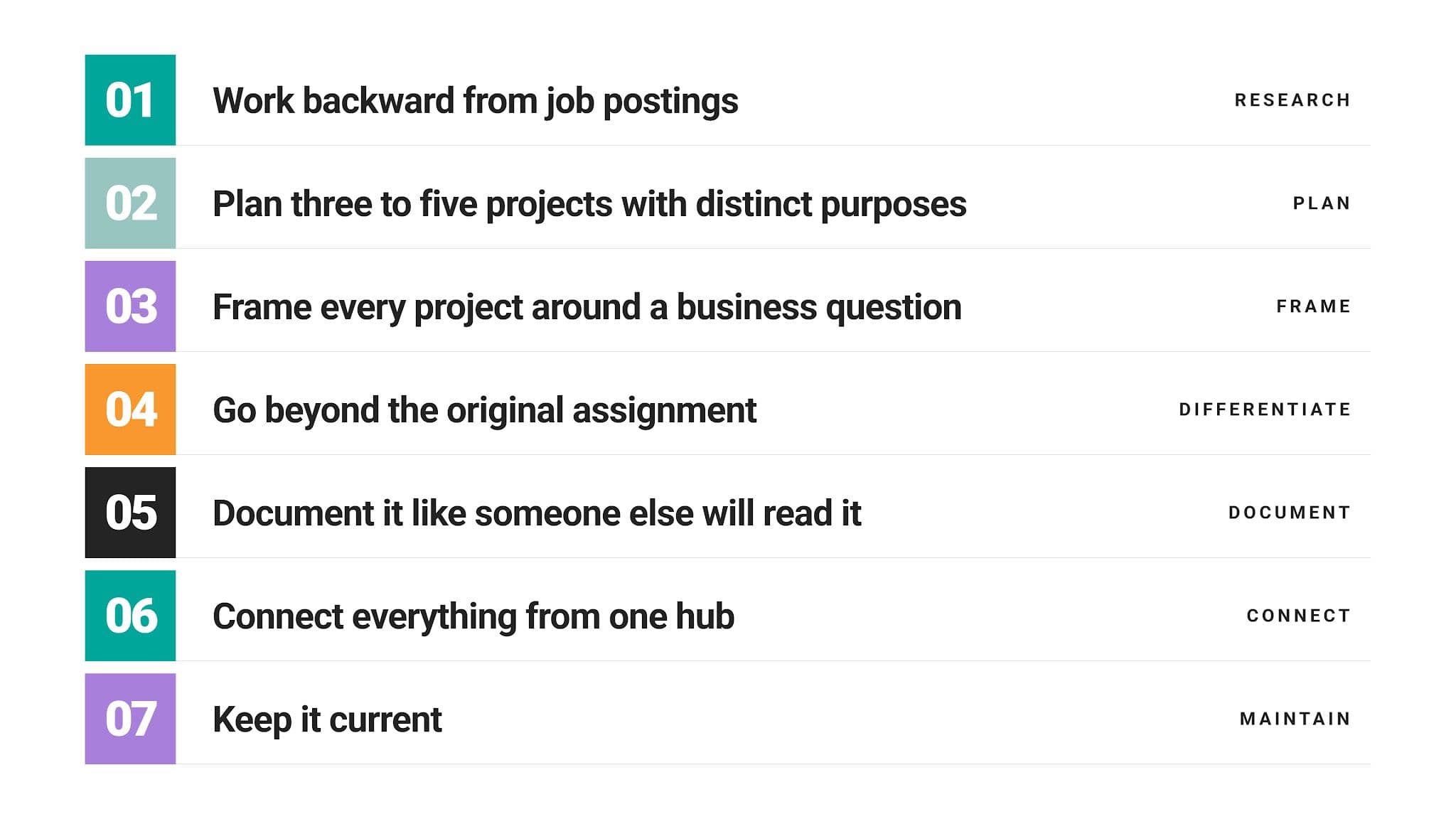
Step #1: Work Backward From Job Postings
Start with job postings for the role you’re preparing for. Check five of them and write down the skills that appear most often. When choosing projects to work on, make sure that each one proves at least one of those skills.
Step #2: Plan Three to Five Projects With Distinct Purposes
Now you have to make sure your projects cover all the sought-after skills in as few projects as possible. This typically means three to five projects.
Fewer than that and you are probably missing out on some of the skills, as projects typically focus on one or two skills.
More than that, and you’re likely repeating what you’ve already demonstrated. This adds nothing to your portfolio, just noise. Focus on quality, not quantity.
Here’s a blueprint of how to achieve that, using the platforms from this article.
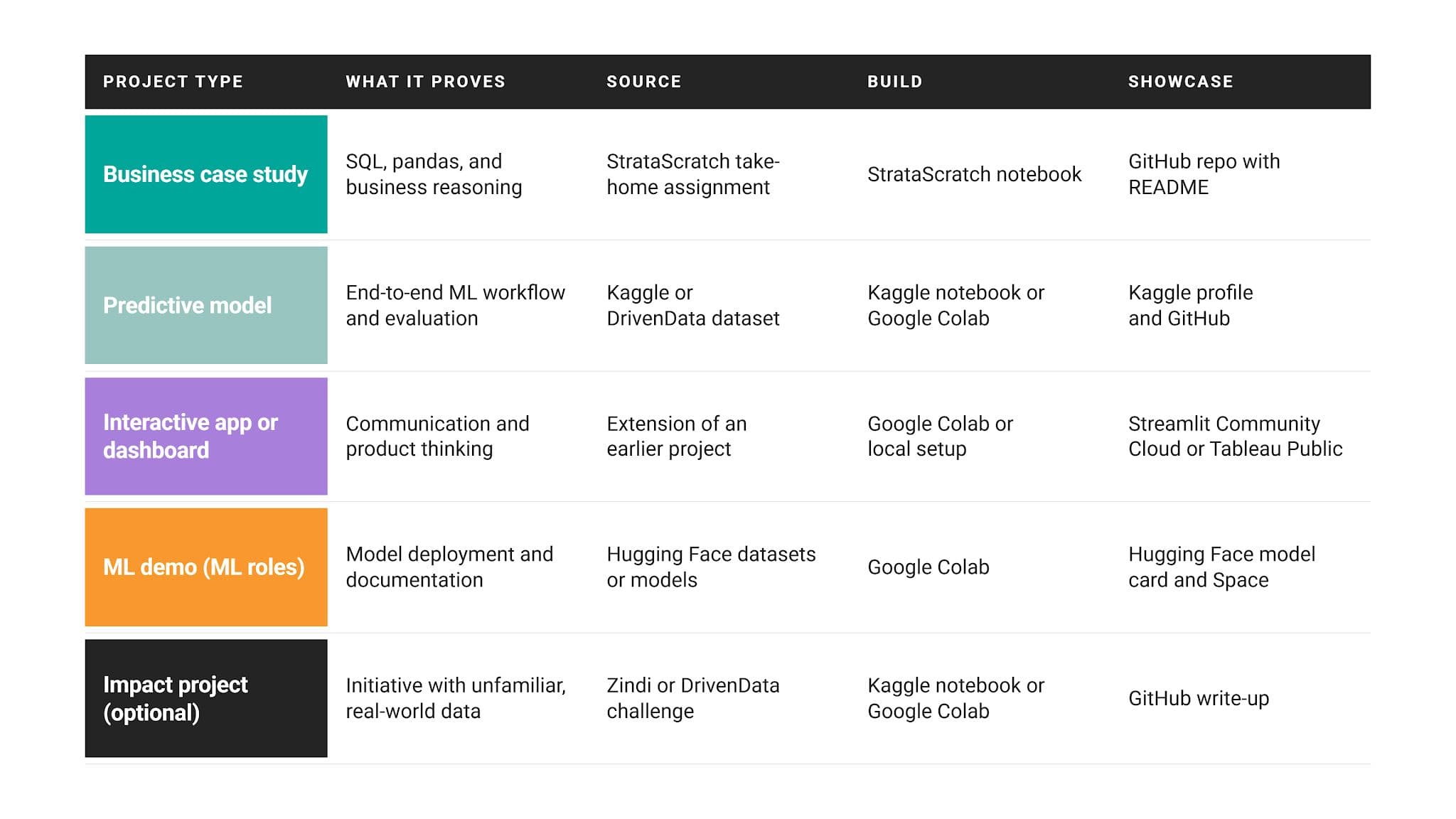
Analysts can swap the ML demo for a second dashboard or a SQL-heavy business analysis.
Step #3: Frame Every Project Around a Business Question
You want to target certain skills with your project but also demonstrate their application in practice. Don’t choose the project just because it’s easy and the data looks neat. Projects shouldn’t be easy. Instead, choose it based on a business question. Is it something realistic? Is it something you’d work on at your job?
If you’re creating your own project, start each project with a business question. “Which customers are likely to churn next quarter?” sounds very different from “Exploring a telecom dataset”, doesn’t it?
Step #4: Go Beyond the Original Assignment
Many learners work on the same guided projects and competitions, write the same solutions, making all the portfolios look the same.
One of the portfolio’s goals is to make you stand out. If you do common projects, use a new data source, a stronger baseline comparison, or provide a stronger recommendation section a stakeholder could act on.
Step #5: Document It Like Someone Else Will Read It (Because It Will)
Take your repo README file very seriously and make sure to cover five things.
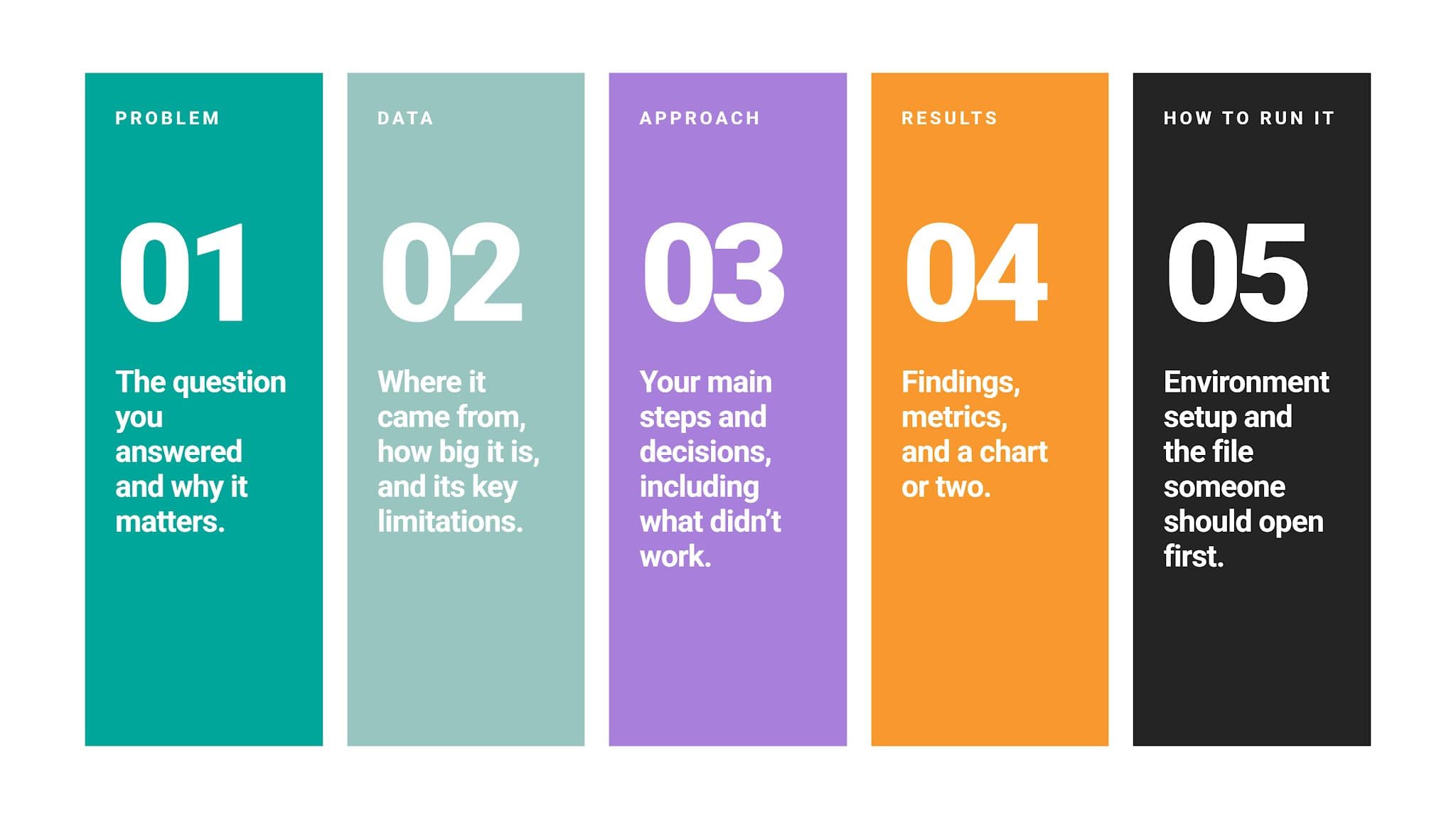
Your conclusion should be near the top. That catches the reviewer’s attention and shows whether it’s worth looking deeper into how you came to the conclusions. That also reflects the actual work: stakeholders are more interested in the insights, rather than how tidy your code is.
Step #6: Connect Everything From One Hub
Typically, that hub is either your GitHub profile README or a simple personal site. It should contain a link to every project, profile, and live app.
List projects in order of relevance to your target role, with one line explaining what each proves.
Step #7: Keep It Current
Replace older, weaker projects as you build stronger ones rather than adding them indefinitely. Also, check your live links every few months, since free-tier apps can go to sleep or break.
Common Mistakes to Avoid When Building a Data Science Portfolio
Most of the time, these mistakes aren't huge. They usually don’t mean relevant skills are missing. They are usually there; you just hide them by making one of these mistakes.
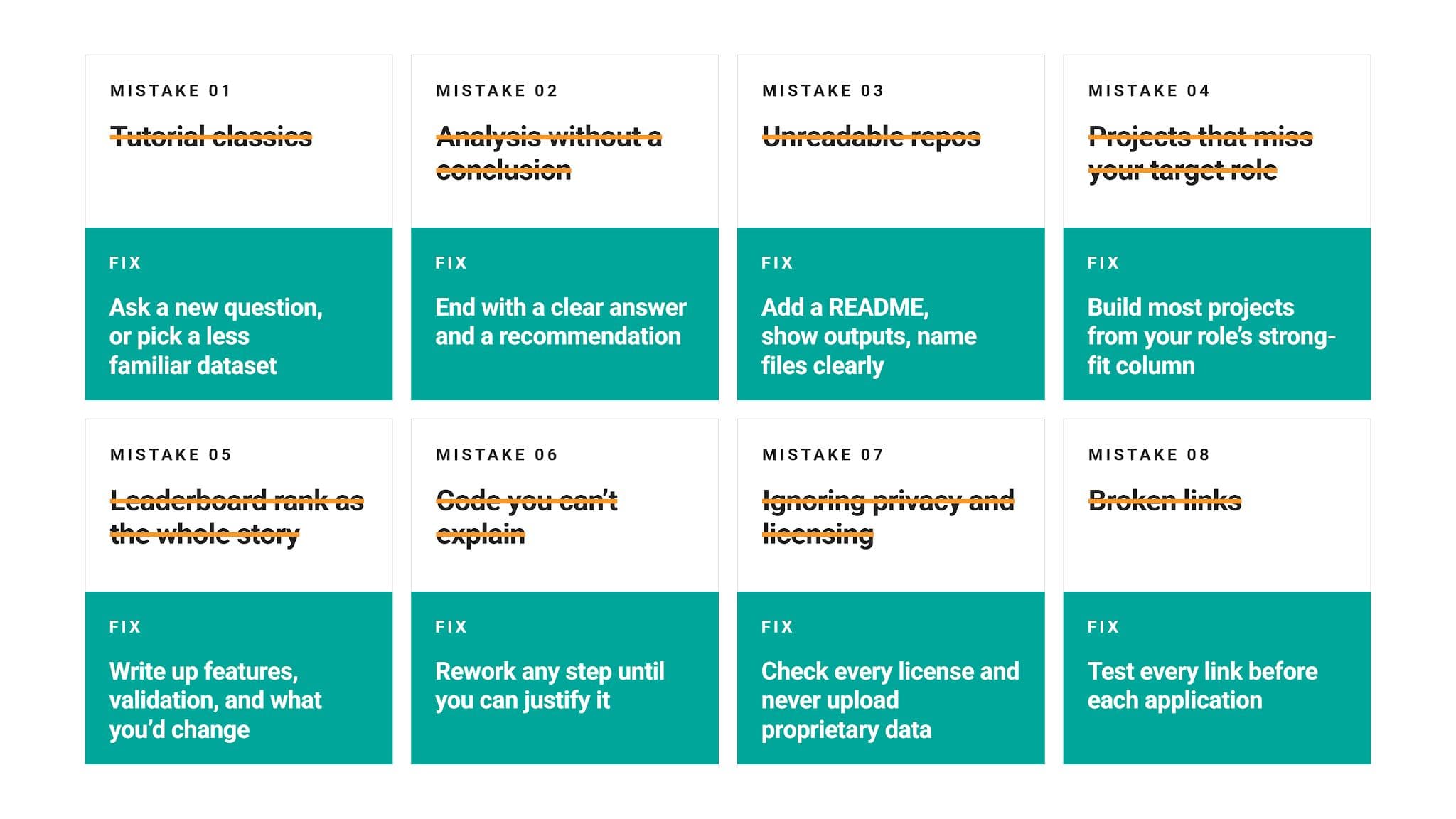
Mistake #1: Filling Your Portfolio With Tutorial Classics
You know the ones: Titanic survival, Iris classification, and MNIST digit recognition. They appear in countless beginner portfolios, and that ubiquity kills the chance of those projects landing you an interview.
If you end up using a classic dataset, at least shake things up a bit by asking a question nobody else asks of it.
Better yet, pick a less familiar dataset from a competition platform or a real take-home assignment. Here are some suggestions for data science projects and machine learning projects.
Mistake #2: Showing Analysis Without a Conclusion
A reviewer needs to see your thinking. Just showing charts doesn’t do that.
We already mentioned that you should start the project with a business question. The project is completed when you answer it. So, end every project with a clear answer to that question you started with and provide recommendations based on it.
Mistake #3: Leaving Repos Unreadable
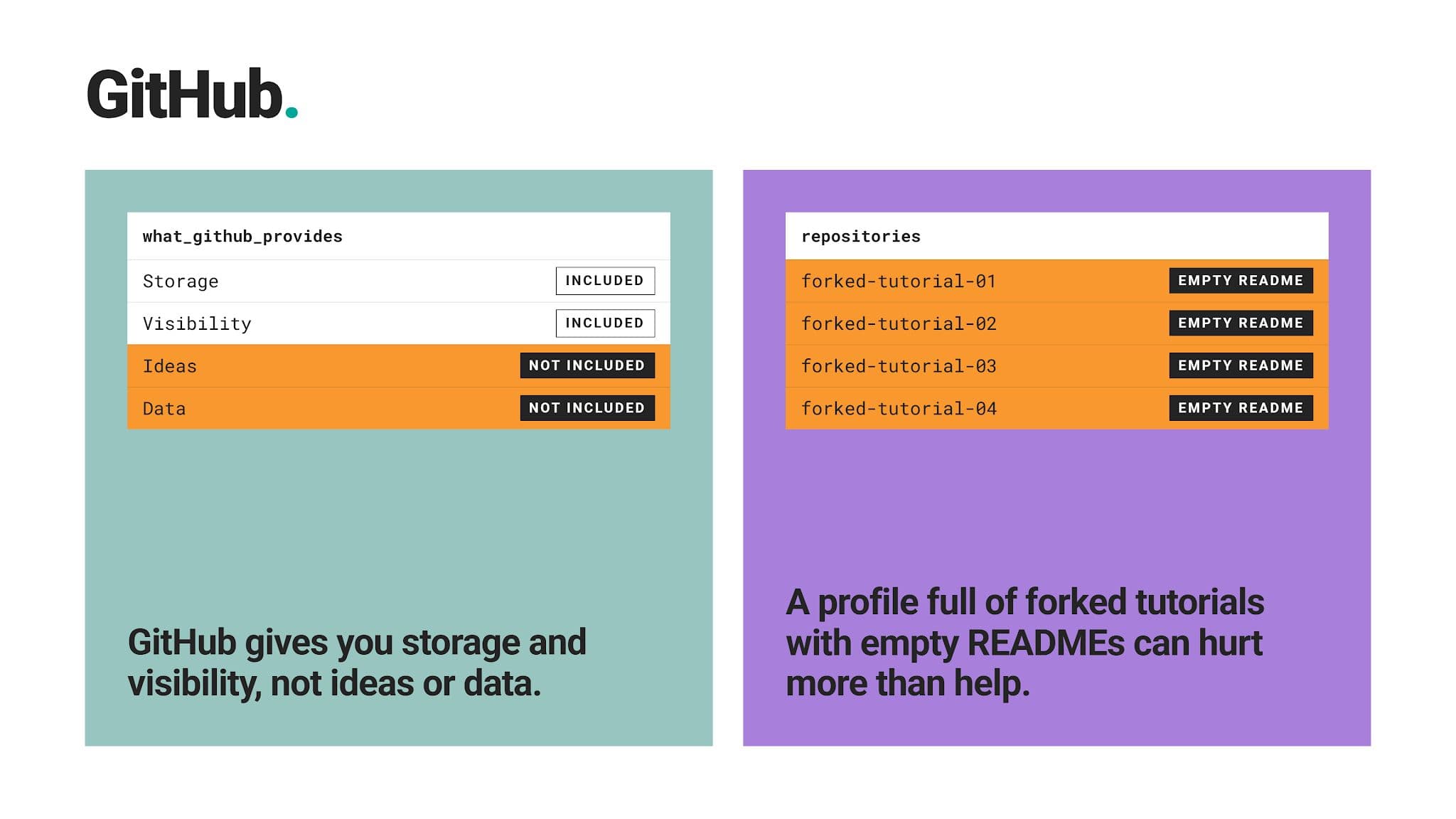
Missing READMEs, cryptic file names, and notebooks without outputs make reviewers give up quickly. Commit notebooks with outputs visible, name files descriptively, and remove dead code before publishing.
Mistake #4: Choosing Projects That Don’t Match Your Target Role
Advanced projects – say, deep learning – won’t help you if you’re applying for analyst roles that test SQL and dashboards.
Use the “Match Platforms to Your Role and Skill Level” table we showed earlier in the article and make sure most of your projects come from platforms marked as “Strong fit” for your role.
Mistake #5: Treating a Leaderboard Rank as the Whole Story
A competition score looks nice, but it doesn’t really say anything about your model, except that it, obviously, performed well.
To hiring managers, reasoning is much more important than a perfect model. After all, AI can solve the competitions easily, so you need to show you understand what you did.
Write up your feature choices, validation strategy, and what you’d change, because that reasoning is what interviewers ask about.
Mistake #6: Publishing Code You Can’t Explain
Similarly to the previous mistake, AI assistants make it easy to produce working code. That also makes it easier for you to publish code you don’t understand.
Interviewers will ask about portfolio projects in depth. Be ready to justify every major step, whether you wrote it yourself or with AI help.
Mistake #7: Ignoring Data Privacy and Licensing
Don’t publish data from a past employer or a dataset with restrictive terms. Always check each dataset’s license and never upload proprietary data. Also, have in mind that Tableau Public makes everything you publish public.
Mistake #8: Letting Links Break
A dead link or an app that won’t load suggests a portfolio nobody maintains. Before each job application, test every link and wake up any free-tier app you plan to mention.
Final Thoughts
Generally, you don’t need all ten platforms. They are here for you to choose from based on your needs.
Start with your target role, pick platforms that cover each portfolio layer, and build three to five projects that answer real business questions. Document them clearly, keep your links alive, and replace weaker work as you improve.
FAQ
1. Which platform is best for data science projects?
No single platform is best for every project. Kaggle offers the widest range of datasets and competitions, while StrataScratch suits interview-style business projects and GitHub works best for showcasing finished work.
The strongest portfolios combine a project source, a build environment, and a showcase platform.
2. Where can I find free data science projects?
Kaggle, DrivenData, and Zindi offer free datasets and competitions you can enter for free.
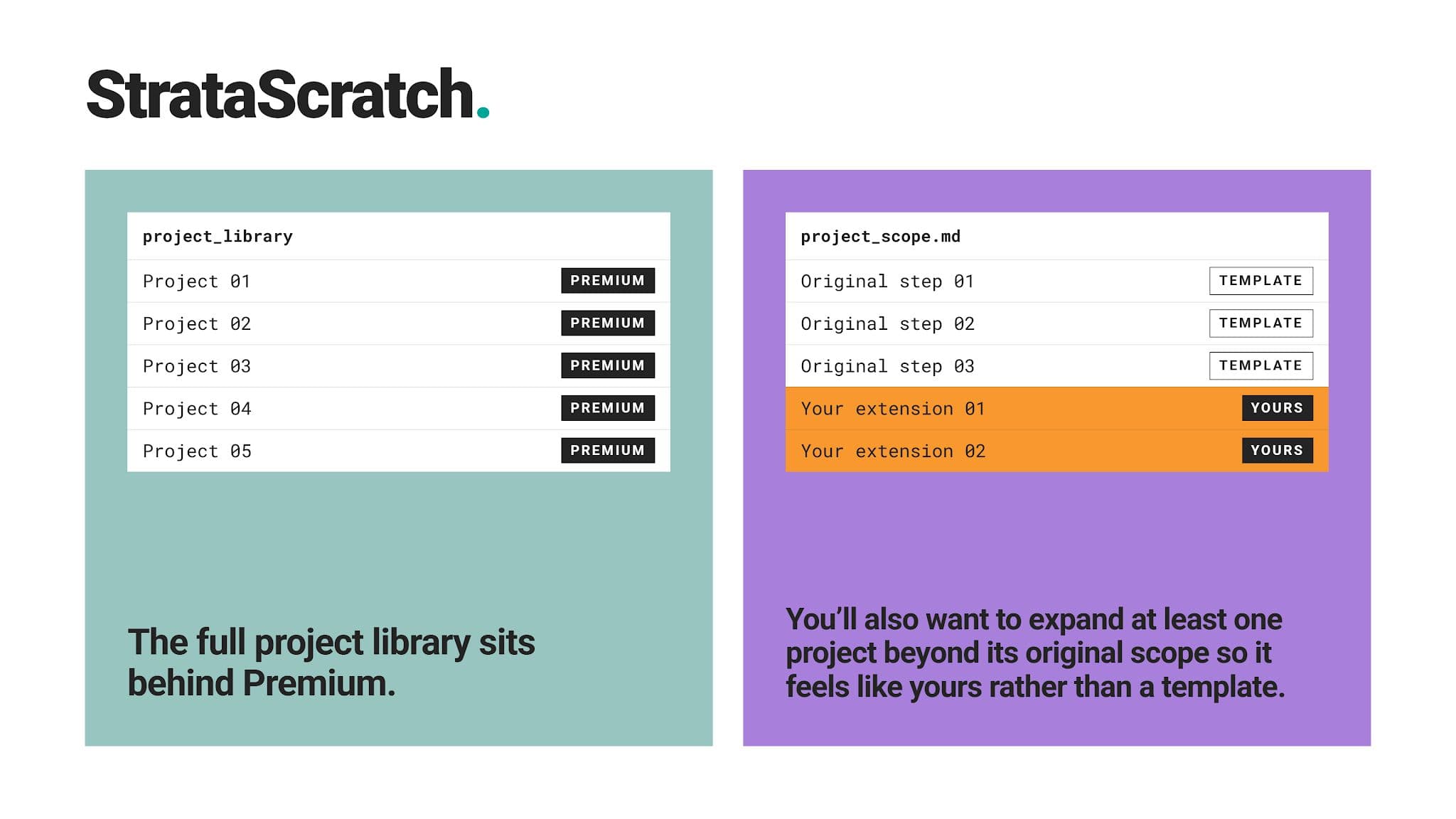
StrataScratch and DataCamp also have free tiers, with full project libraries available on paid plans.
3. Is Kaggle good for building a data science portfolio?
Yes, especially for machine learning practice and public notebooks that show your process.
Pair competition work with a written explanation and at least one business-focused project, since leaderboard scores alone say little about real-world problem-solving.
4. Which data science project platforms are best for beginners?
DataCamp, Google Colab, Kaggle, and Tableau Public are the most beginner-friendly options. They remove setup friction and offer structure, guided projects, or approachable public datasets.
5. Can I build a data science portfolio without work experience?
Yes. A portfolio’s purpose is to demonstrate practical skills, regardless of your job experience.
6. Which platforms offer real-world data science projects?
StrataScratch offers take-home assignments companies have used in their hiring processes.
DrivenData and Zindi run competitions with data from nonprofits, companies, and public institutions, while Kaggle hosts competitions sponsored by companies and research groups.
7. How many data science projects should I include in my portfolio?
Three to five well-documented projects. Each project should prove a different skill your target role requires, rather than repeating the same technique.
8. Should I publish my data science projects on GitHub?
Yes. It’s industry standard, and most reviewers expect to see your code there.
It allows them to quickly judge your structure, documentation, and working habits. Even if you build projects on Kaggle, StrataScratch, or Colab, link back to a GitHub repository with a clear README.
Share