Meet StrataAI: Your Built-In Coding Tutor on StrataScratch

Categories:
 Written by:
Nathan Rosidi
StrataAI is StrataScratch’s new AI coding tutor. See how it explains questions, gives hints, and debugs your code without ever handing you the full answer.
What if the smartest moment to get help on a coding question comes right before you give up on it? StrataScratch now has an AI tutor built right into its coding questions and it follows one unusual rule: it won't hand you the answer. In this article, I'll show you what StrataAI is, how to open it, and how each of its three modes helps you reach a solution on your own.
What Is StrataAI?
StrataAI is StrataScratch's built-in AI coding tutor. It lives inside each coding question page, right next to your editor.
A tutor, not a solver
Most AI assistants race to give you finished code. StrataAI was deliberately built to do the opposite.
It nudges you with hints, asks questions back, and points out where your logic drifts. Writing that final solution stays your job.
It knows which question you're on
When you open StrataAI, it already sees your question, your current code and whichever language you've picked. It also reads every table schema behind that question.
That context makes a real difference. Instead of generic advice, you get feedback that references your actual tables and columns.
Why this matters for interview prep
In a real interview, nobody will paste the answer into your editor. Practicing with a tutor that holds back trains exactly the muscle you'll need under pressure.
How to Open StrataAI
Getting to StrataAI takes two clicks. There's no setup and no separate app.
- Open any coding question on StrataScratch.
- Click Get AI Help in the bottom-right corner of your screen.

A chat panel opens with three starting options. Pick one, or type your own question in plain words.
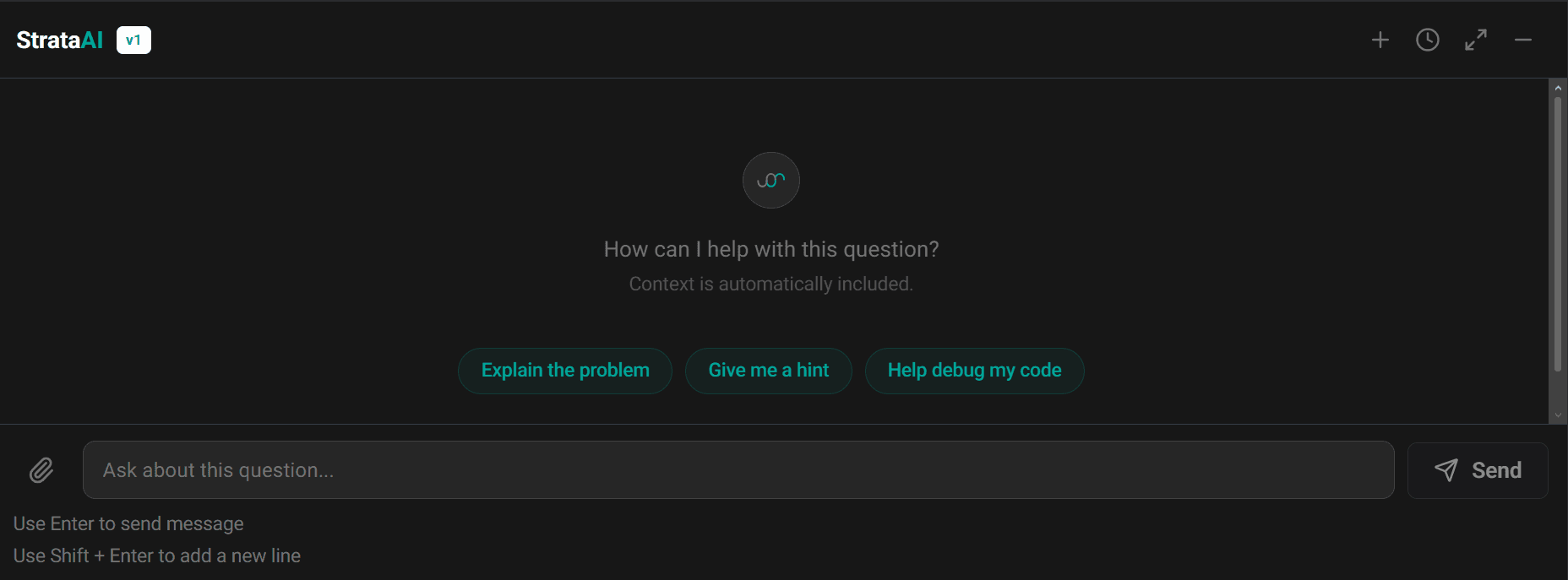
Where StrataAI works
StrataAI is built around your code editor and each question's tables. That's why it shows up on coding questions but not on standalone concept or algorithm content.
The Three Modes
StrataAI opens with three buttons. Each one matches a different kind of stuck.
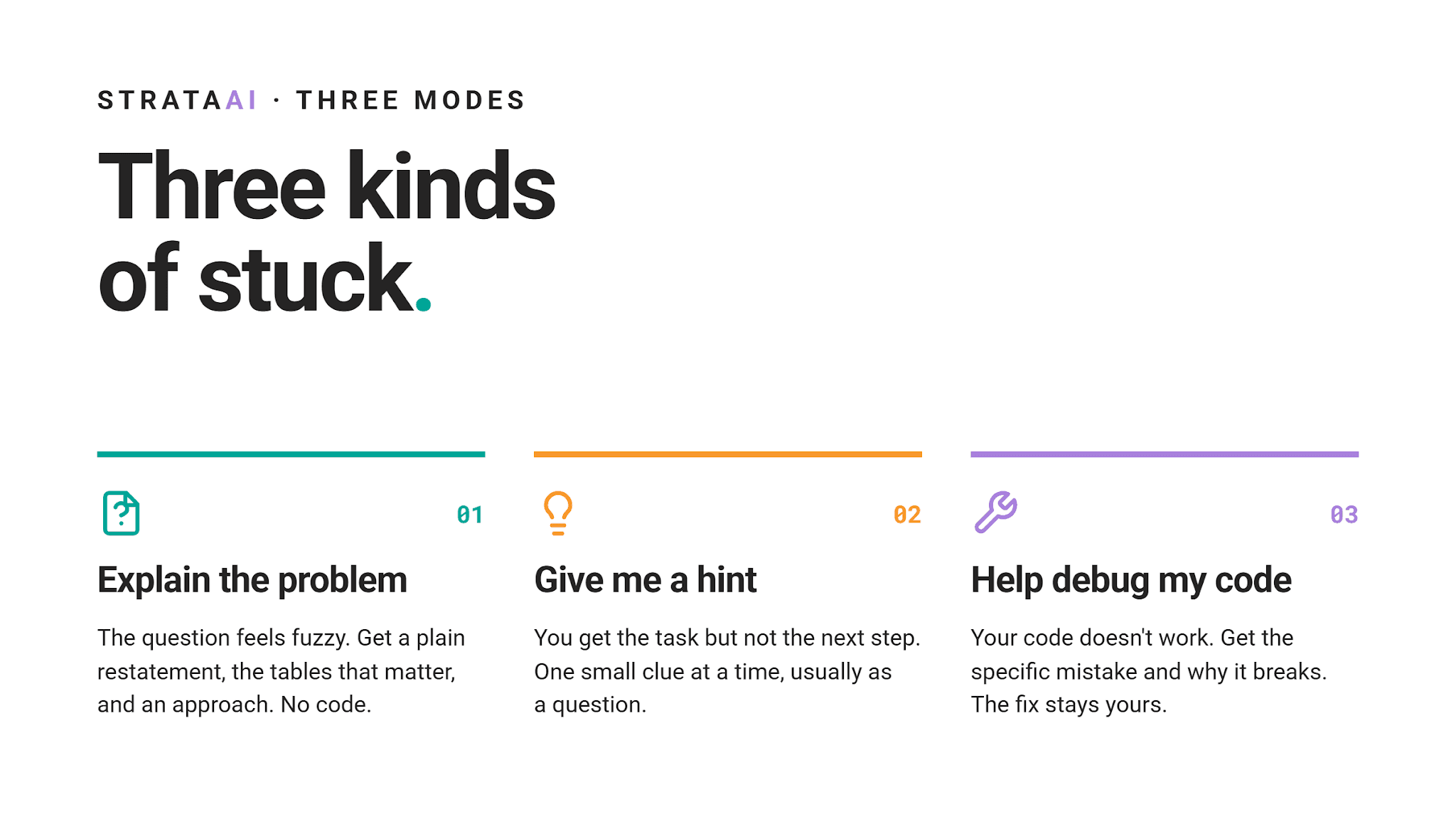
Explain the problem
Use this when the question itself feels fuzzy.
StrataAI restates what you're being asked in simpler words.
It also lists which tables and columns matter, then sketches a general approach. You won't see any code here.
Example: Finding Updated Records
Take Finding Updated Records, a classic SQL interview question.
Finding Updated Records
Last Updated: November 2020
We have a table with employees and their salaries; however, some of the records are old and contain outdated salary information. Since there is no timestamp, assume salary is non-decreasing over time. You can consider the current salary for an employee is the largest salary value among their records. If multiple records share the same maximum salary, return any one of them. Output their id, first name, last name, department ID, and current salary. Order your list by employee ID in ascending order.
Its salary table mixes outdated rows with current ones and you need each employee's current salary.
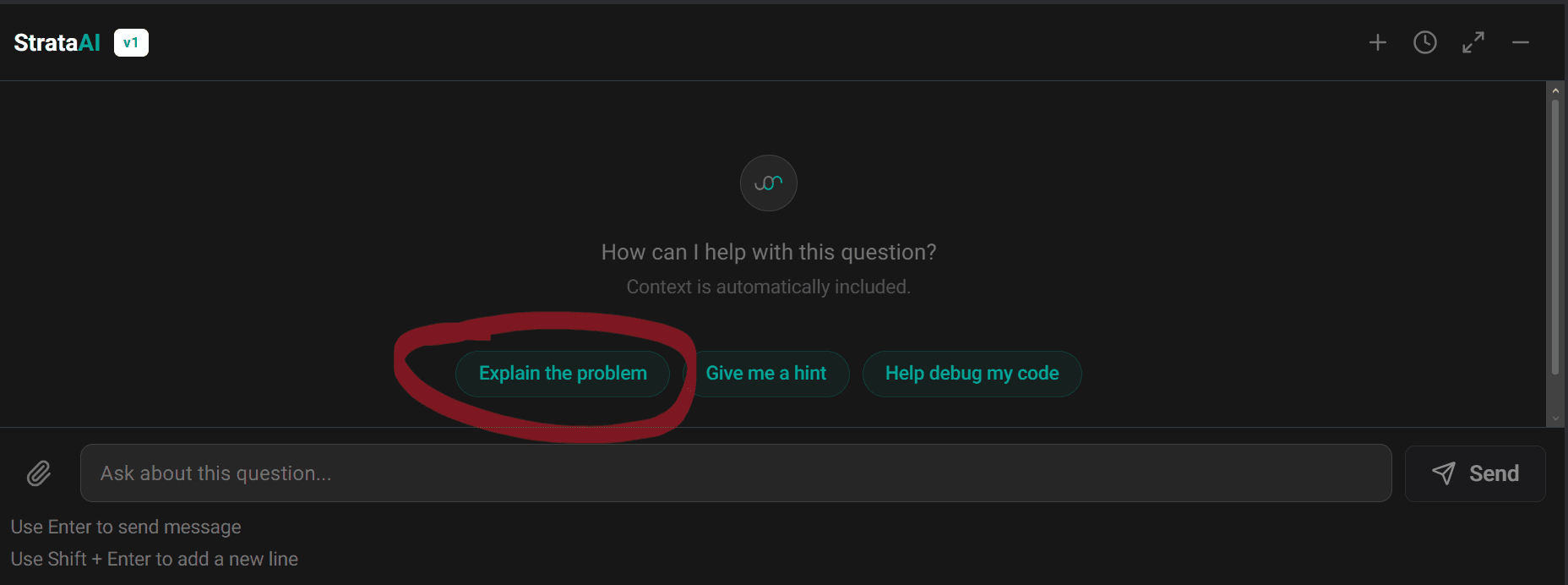
Click “Explain the problem”, or type something like “What is this question actually asking me to do?”
Here's what StrataAI actually returned.
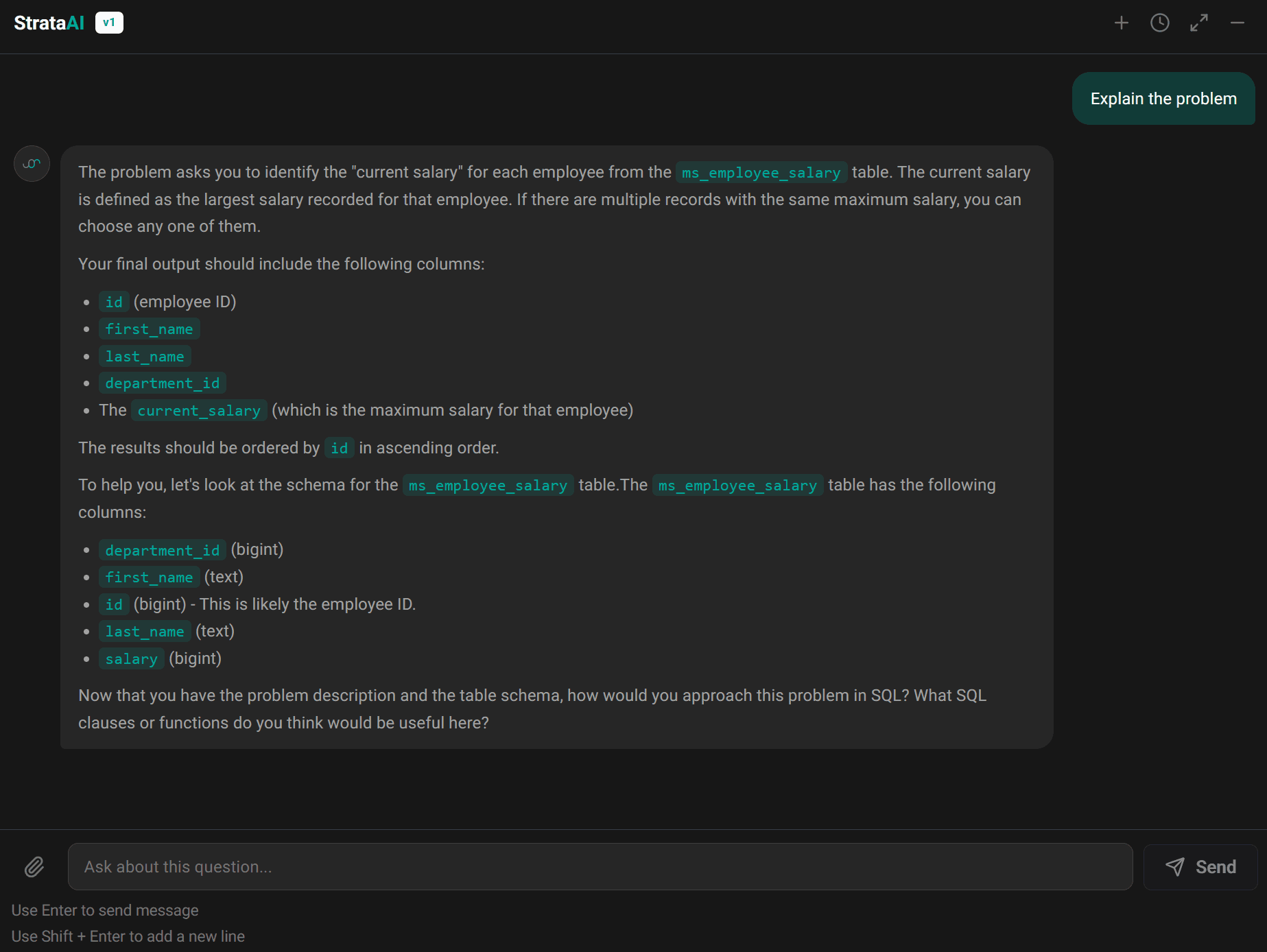
It defined the current salary as the largest salary recorded for each employee, then listed every output column and the required order by id.
Next, it showed ms_employee_salary with each column's data type, such as id (bigint) and first_name (text). Then it handed the thinking back, asking how you'd approach this in SQL and which clauses or functions might help.
Notice what's missing: no query and no named clause. You walk away understanding the task, while the solving stays yours.
Give me a hint
This mode is for when you understand the task but can't see a next step.
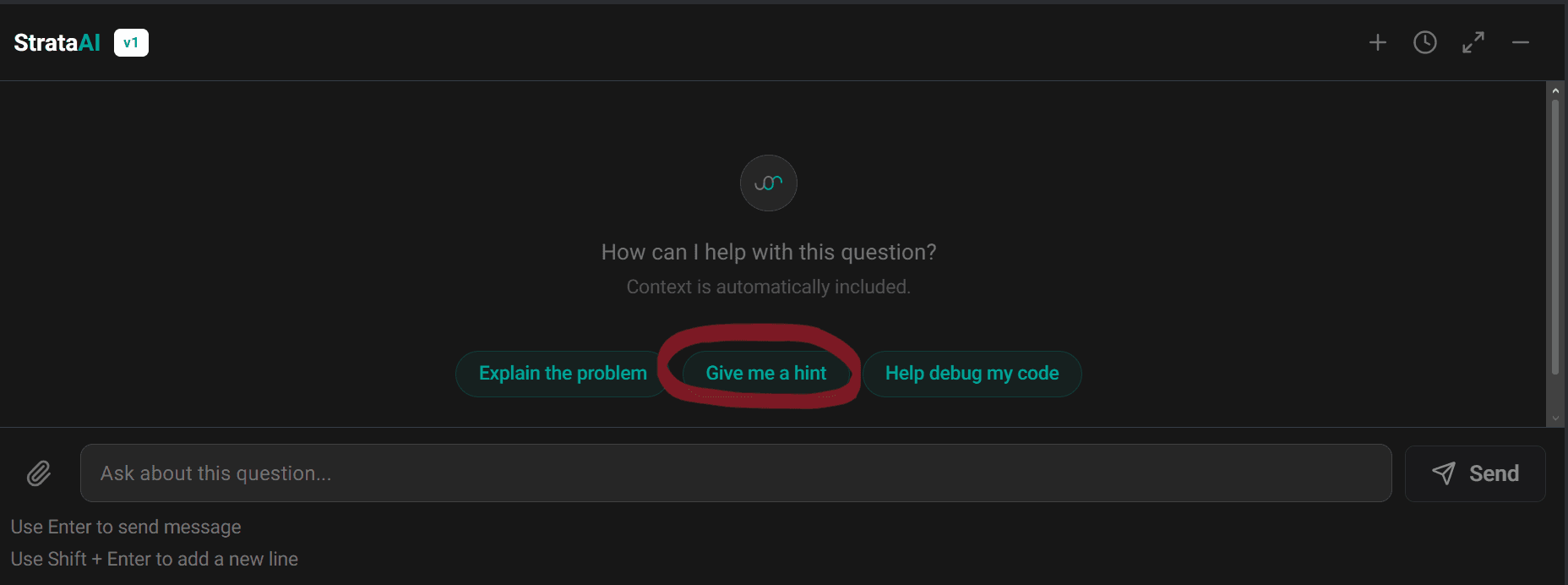
StrataAI gives you one small clue at a time.
A typical hint comes as a question, such as "How should these tables be connected?" It points you toward what to think about, not what you should type.
Example: an incomplete query
Hints shine when you're close but something's missing. Say you're still on Finding Updated Records and your query looks like this.
It pulls each employee's details along with their highest salary. Yet it skips a clause SQL requires whenever you mix aggregates with regular columns.
SELECT id,
 first_name,
 last_name,
 department_id,
 MAX(salary) AS salary
FROM ms_employee_salary
ORDER BY id;
Without GROUP BY, this query fails before returning a single row.
So, just ask StrataAI to “give a hint”. It won’t write a single line of code; it really only gives a hint. (Also, no need to paste the code into the chat; StrataAI reacts to what is written in the code editor.)
Here's what StrataAI actually replied.
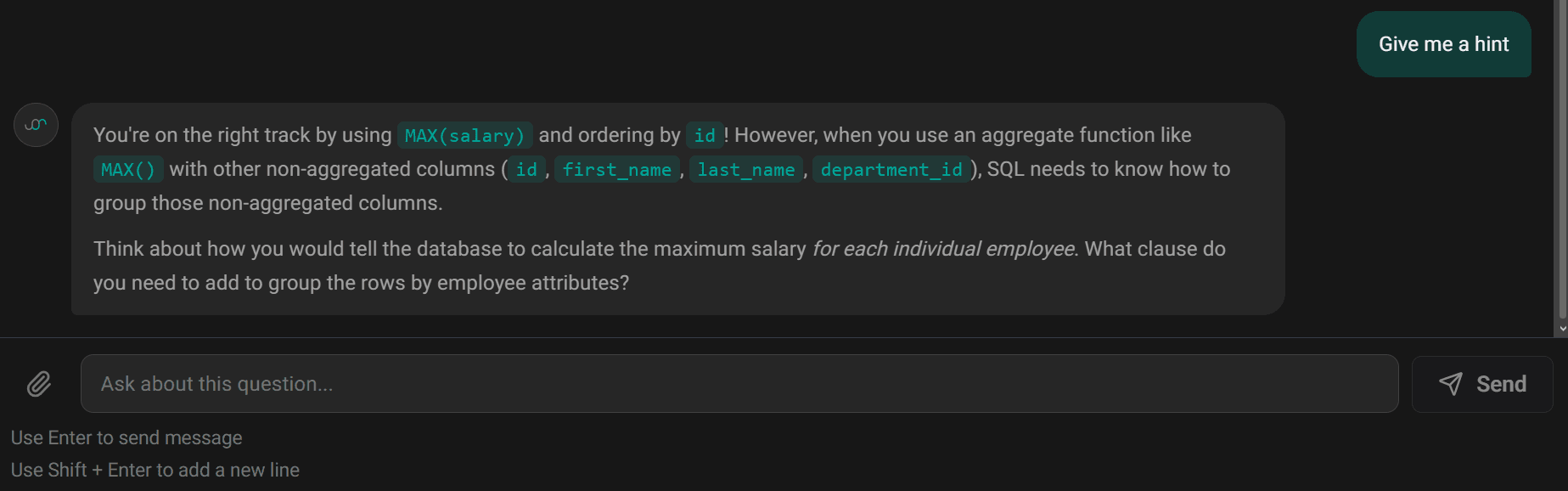
First, it confirmed you're on the right track with MAX(salary) and ordering by id.
Then it explained why mixing an aggregate with regular columns means SQL must know how to group them. It closed by asking which clause would group rows by employee attributes, so you get a maximum salary for each individual employee.
You still type that fix yourself, which is precisely why it sticks.
Help debug my code
This one kicks in once you've written something that doesn't work.
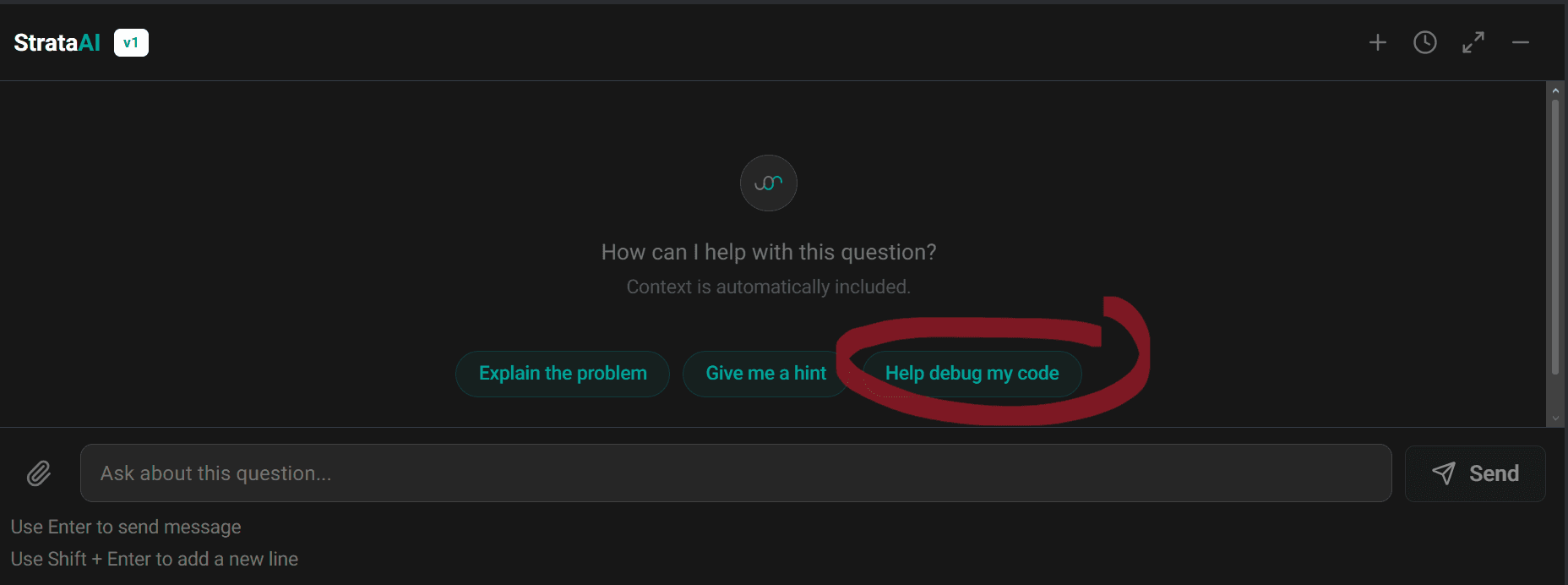
StrataAI reviews your code alongside any error or output you got.
Then it compares your logic against each table's real structure. It names a specific mistake and explains why it breaks, but leaves the fix to you.
Example: a JOIN on a column that doesn't exist
Take Salaries Difference, which asks for the absolute difference between the highest marketing and engineering salaries.
Salaries Differences
Last Updated: November 2020
A compensation team wants to understand the pay gap between two key technical and commercial functions. Calculate the absolute difference between the highest salary in the marketing department and the highest salary in the engineering department.
Output a single value representing the absolute salary difference.
Here’s a classic slip. You assume both tables share a department_id column, so you join on it.
This query compares both maximums but joins db_employee with db_dept on that assumed column.
SELECT ABS(
    MAX(CASE WHEN d.department = 'marketing' THEN e.salary END) -
    MAX(CASE WHEN d.department = 'engineering' THEN e.salary END)
) AS salary_difference
FROM db_employee e
JOIN db_dept d ON e.department_id = d.department_id;
Your problem sits in that JOIN condition. db_dept has no department_id column; its key is simply id.
Here's what StrataAI actually replied.
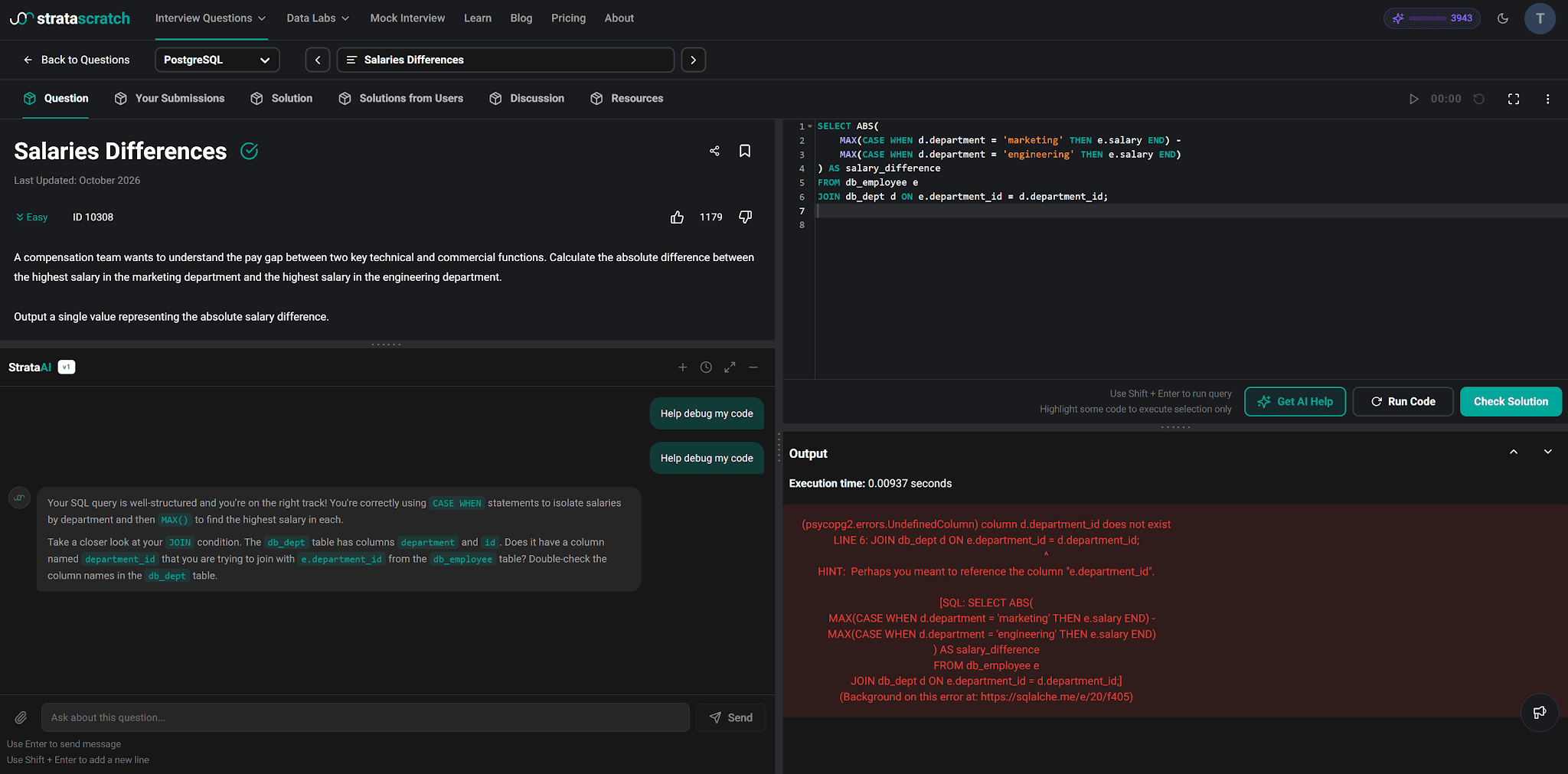
First, it credited what you got right: joining both tables, using CASE WHEN inside MAX() and applying ABS() for the difference.
Then it flagged a possible issue with your JOIN condition. It suggested a closer look at db_dept, noting its id column likely matches department_id in db_employee.
Finally, it asked you to adjust your ON clause without writing that corrected line.
So you still make the final edit yourself. And you'll probably remember this table's structure far better next time.
Tip: run your code before asking for debugging. Debug mode works best when StrataAI can see what your code actually returned. Ask before running anything and it only has your logic to judge.
With this same query, an early attempt went exactly that way. StrataAI praised the approach, checked that both department names matched, then asked whether you were seeing an error or unexpected output.
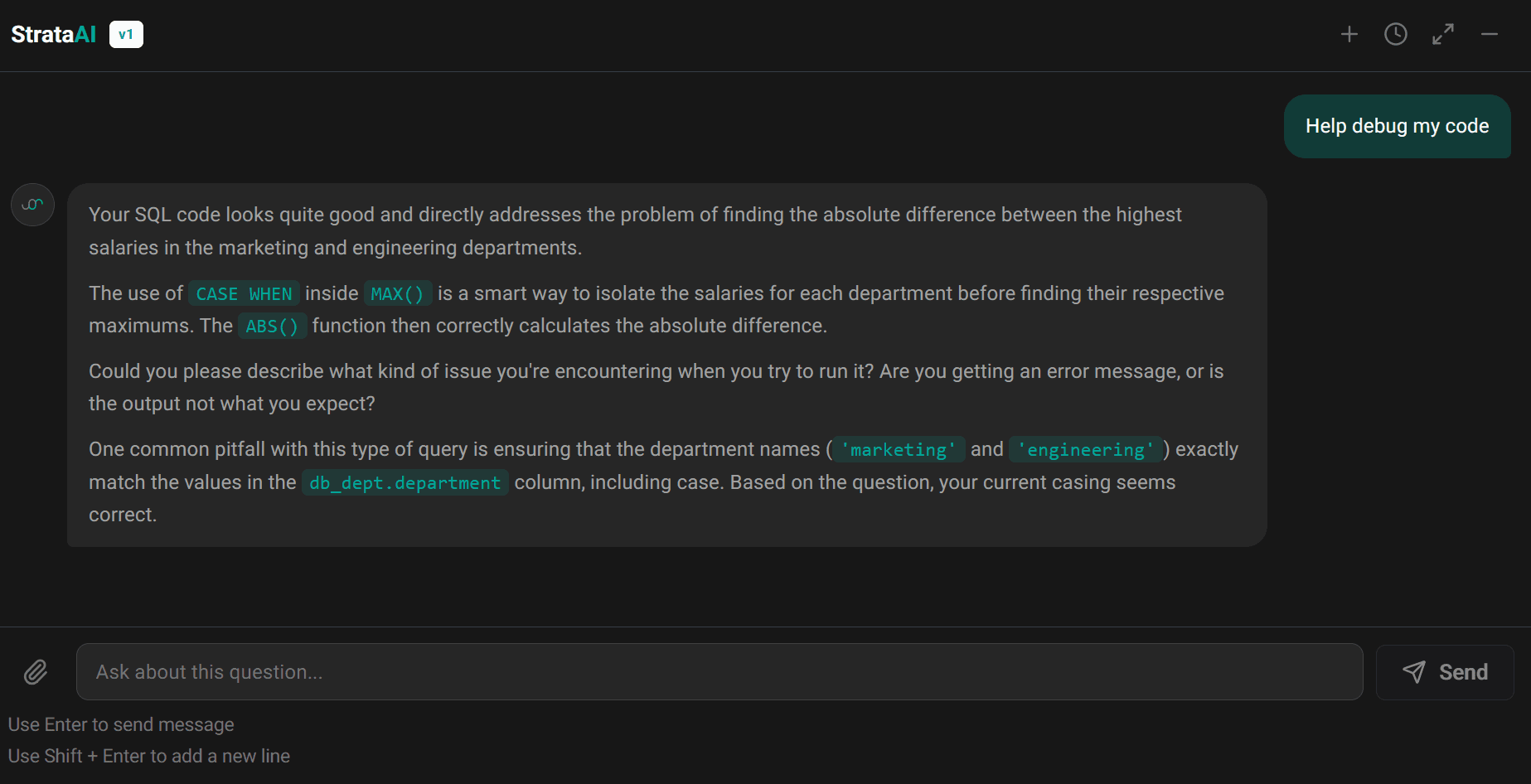
It missed the JOIN problem entirely. So hit Run first, then ask for help with that error in hand.
Bonus example: when your whole approach is off
Debug mode catches bigger problems than a wrong column name. If your query misunderstands what a question asks, StrataAI flags it at the concept level.
Here's a query for Salaries Differences that runs without errors. It compares the company-wide highest and lowest salaries, ignoring departments entirely.
SELECT ABS(MAX(salary) - MIN(salary)) AS salary_difference
FROM db_employee;
StrataAI spotted this misread right away.
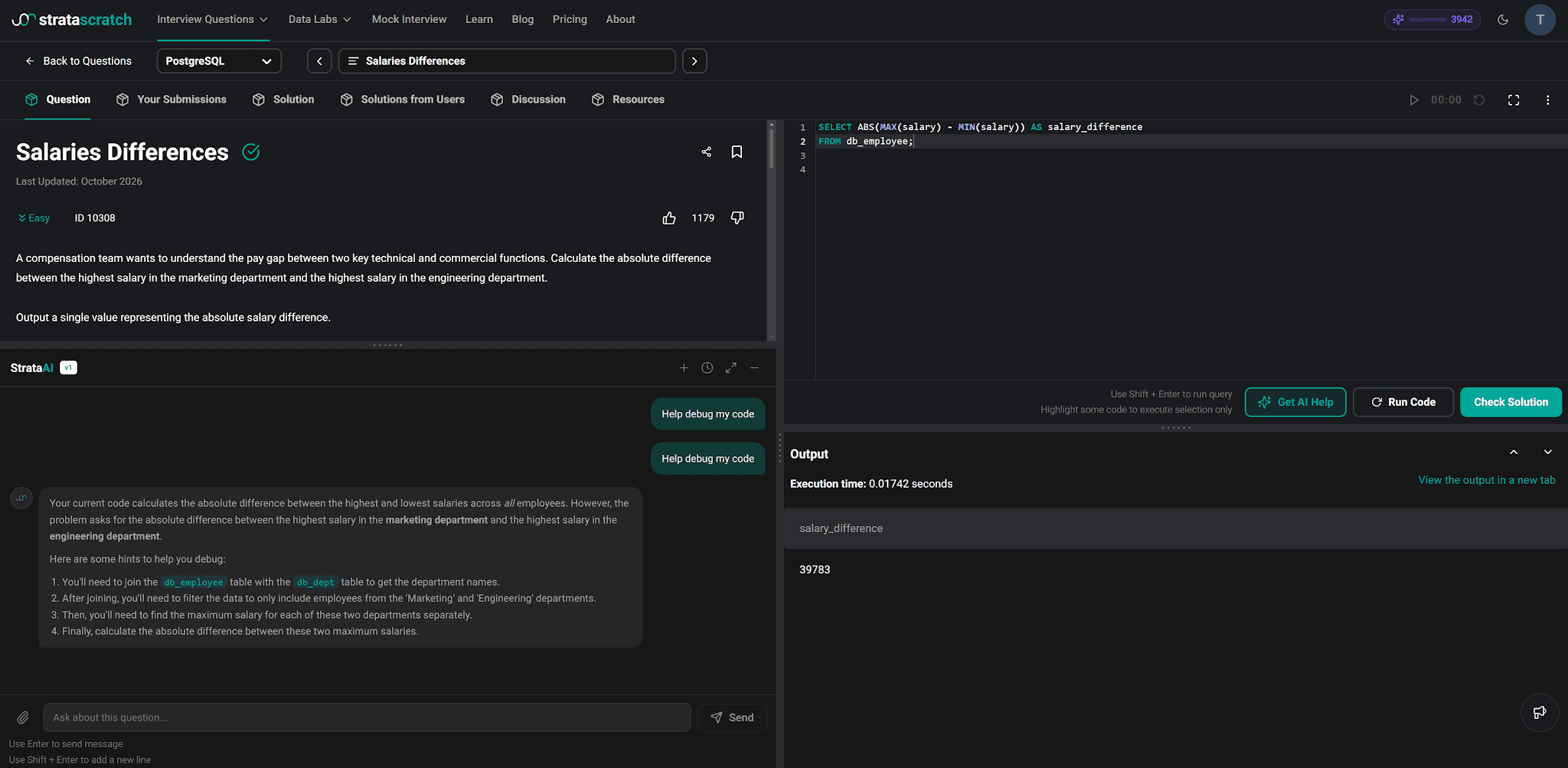
It explained that your query measures a gap across all employees, while the question compares the top marketing salary with the top engineering salary.
Then it laid out a path back: join db_employee with db_dept, keep only those two departments, find each one's maximum and take their absolute difference. You get a clear plan, but writing that SQL still falls to you.
Getting the Most Out of Hints
Hints are where StrataAI earns its keep. A few habits make them far more useful.
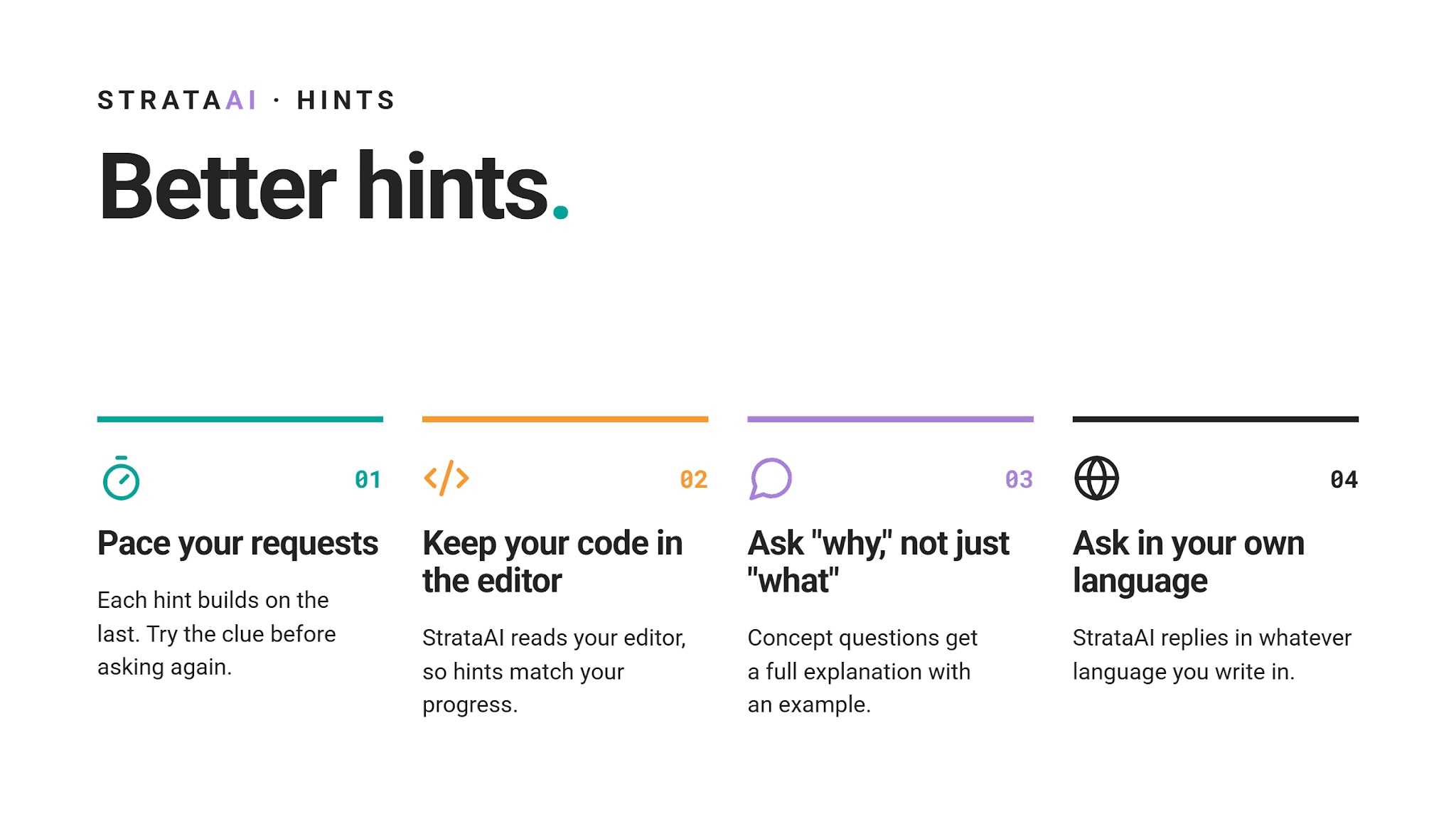
Pace your requests
Each hint builds on the one before it. Ask three or four times in a row and those clues get specific enough to spell out most of your solution.
So treat every hint as a step, not a shortcut. Try the clue first, then come back only when you're genuinely stuck.
Keep your code in the editor
StrataAI reads whatever sits in your editor, so its first hint adapts to your progress. An empty editor gets one gentle nudge to get you moving.
A nearly finished query gets pointed at its exact gap without naming any fix. And if your code already looks complete, StrataAI may ask you to explain your own logic back.
Ask "why," not just "what"
You aren't limited to those three buttons. Concept questions like "Why do I need DISTINCT here?" get a full explanation with an example.
StrataAI is also honest about edge cases. If your query only passes because a dataset happens to lack duplicates, it'll tell you.
Example: why DISTINCT matters
Take Customer Average Orders, a Postmates question. It asks how many customers placed an order and what their average order amount is.
Customer Average Orders
Last Updated: February 2021
How many customers placed an order and what is the average order amount?
One customer can place several orders, which is exactly where DISTINCT comes in. Compare these two versions.
-- Counts every order, so repeat customers are counted more than once
SELECT COUNT(customer_id) AS number_of_customers,
       AVG(amount) AS average_order_amount
FROM postmates_orders;
-- Counts each customer once
SELECT COUNT(DISTINCT customer_id) AS number_of_customers,
AVG(amount) AS average_order_amount
FROM postmates_orders;Ask StrataAI "Why do I need DISTINCT here?" after running the first version, and you get a straight answer.
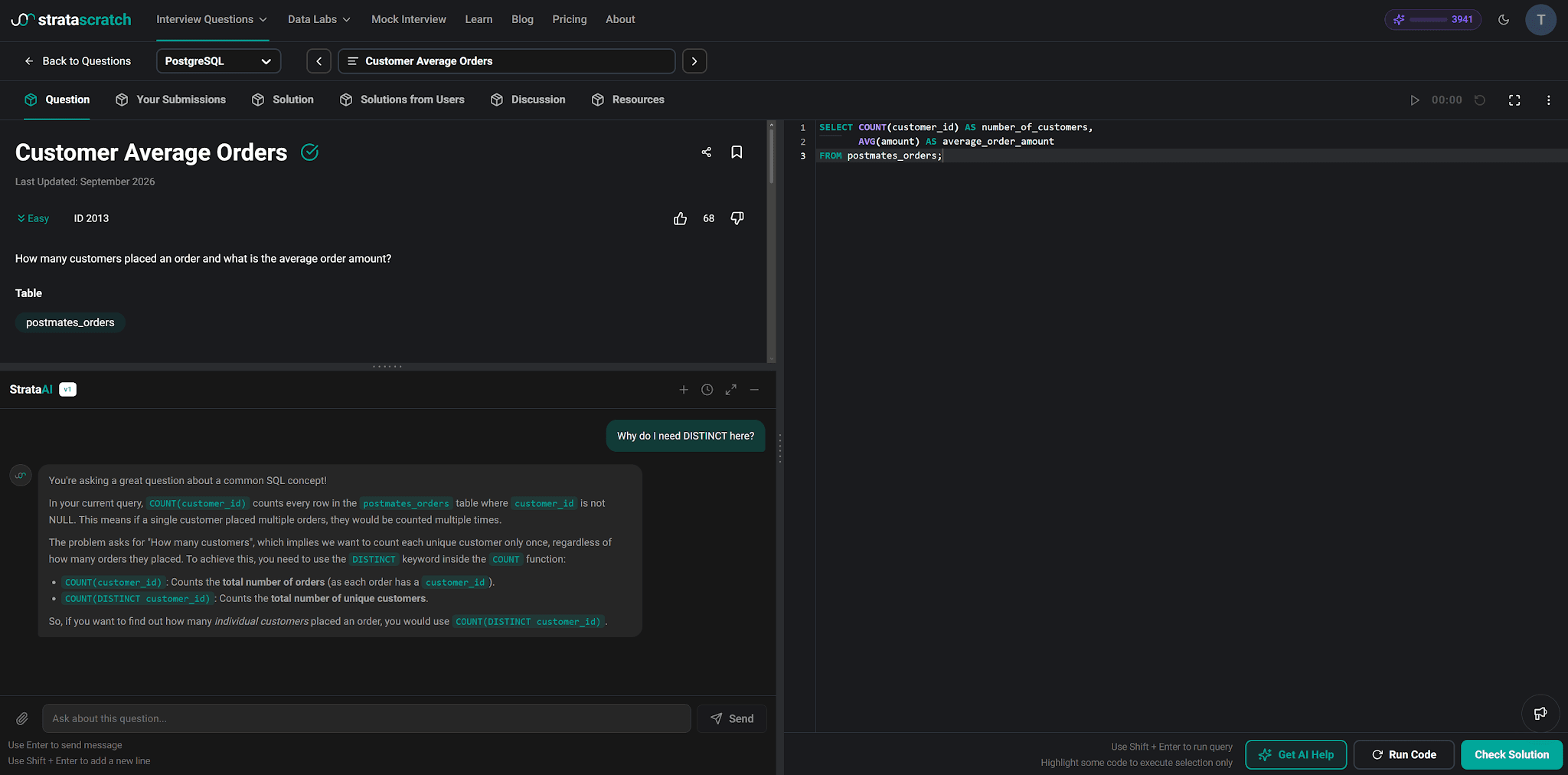
It explained that COUNT(customer_id) counts every order, so a repeat customer shows up several times.
Then it tied that back to the question's wording: "how many customers" means counting each unique customer once. That's why COUNT(DISTINCT customer_id) is the right tool here.
Notice how this differs from hint mode. Concept questions get full explanations, since understanding a keyword isn't the same as being handed a solution.
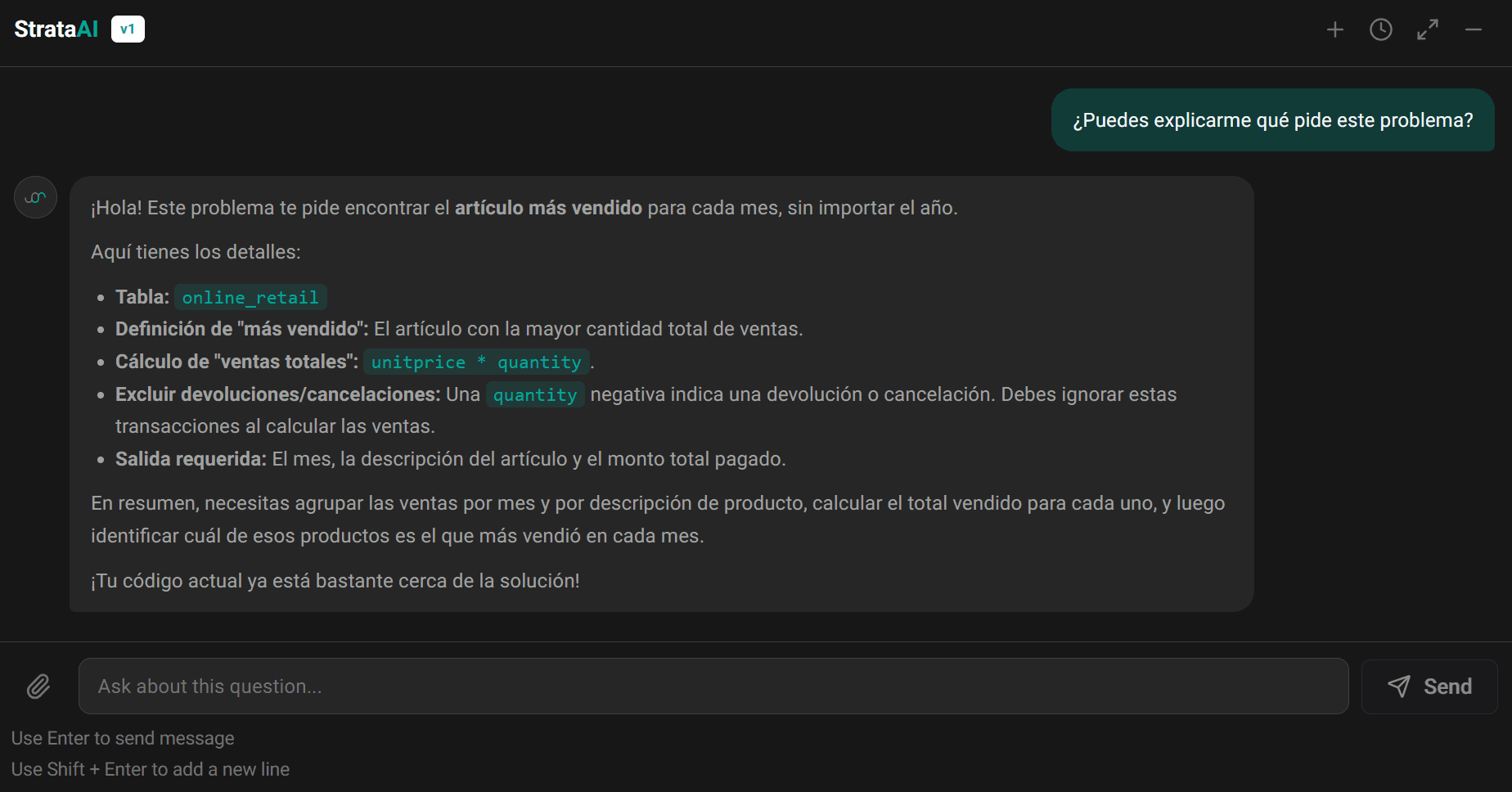
Ask in your own language
StrataAI replies in whatever language you write in. Ask in Spanish, for example, and your whole conversation continues in Spanish.
For example, try asking this: “¿Puedes explicarme qué pide este problema?”
You’ll get a full answer in Spanish. It still references your question's actual tables and columns.
Running and Checking Your Code
StrataAI can do more than talk about your code. Ask it and it'll execute your code or check it against an expected answer.
Two different requests
- Run my code executes what's in your editor against the question's data. You get back results or errors you can discuss right in the chat.
- Check my solution compares your output with the expected one. It tells you whether your answer is right.
Example prompts
You can phrase these requests however you like. Here are a few that work: “Run my code and show me what it returns” or “Can you check my solution?”
After a check, you’ll know whether your output matches. If it doesn’t, switch to Help debug my code and find out why.
Only when you ask
StrataAI never runs or checks your code on its own. That's intentional, since you decide when your work is ready for a verdict.
Even with a correct solution in your editor, StrataAI won't volunteer a verdict. Instead, it might ask you to walk through your reasoning.
If something goes wrong
Occasionally a request can't go through, for example when a question fails to load. StrataAI then tells you that the service is temporarily unavailable instead of failing silently.
Supported Languages
StrataAI works with eight languages. It runs and checks code in whichever one you've selected in your editor.
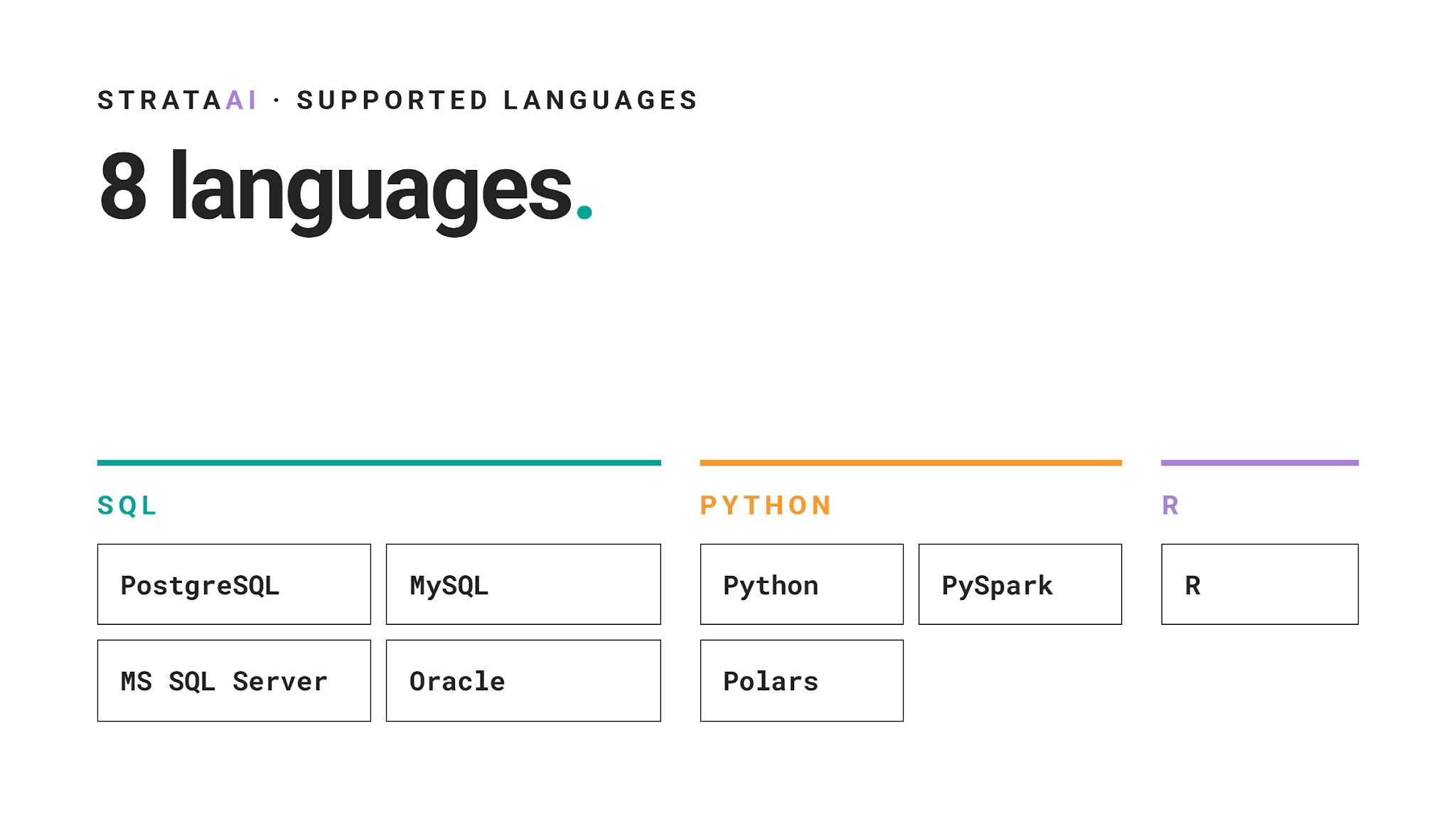
Code in any other language can't be run or checked. StrataAI can still talk through general ideas with you, though.
Stick with your editor's language
Paste code in a language that differs from your editor setting, and StrataAI notices. It explains what looks off and steers you back toward your selected language.
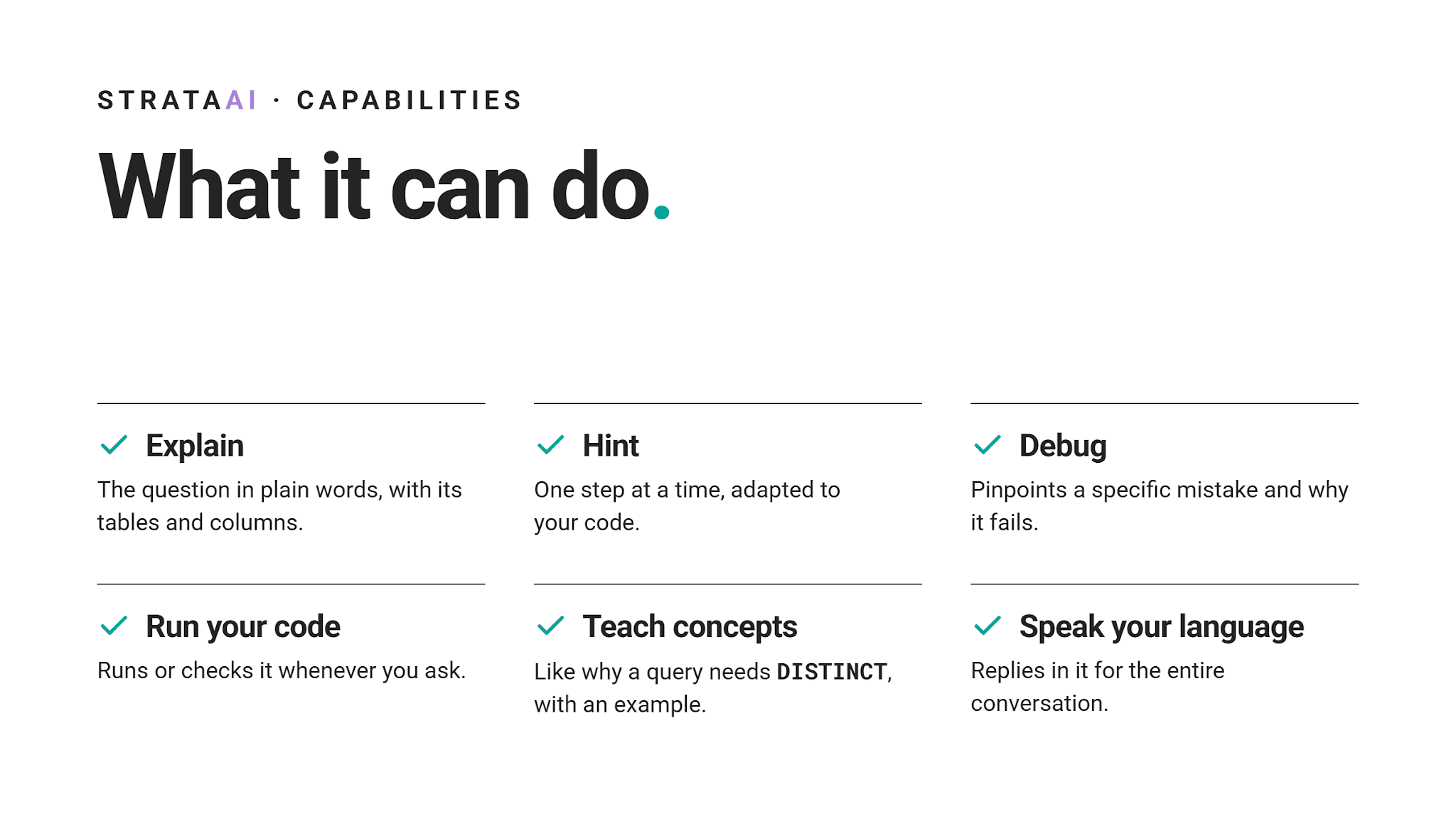
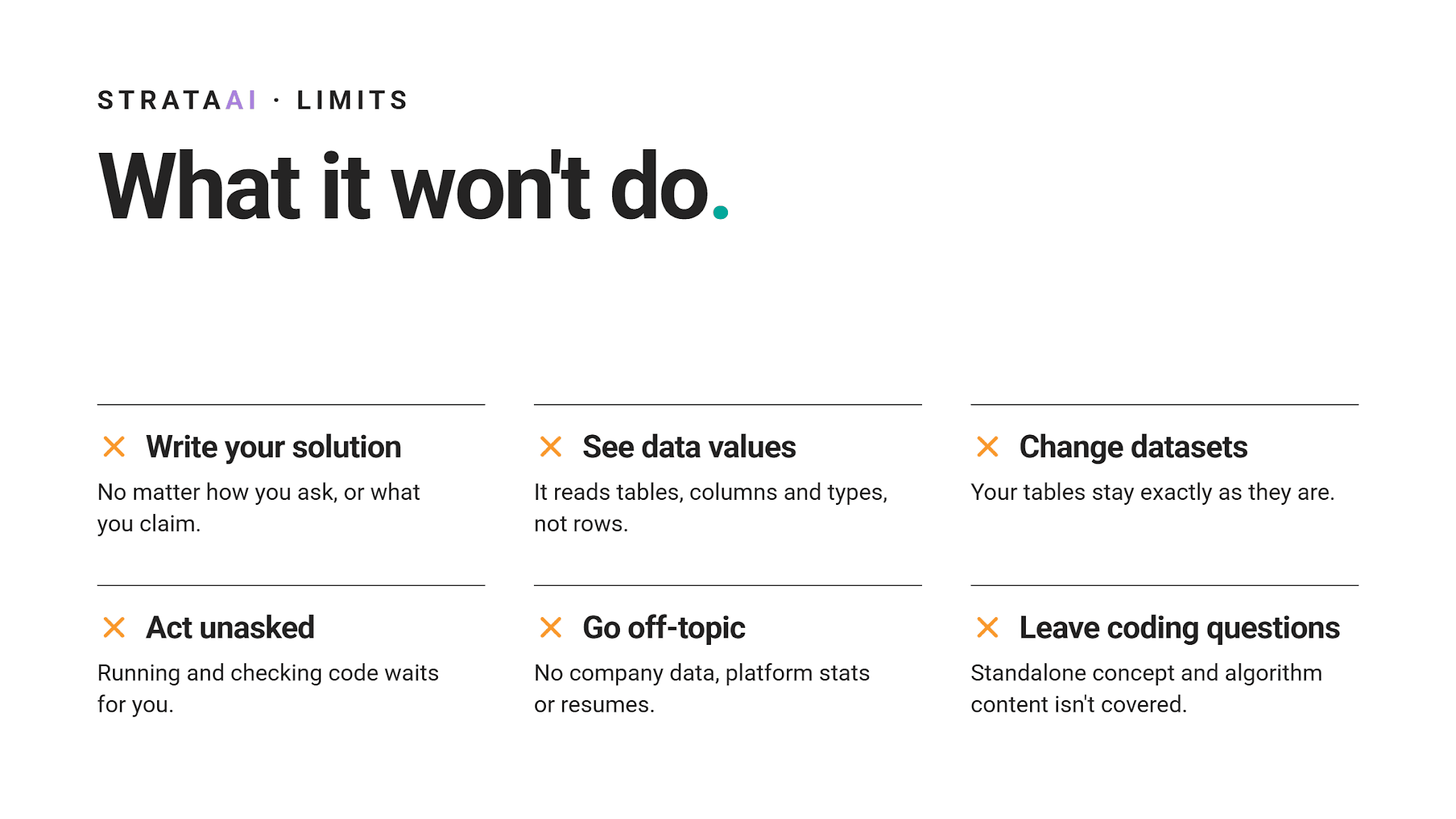
What StrataAI Can and Can't Do
Most of StrataAI's limits are deliberate. They keep it focused on helping you learn, not on doing your work.
Conclusion
StrataAI gives you a tutor that sits right beside your code. It explains, hints and debugs, yet the solution still comes from you.
That trade-off is intentional. Struggling a little longer on practice questions pays off when an interviewer is watching.
Next time you hit a wall, click Get AI Help before reaching for a finished answer. Start with one hint and see how far it takes you.
Share