How to Connect StrataScratch to Claude Using an MCP Connector

Categories:
 Written by:
Nathan Rosidi
Connect your StrataScratch account to Claude with the StrataScratch public MCP connector. Browse interview questions, run code against real datasets, check your solutions, and review your progress, all without leaving your chat window.
What Is the StrataScratch MCP?
The StrataScratch MCP is a server that exposes StrataScratch's interview question catalog and your practice activity as tools an AI assistant like Claude can call directly. Once it's connected, Claude can browse questions, run and check code against real datasets, and pull your progress data without you ever leaving the conversation.
The connection runs on OAuth 2.0, so the MCP always authenticates as one specific StrataScratch account, and everything Claude does through it is scoped to that account's plan, whether that's Free or Premium.
The idea behind it is simple: cut down the constant switching between practicing on StrataScratch and asking an AI assistant for help, so both can happen in the same place.
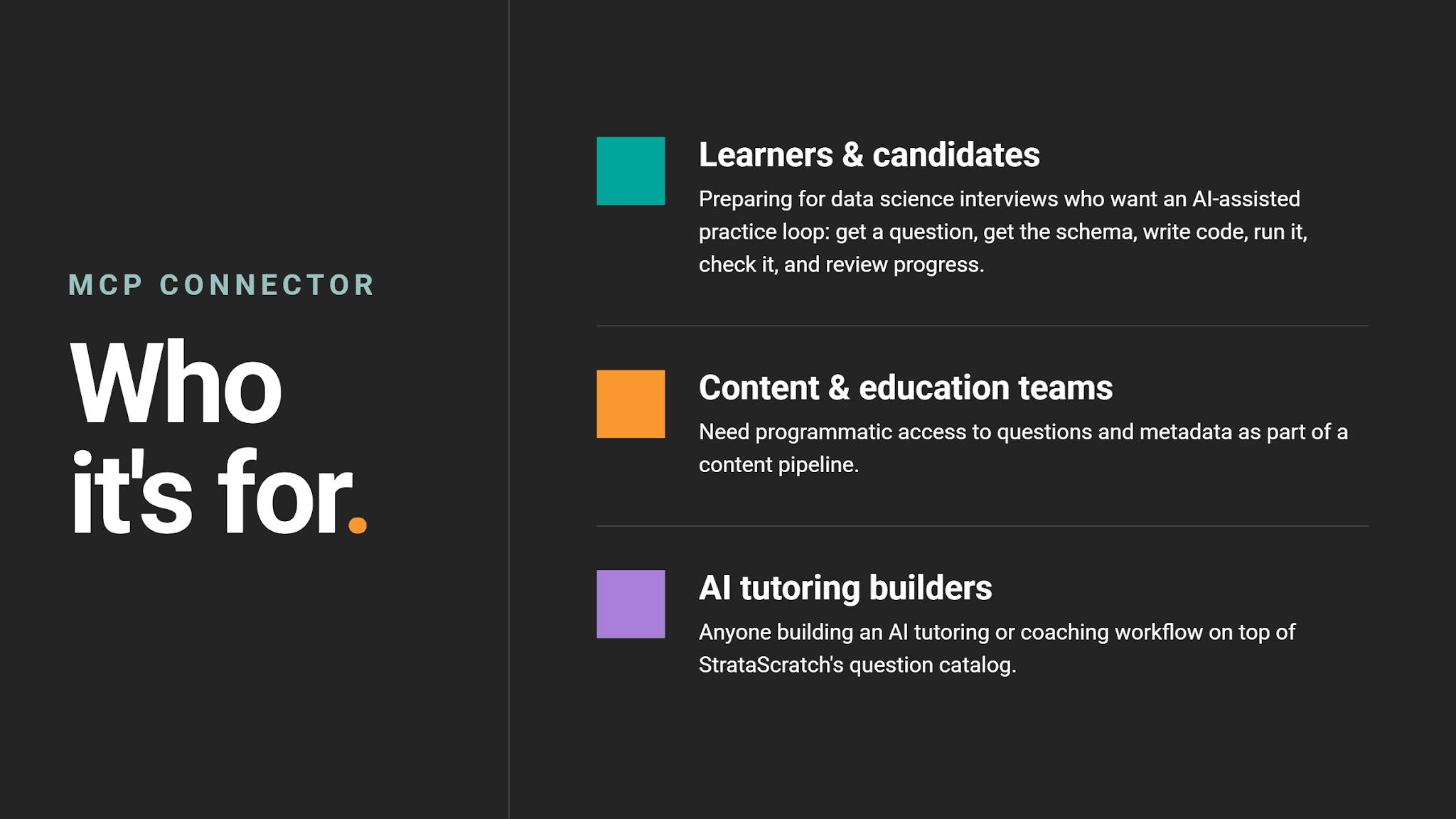
Who This Connector Is For
How to Connect Claude to StrataScratch
Setting up the connector takes less than a minute.
1. Open Claude on the web or in the desktop app.
2. Go to Settings, then Connectors, and select Add custom connector. Enter the following details:
- Name: StrataScratch
- URL: https://api.stratascratch.com/mcp
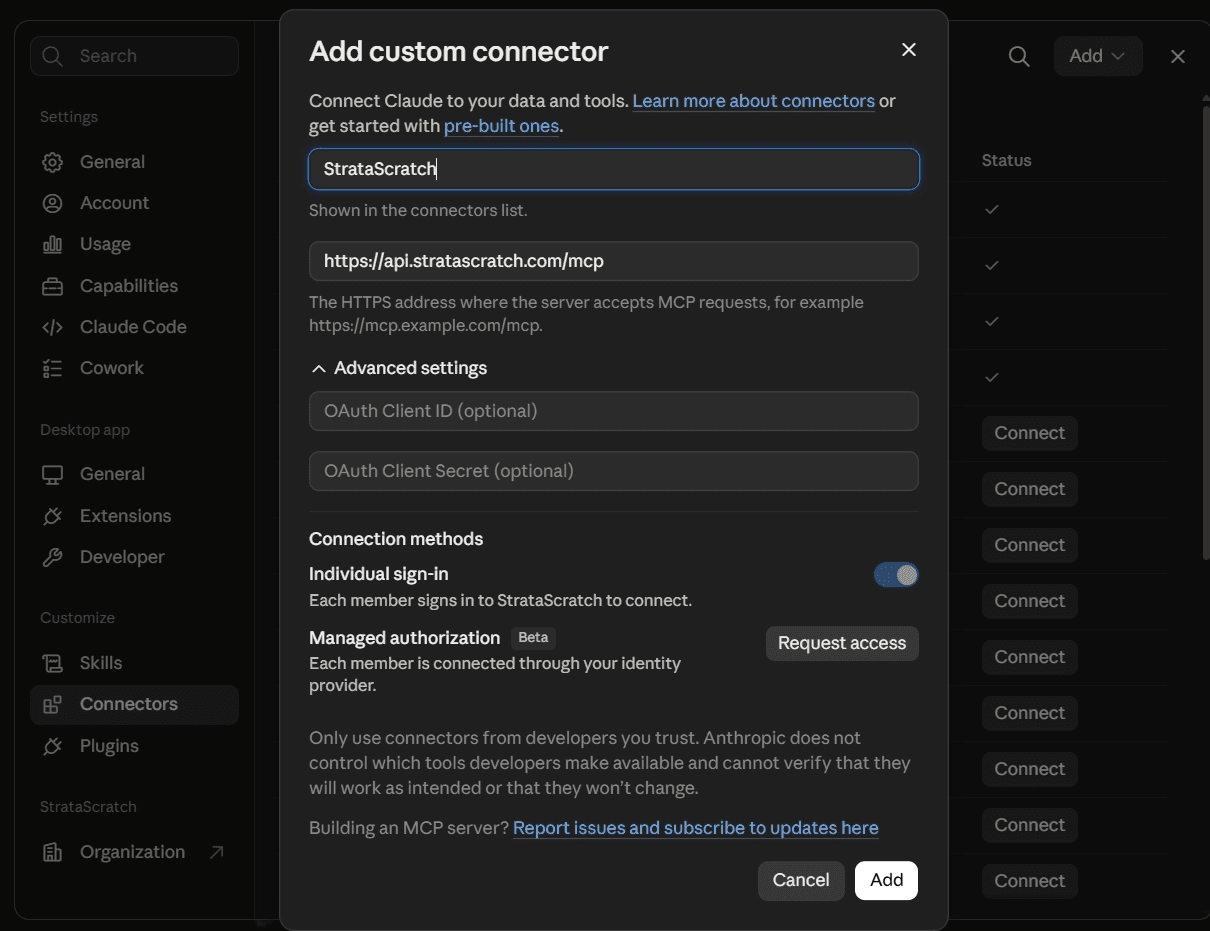
3. Click Add, then Connect.
4. Claude redirects you to StrataScratch to log in, if you aren't already, and to approve the connection. Once you approve it, Claude receives an access token scoped to your account and the connector is ready to use.
Testing Your Connection
Once it's connected, confirm everything works with two quick prompts:
Ask Claude to run whoami. It should return your StrataScratch account information. If it does, the connection is live.
Ask Claude to "list 5 easy SQL questions", and confirm it returns real catalog data rather than an empty result or a not_found error.
If either check fails, disconnect and reconnect the connector, and make sure you're logged into the StrataScratch account you actually want Claude to use.
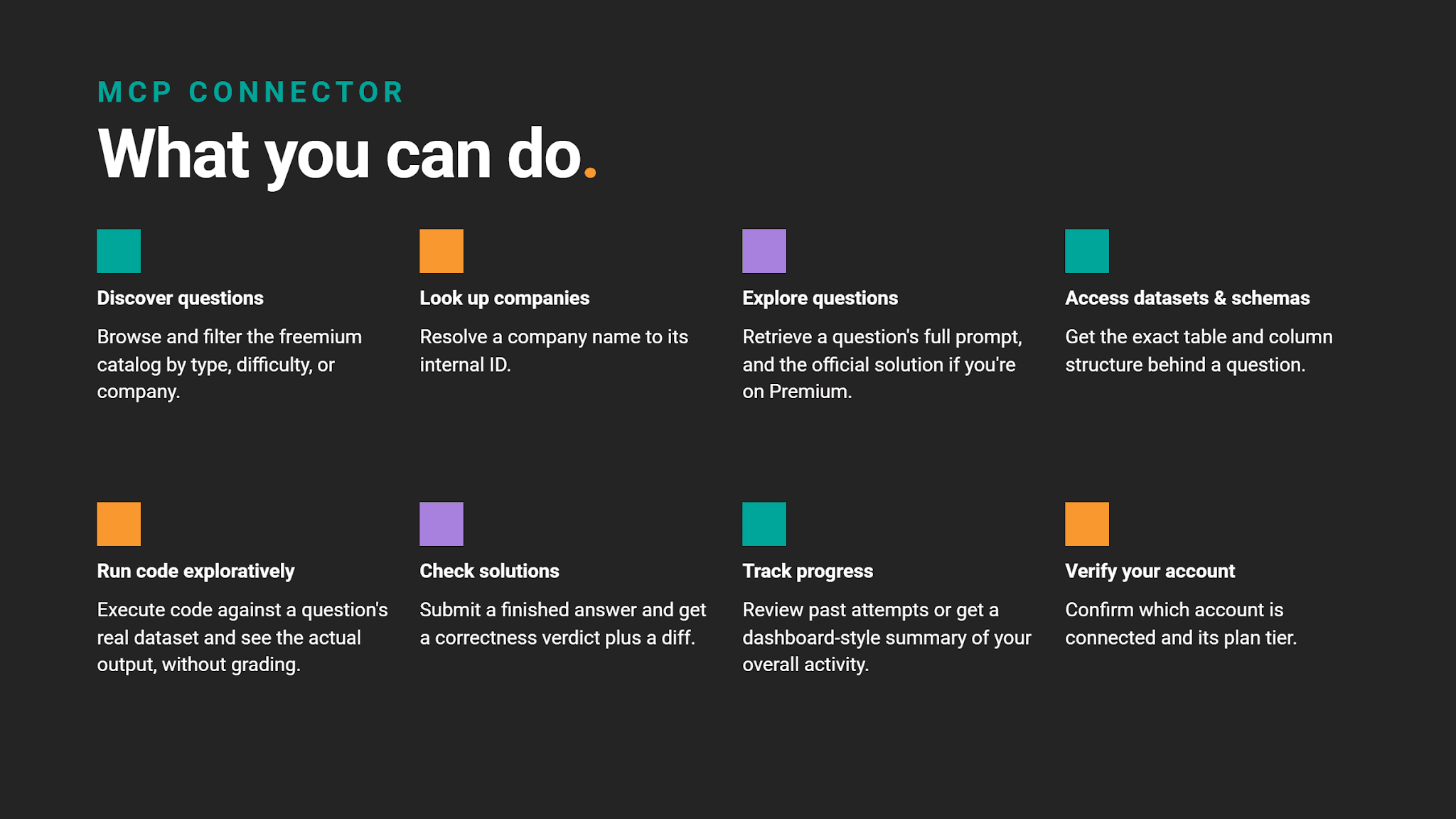
What You Can Do With the StrataScratch MCP
Once connected, the StrataScratch public MCP lets Claude do this.
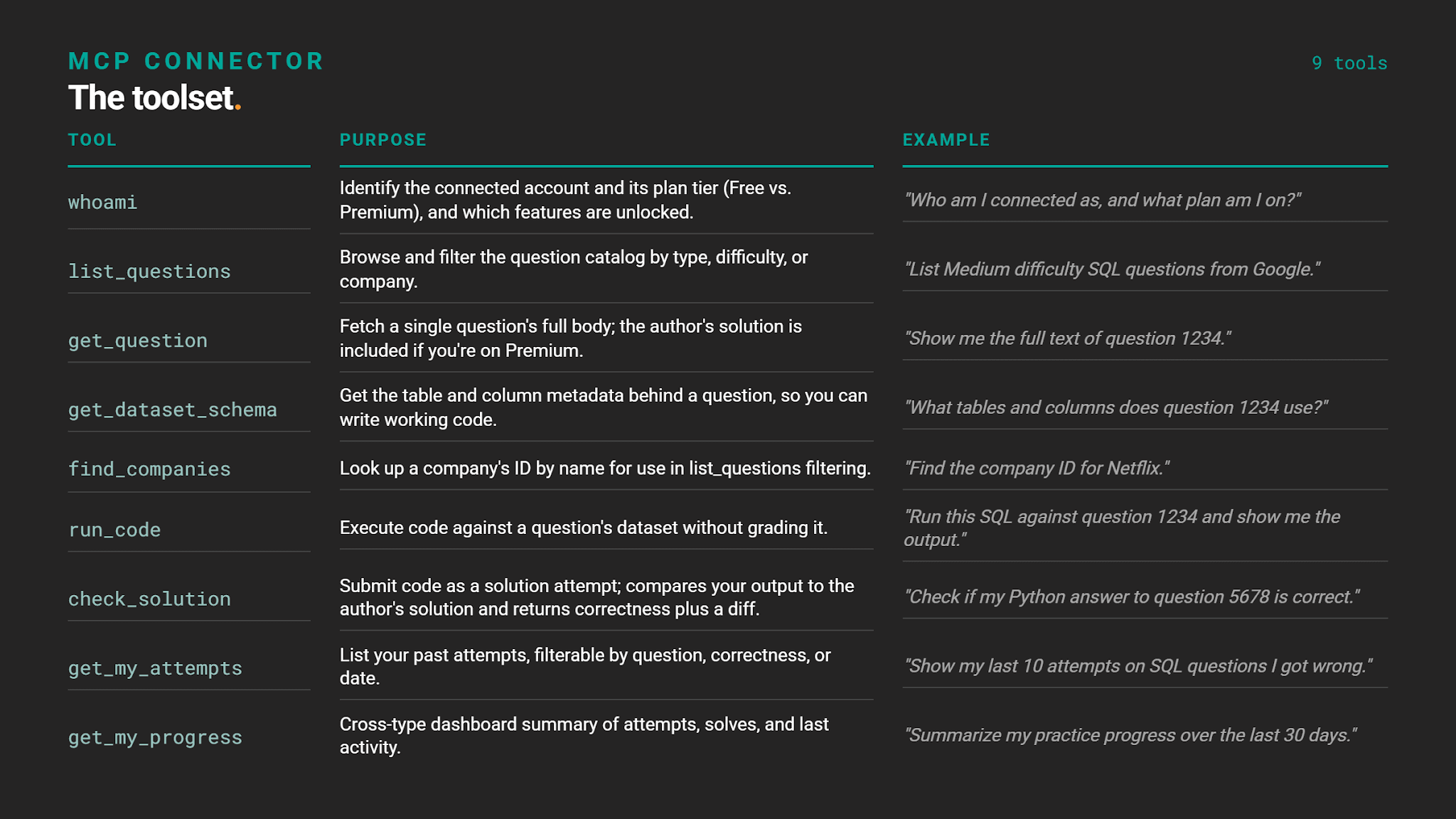
Here's the full list of tools available through the connector:
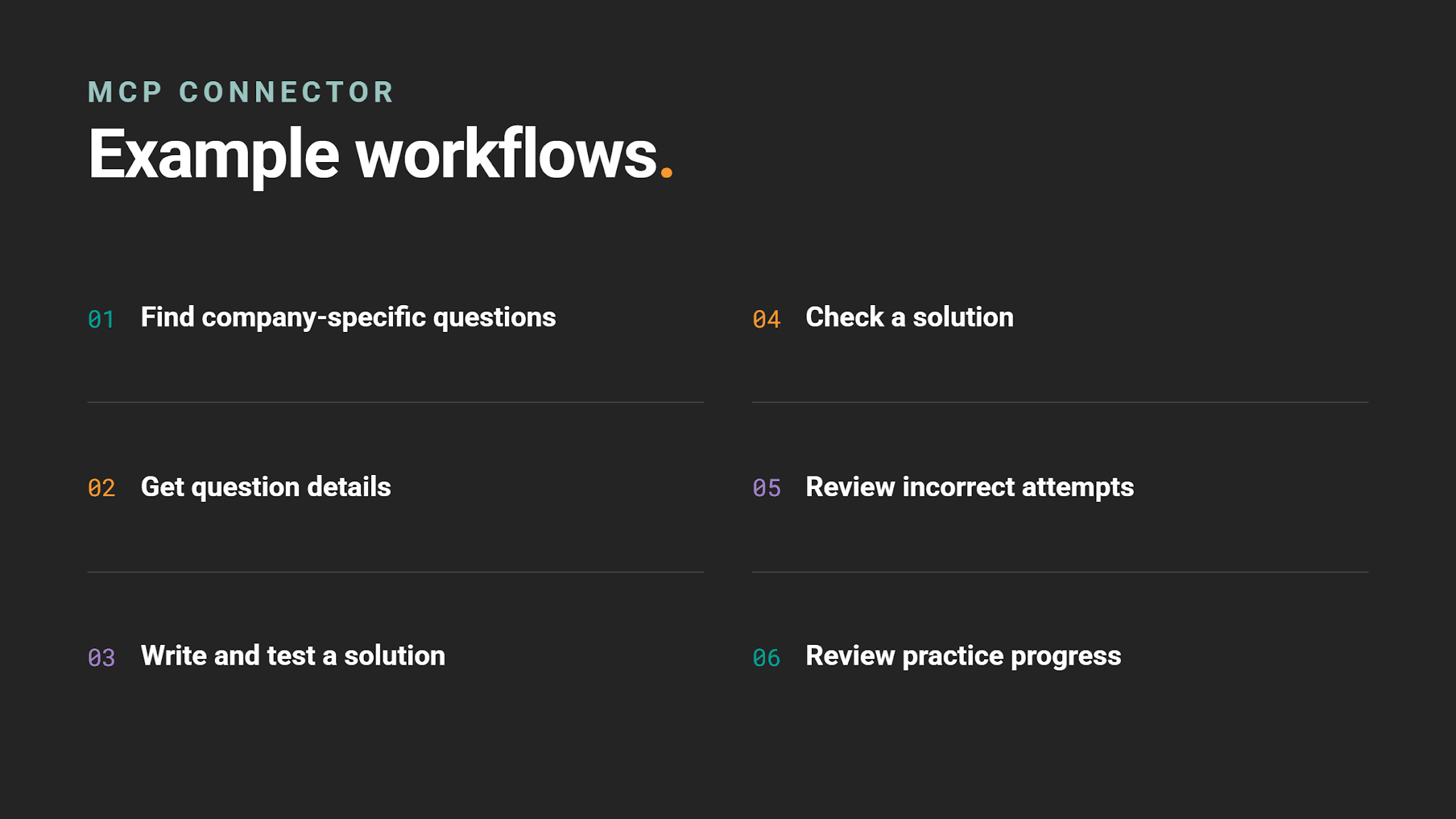
Example Workflows You Can Try
These are a few of the most common ways to put the connector to work.
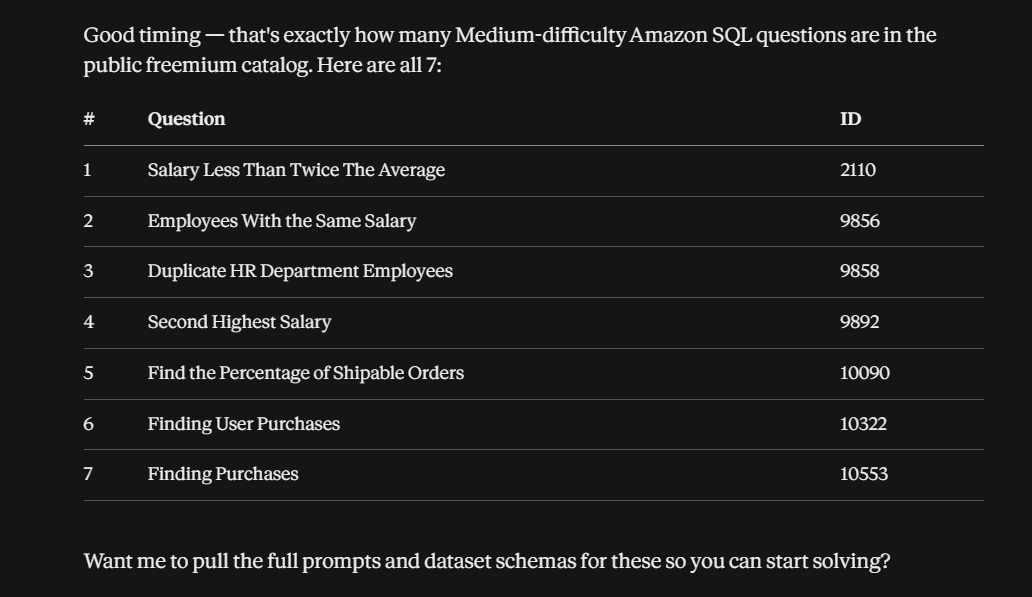
Workflow #1: Find Company-Specific Questions
Goal: Find interview questions asked by a specific company.
Tools: find_companies → list_questions
Try asking: "Find me 7 Medium SQL questions that Amazon has asked."
Output:
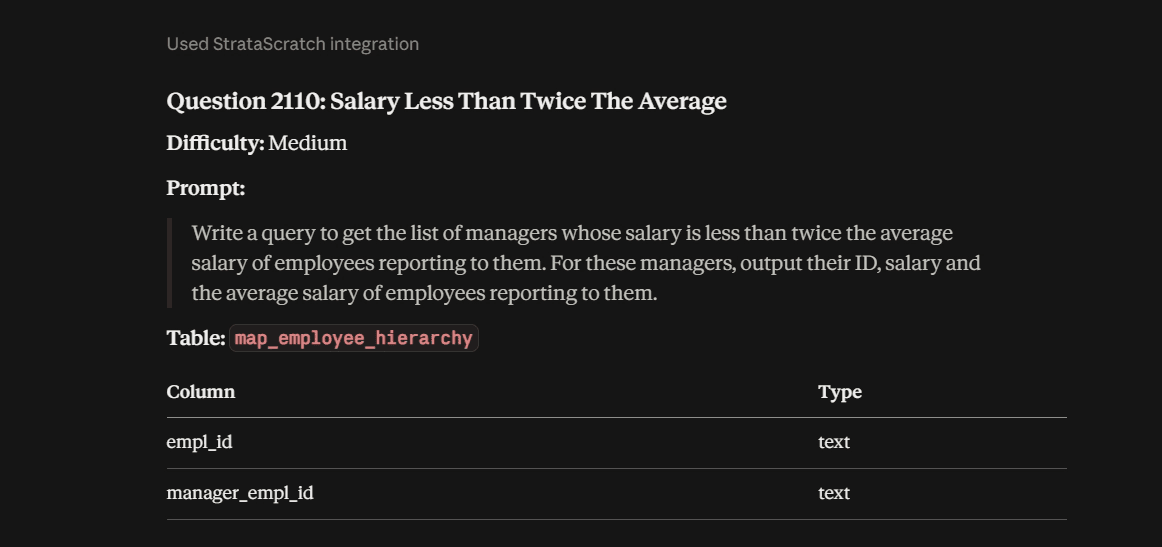
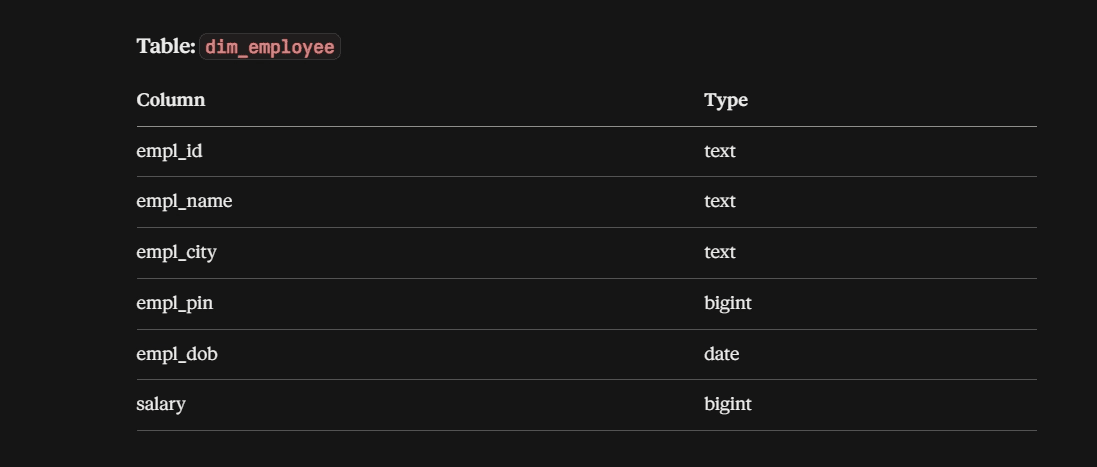
Workflow #2: Get Question Details
Goal: View a question and understand the dataset behind it.
Tools: get_question → get_dataset_schema
Try asking: "Show me question 2110 and its tables and columns."
Output:
Workflow #3: Write and Test a Solution
Goal: Write code and test it against the real dataset before submitting it.
Tools: get_dataset_schema → run_code
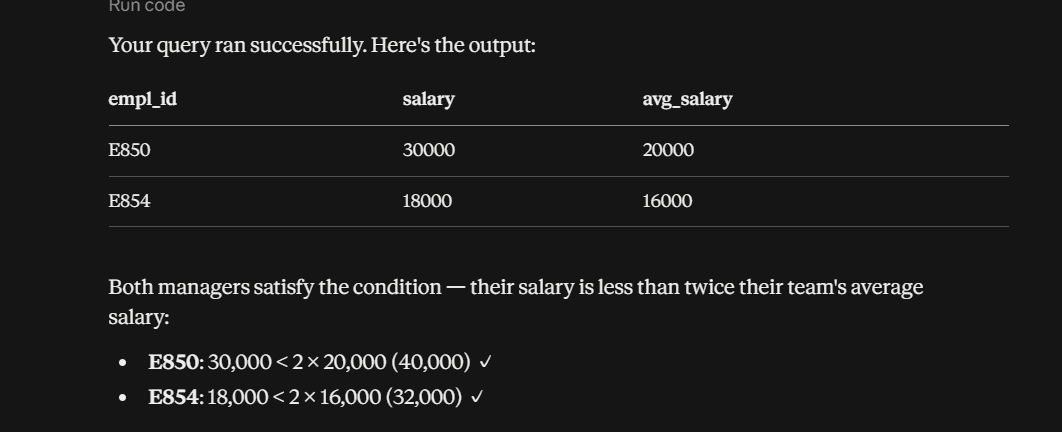
Try asking: "Run this SQL against question 2110 and show me the result."
Output: Claude returns the result of your code, but it does not check whether the solution is correct.
Workflow #4: Check a Solution
Goal: Find out whether a completed solution is actually correct.
Tools: check_solution
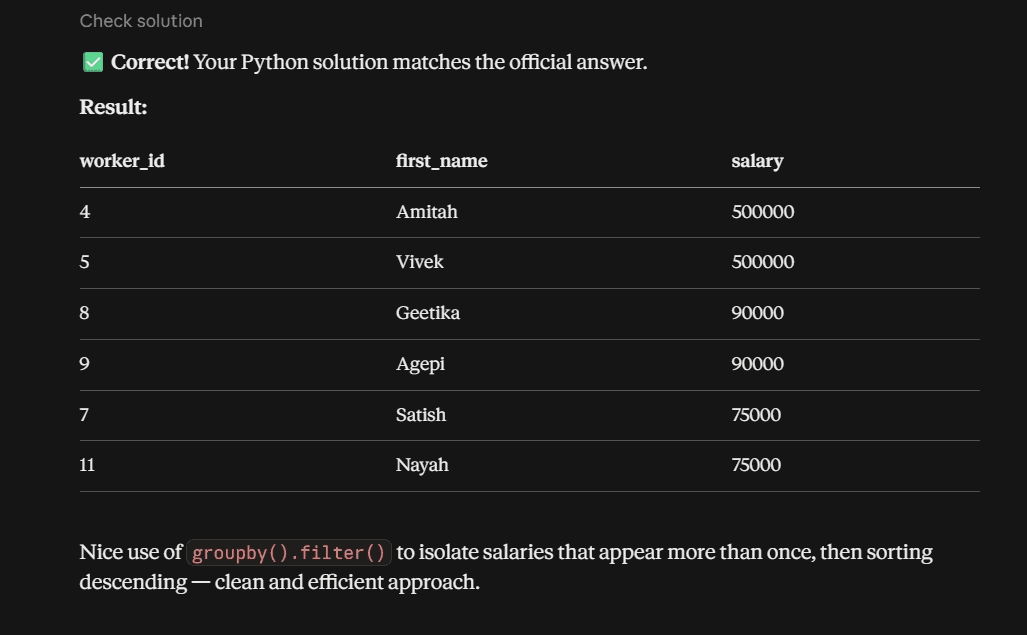
Try asking: "Check if this Python solution is correct for question 9856."
Output: The code – in this case, Python – is tested against the question, which can receive SQL/Python as an answer. This is when the solution is correct.
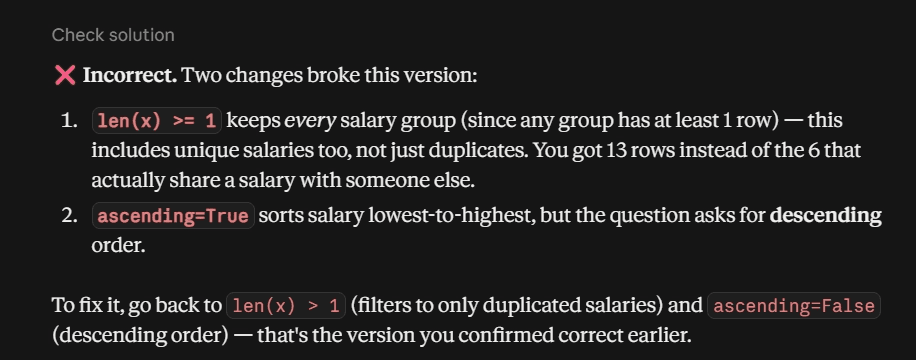
This is what happens when the solution is incorrect.
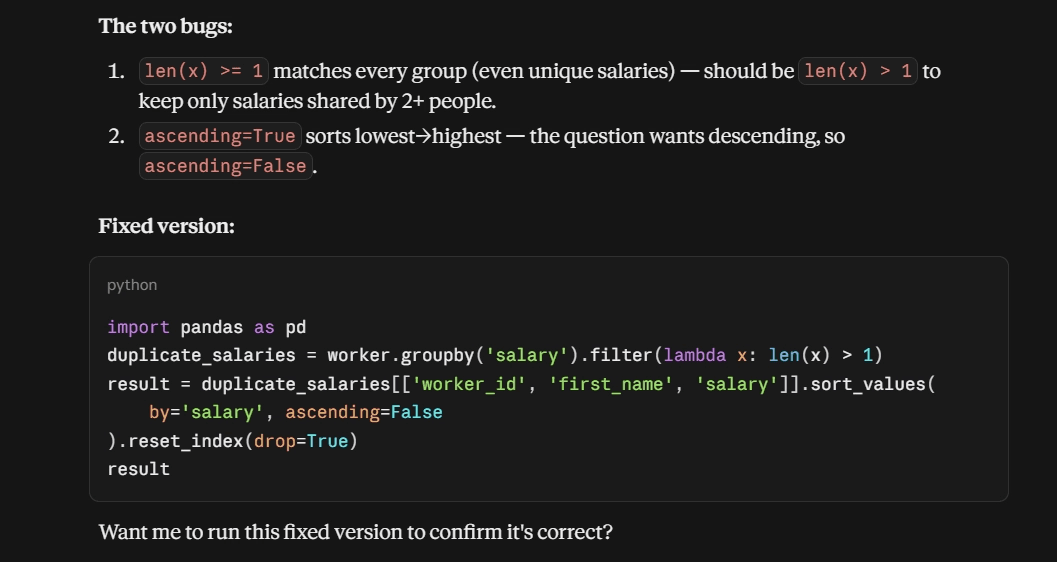
Workflow #5: Review Incorrect Attempts
Goal: Find previous mistakes and work through them again.
Tools: get_my_attempts → get_question / get_dataset_schema → run_code → check_solution
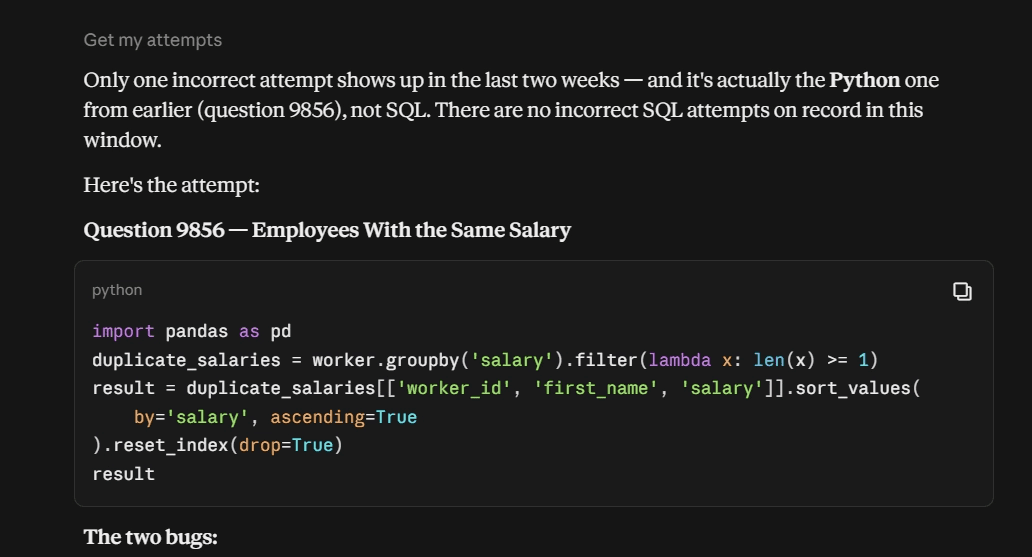
Try asking: "Show me my incorrect SQL attempts from the last two weeks and help me fix one."
Output:
Workflow #6: Review Practice Progress
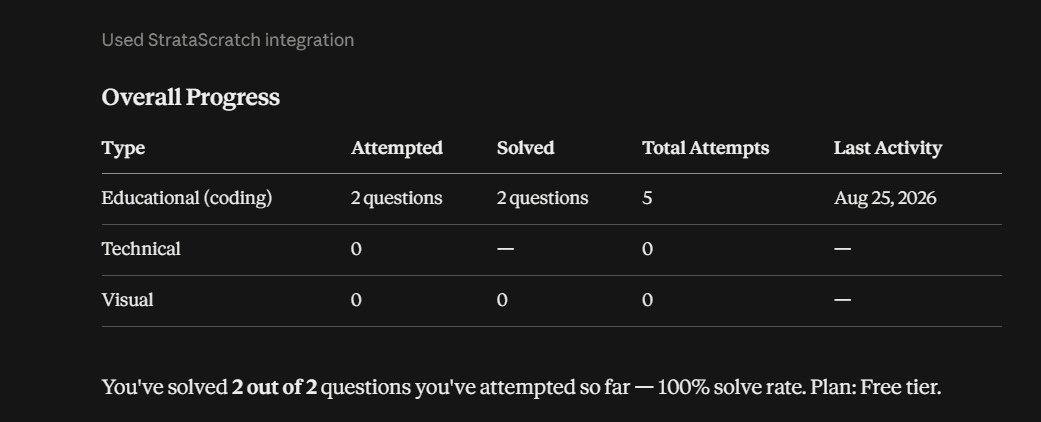
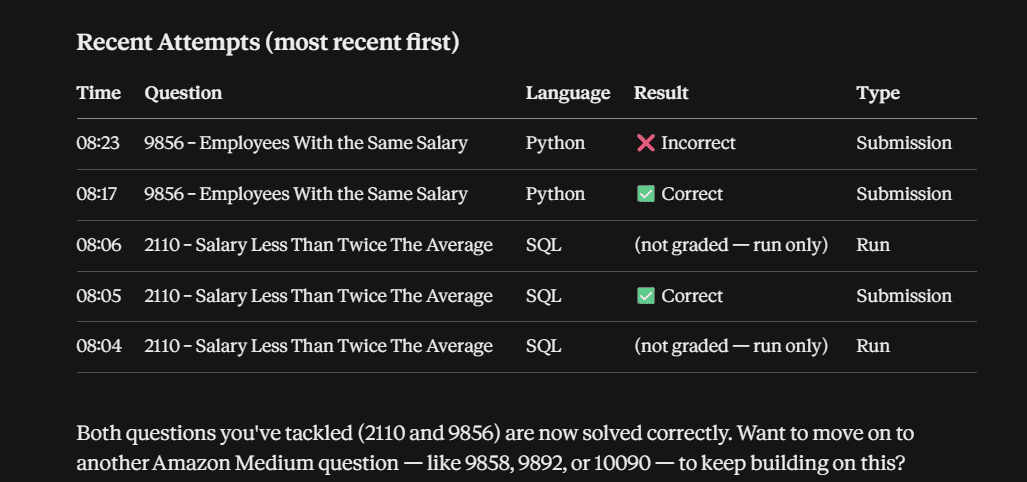
Goal: See overall practice activity and progress at a glance.
Tools: get_my_progress → get_my_attempts (optional)
Try asking: "Show me my overall practice progress and recent attempts."
Output:
How the Connection Works Behind the Scenes
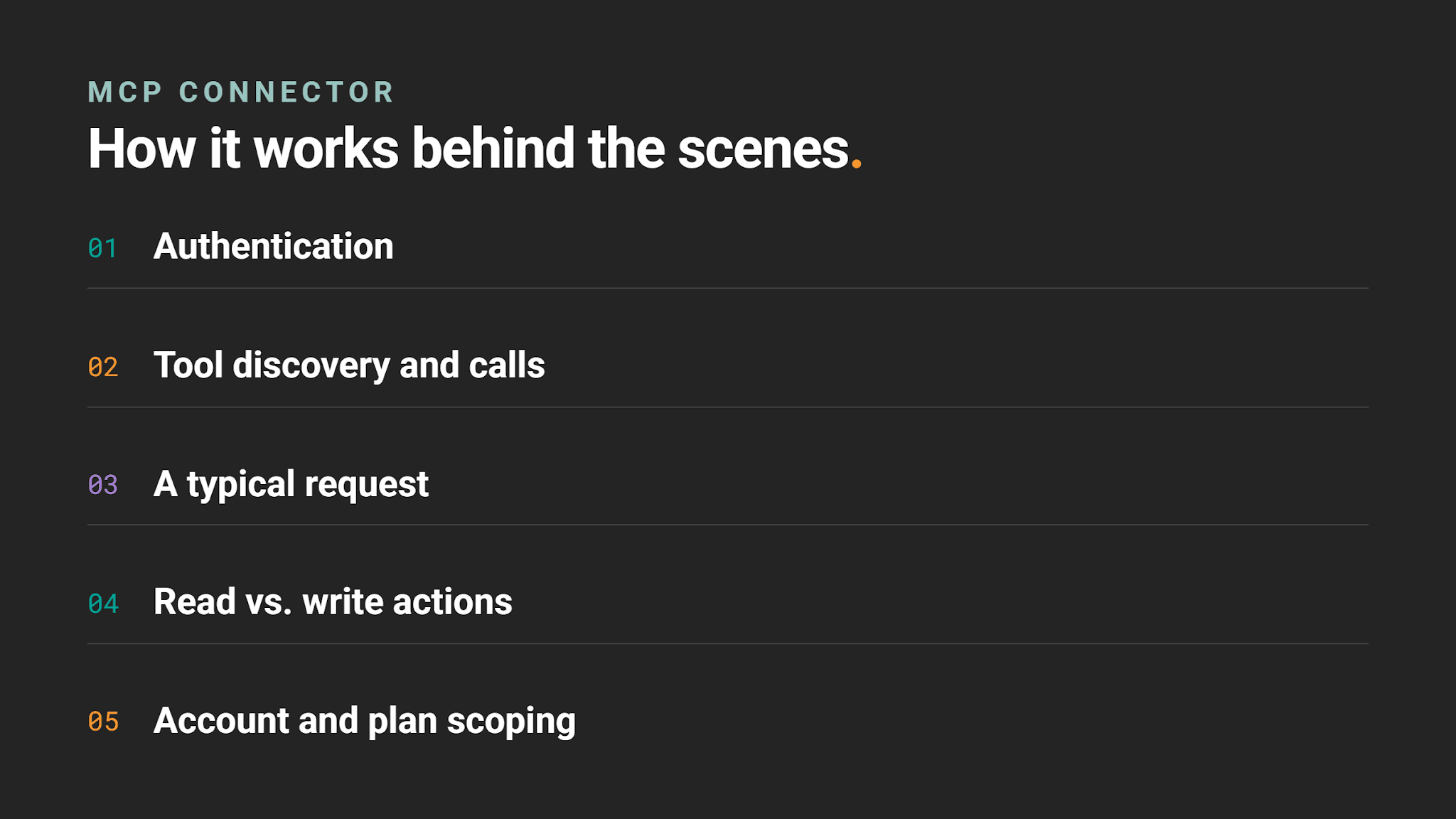
Authentication
You connect Claude to the MCP, which triggers an OAuth 2.0 flow. Claude redirects you to StrataScratch to log in, if you aren't already, and to approve access. Claude then receives an access token scoped to your account, and every action runs under that account. There's no way to act on behalf of a different user.
Tool Discovery and Calls
Claude doesn't know StrataScratch's tools ahead of time. It discovers them from the MCP server's tool schema, then calls them with structured parameters, such as list_questions(difficulty=2, company_name="Amazon").
A Typical Request
Say you ask Claude to find Medium SQL questions from Amazon. Claude maps that to a list_questions call with the right filters, sends it to the MCP server along with your OAuth token, and the server executes it against StrataScratch's real database, respecting your plan tier and content visibility rules. The server returns the data as JSON, and Claude turns it into a natural-language answer.
Read vs. Write Actions
Most tools are read-only and don't change anything. The exceptions are run_code and check_solution, which execute code against real datasets and write real attempt records to your StrataScratch history.
Account and Plan Scoping
The server checks your plan on relevant calls; for example, get_question(include_solution=True) only returns a solution if your account is Premium. Premium or hidden questions are removed before Claude ever sees them, so instead of a permission error, the MCP returns not_found.
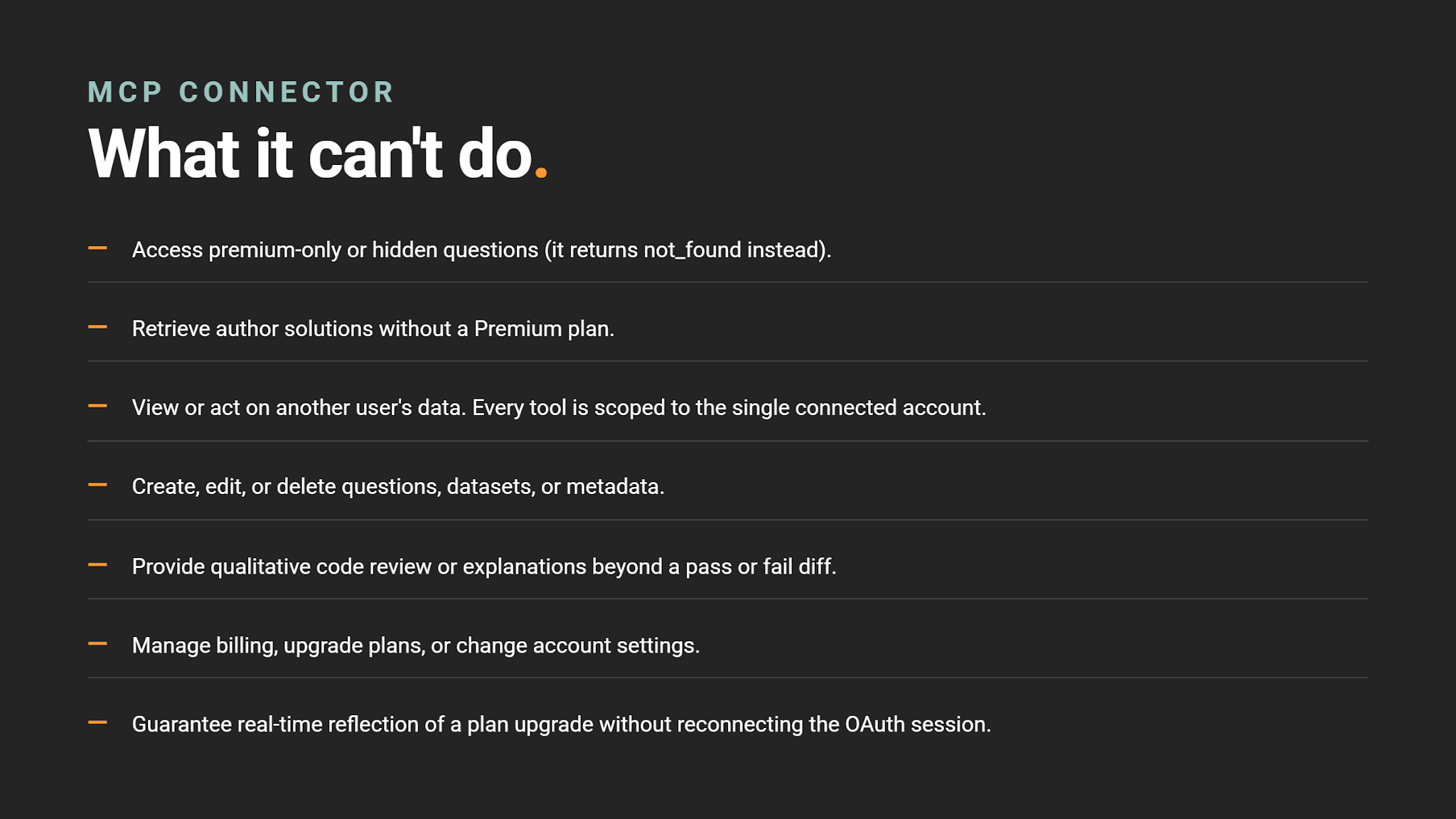
What the MCP Can't Do
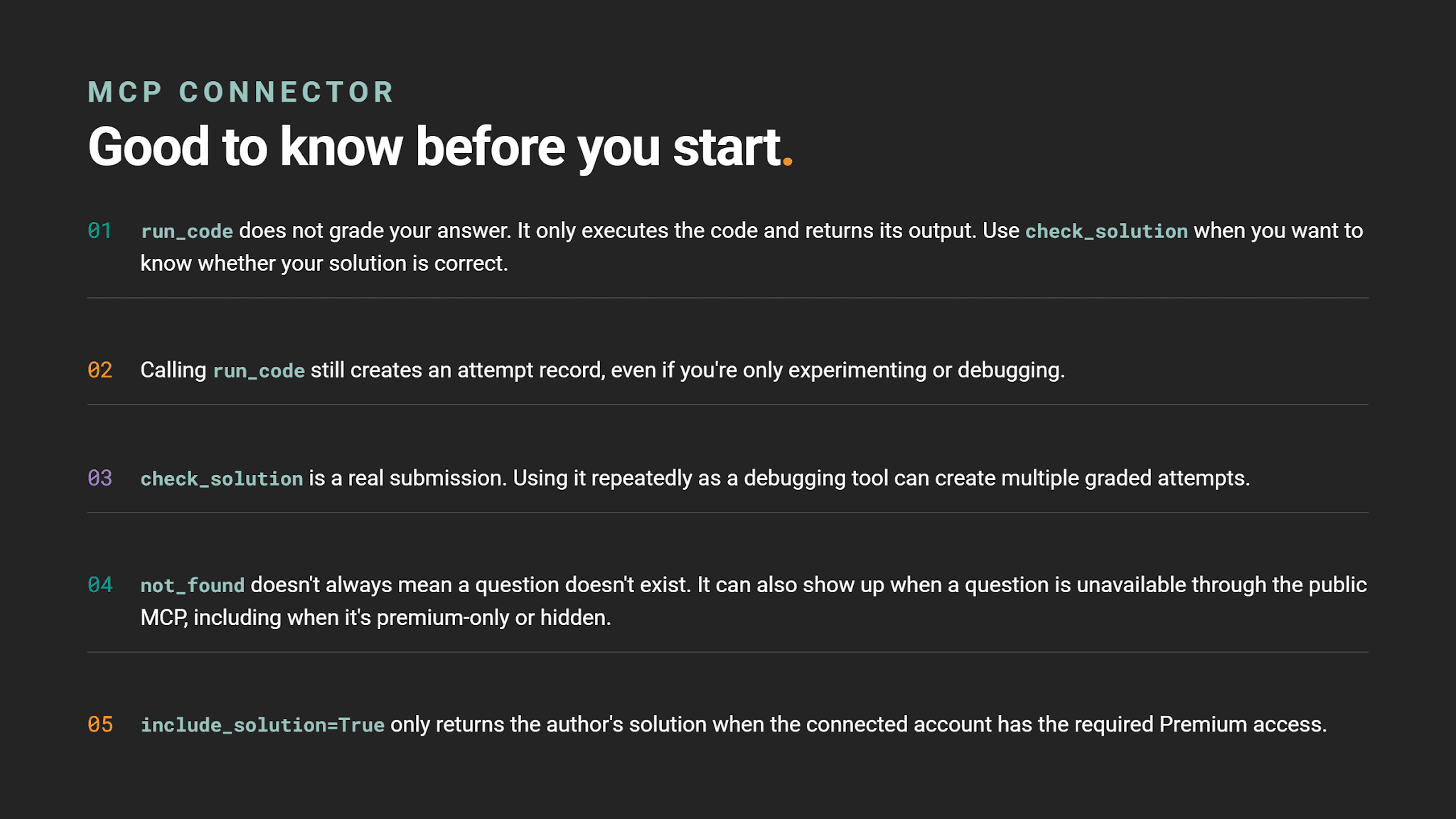
Good to Know Before You Start
Start Practicing With Claude
With the connector in place, Claude becomes a working partner for your StrataScratch practice instead of a separate tab. Ask it for questions by company or difficulty, write and test your code, check your solutions, and review your progress, all in one conversation.
Share